
pestle+ Chrome 插件, crx 扩展下载
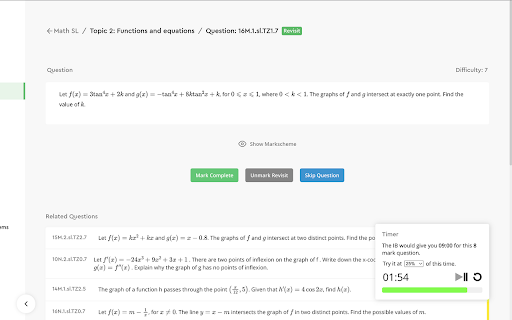
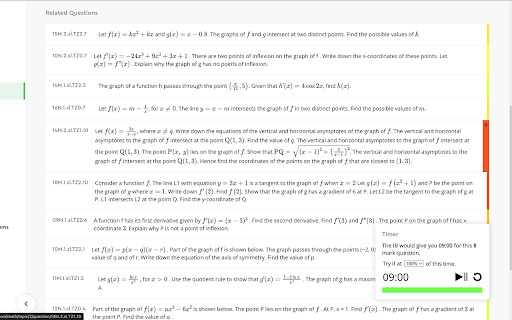
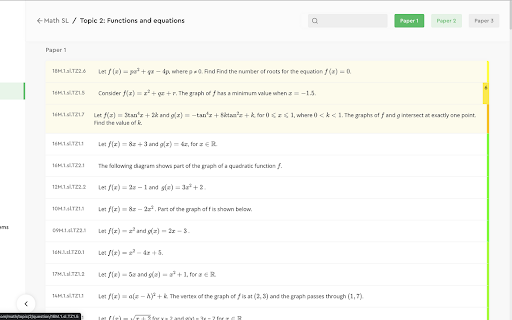
Study smart with targeted practice by organizing pestle by difficulty, and challenge yourself with timed practice!
Pestle+ enables you to level up your revision by revising for Math SL and HL at an appropriate difficulty, always allowing you to challenge yourself and refine your skills.
Pestle+ does this by organizing all Math questions by difficulty, which has been identified using a hybrid algorithm that uses Natural Language Processing techniques to analyze IB examiner remarks and combines it with information about the question length and position in the paper.
You can also challenge yourself with our Timer, that calculates how much time you would have to complete a question during your final IB exams, and allows you to attempt it at varying fractions and multiples (25%, 50%, 75%, 100%, 125%, 150%, 200%) as per your own needs.
Each question also leads you to 10 other Related Questions, which have been identified using subject-specific tags and Natural Language Processing. These questions, tagged by difficulty, allow you to achieve mastery of a sub-topic at your own level and pace.
UPDATE: Now supports Related Questions for Chemistry, Physics, and Biology!
Note: The pestle+ extension has been developed independently of the pestle website, and not by the original developers. The original developers have the authority to modify or remove access to the pestle website.
| 分类 | 📚教育 |
| 插件标识 | lcpbagfnfnjgmmjegmjbmhbkjedgcioi |
| 平台 | Chrome |
| 评分 |
☆☆☆☆☆
0
|
| 评分人数 | 1 |
| 插件主页 | https://chromewebstore.google.com/detail/pestle+/lcpbagfnfnjgmmjegmjbmhbkjedgcioi |
| 版本号 | 1.0.4 |
| 大小 | 1.28MiB |
| 官网下载次数 | 759 |
| 下载地址 | |
| 更新时间 | 2023-09-23 00:00:00 |
CRX扩展文件安装方法
第1步: 打开Chrome浏览器的扩展程序
第2步:
在地址栏输入: chrome://extensions/
第3步: 开启右上角的【开发者模式】
第4步: 重启Chrome浏览器 (重要操作)
第5步: 重新打开扩展程序管理界面
第6步: 将下载的crx文件直接拖入页面完成安装
注意:请确保使用最新版本的Chrome浏览器
同类插件推荐

FocalTab
Minimal & customizable newtab pageEver feeling
你爸爸是谁
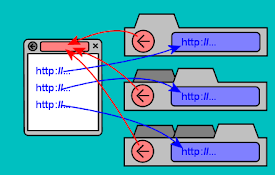
当网站在新选项卡中打开链接时,此扩展程序允许您只需单击“返回”按钮即可找到原始网站。通过将当前选项卡
pestle+
Study smart with targeted practice by organizing p

Pestle for Chrome
Save recipes to Pestle from directly from Chrome.S
Tab Origin
Return to the page from which you opened this tab.

StraightenUp AI - AI Posture Assistant
StraightenUp AI blurs the browser slightly upon de

Copy Domain Name
Copies the domain name from the URL to your clipbo

ThinkLike.pro | Write Anything. Better.
AI-driven virtual assistant that helps you compose

SummarAI
Slicing Through Information OverloadIntroducing Su
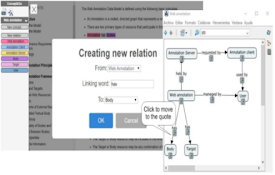
Concept&Go
Annotate documents an create your conceptual map!C

VideoMind: Quick ChatGPT for Youtube
1-Click summary, translation or qa for Youtube Vid

Clear Portal Cache
Clearing the cache with a single click!Easily clea

GitLab CI Lint - UI Enhancer
GitLab CI Lint - UI Enhancer, enhances your CI Lin