
Scrible Extension Chrome 插件, crx 扩展下载
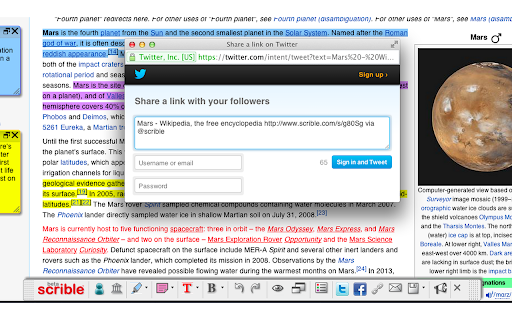

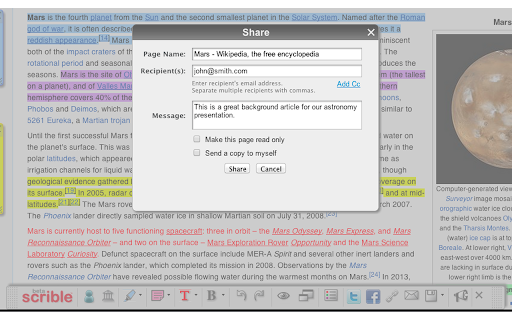
Smarter Web reading & research. Annotate, bookmark, save, cite, manage & share online articles. Use with your Scrible.com account.
The Scrible service streamlines the research and writing process for students and teachers, but is generally useful to anyone researching anything on the internet.
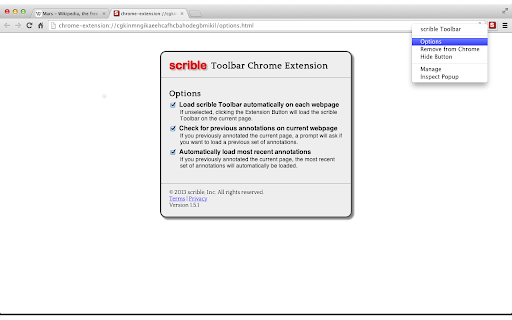
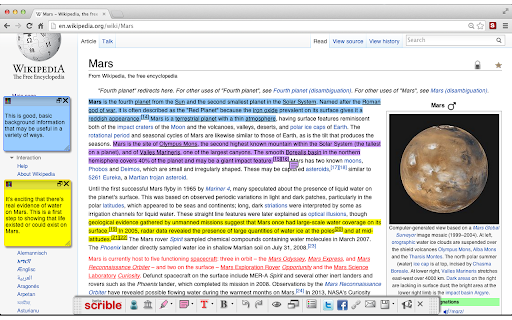
The Scrible Toolbar extension allows you to save and work with articles in Scrible while browsing the web. Click the extension to launch our Toolbar on any webpage or PDF. This will save it to your Scrible account and open up a Toolbar with tools to highlight, comment, and more. If you revisit a page you've previously saved to your account with the Toolbar, the Toolbar will automatically launch and reload your annotations.
Historically, teachers and students have had to manage multiple tools through the research and writing workflow. Scrible consolidates those tools in one place, streamlining a student's process of curating, annotating, citing and writing. Our Toolbar lets you:
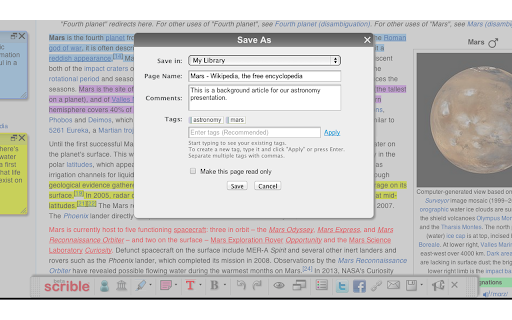
- Save web pages, PDFs and database articles instantly
- Highlight key facts and passages to refer to later
- Annotate and add comments to capture first thoughts
Once pages are saved, in the Scrible Library users can:
- Quickly browse and full text search through sources
- Organize source information with categorical tags
- Select sources to add to a bibliography
Sign into your Scrible account to access your Scrible Library or sign up for a free account at https://www.scrible.com/sign-in/
Scrible supports learning across multiple content areas (e.g. ELA, social studies, science, foreign language), programs (e.g. AP Capstone, IB), support areas (e.g. SPED, ELL), project types (e.g. science fair, National History Day) and initiatives (e.g. personalized learning, project based learning, writing across the curriculum). Scrible also supports special education and ELL students and educators. Learn more at https://www.scrible.com/
Have any questions? Visit our How to Guides ( https://sites.google.com/scrible.com/guides/how-to-guides ) or our Help Page ( https://www.scrible.com/help/ )
— Team Scrible
| 分类 | 📚教育 |
| 插件标识 | lijhjhlnfifgoabbihoobnfapogkcjgk |
| 平台 | Chrome |
| 评分 |
★★★★☆
4.3
|
| 评分人数 | 27 |
| 插件主页 | https://chromewebstore.google.com/detail/scrible-extension/lijhjhlnfifgoabbihoobnfapogkcjgk |
| 版本号 | 2.0.6 |
| 大小 | 304KiB |
| 官网下载次数 | 400000 |
| 下载地址 | |
| 更新时间 | 2024-03-06 00:00:00 |
CRX扩展文件安装方法
第1步: 打开Chrome浏览器的扩展程序
第2步:
在地址栏输入: chrome://extensions/
第3步: 开启右上角的【开发者模式】
第4步: 重启Chrome浏览器 (重要操作)
第5步: 重新打开扩展程序管理界面
第6步: 将下载的crx文件直接拖入页面完成安装
注意:请确保使用最新版本的Chrome浏览器
同类插件推荐

ScribeFire
An easy-to-use blog editor lets you post to all of
Scrible Extension
Smarter Web reading & research. Annotate, book

萌典 moedict
輕鬆查找中文字意。 View Chinese definitions easily when bro

Beanote - Note Taking on Web Pages
This extension helps you to highlight, take notes

Page Notes
Take notes for web pages and access them with a si
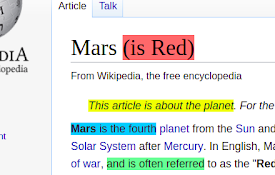
Annotate web pages/CONTEXT
Use this extension to annotate (edit, highlight, p
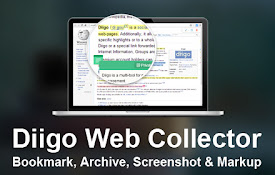
Diigo Web Collector - Capture and Annotate
Bookmark, Archive, Screenshot & Markup - All-I

EasyBib Toolbar
Cite web sites with one click using the EasyBib To

Highlights - Highlighter and Web Clipper
Highlight, tag and add notes across the Web."

Goobric Web App Launcher
This extension launches the Goobric web app, a rub

CraftyText
This extension allows the user's text to be di
JustClip Web Clipper
Bookmark & annotate webpages & PDFs, captu

Research Notes
Bookmark, tag or add notes to pages, highlight and