
AnimeNoFiller - Crunchyroll Chrome 插件, crx 扩展下载
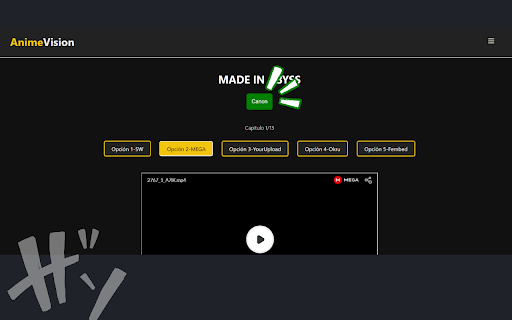
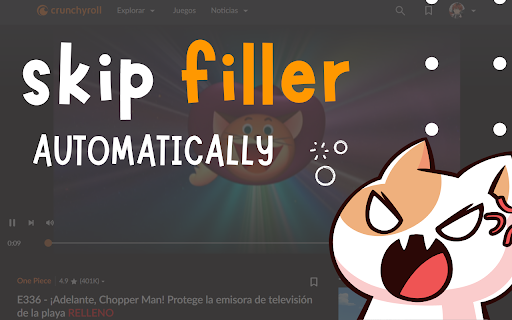

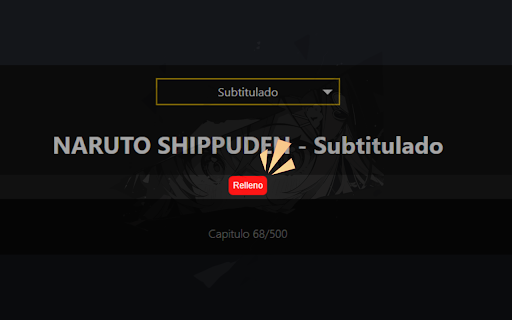
With AnimeNoFiller, you'll never have to wonder again whether an episode is canon or filler.
AnimeNoFiller v1.1 ?
Enhance your anime-watching experience!
? Supported Websites:
- animevision.masterstreet.cl (Español, ad-free)
- 3.animeflv.net (Español)
- Crunchyroll
- 9anime
? Features:
- Easily distinguish between canon and filler episodes
- Visual indicators for each episode type
- Covers 135 popular anime series
? Most Popular Anime Covered:
Dragon Ball, Naruto, One Piece, Attack on Titan (Shingeki no Kyojin),
Death Note, Fullmetal Alchemist, Neon Genesis Evangelion, Yu-Gi-Oh!,
Cowboy Bebop, Sailor Moon, and many more!
? Supported Languages:
English, Español, Português, Français
? Latest Updates:
- Expanded language support
- Added more anime series
ℹ️ About AnimeNoFiller:
AnimeNoFiller is a Chrome extension that enhances your Crunchyroll and 3.AnimeFLV
experience by providing episode classification information for your favorite anime series.
⚠️ Disclaimer:
This is a third-party extension developed independently. While we strive for accuracy,
classifications may vary. Use as a helpful guide rather than a definitive source.
? Feedback:
We're currently in Alpha and value your input! Please share your suggestions
or report any issues by leaving a review. Help us improve your anime-watching experience!
| 分类 | 🎬娱乐 |
| 插件标识 | lldnccndoaelbemalnpigenljmjanodd |
| 平台 | Chrome |
| 评分 |
★★★★☆
4.5
|
| 评分人数 | 4 |
| 插件主页 | https://chromewebstore.google.com/detail/animenofiller-crunchyroll/lldnccndoaelbemalnpigenljmjanodd |
| 版本号 | 1.1 |
| 大小 | 88.36KiB |
| 官网下载次数 | 92 |
| 下载地址 | |
| 更新时间 | 2024-10-16 00:00:00 |
CRX扩展文件安装方法
第1步: 打开Chrome浏览器的扩展程序
第2步:
在地址栏输入: chrome://extensions/
第3步: 开启右上角的【开发者模式】
第4步: 重启Chrome浏览器 (重要操作)
第5步: 重新打开扩展程序管理界面
第6步: 将下载的crx文件直接拖入页面完成安装
注意:请确保使用最新版本的Chrome浏览器
同类插件推荐

Crunchyroll: Ad-Free Player
Optimize Crunchyroll: Block ads, skip intros and i

Crunchyroll Filler
This extension marks filler episodes with a star i

Crunchyroll Comments
Crunchyroll Comments is a browser extension that b

AnimeNoFiller - Crunchyroll
With AnimeNoFiller, you'll never have to wonde

Crunchyroll Filler Labeler
Watch anime on Crunchyroll while knowing which epi

CrunchyScore - MAL & Ani Score on Crunchyroll
Adds MyAnimeList and AniList scores to Crunchyroll

Crunchyroll - Anime Score from MyAnimeList
Go to Crunchyroll.com, explore anime and pick one

MyAnimeList-AnimeFLV link
Go directly to AnimeFLV from MyAnimeList!Ever thou
Race Images Event Countdown
Fresh motivation daily, with epic Spartan action p

Crunchyroll:画中画
用于在画中画模式下观看Crunchyroll的扩展。为您喜欢的视频提供浮动窗口。您是否正在寻找一款可

Improve Crunchyroll
Enhance Crunchyroll: theater mode, skip intros/out

Crunchyroll Speeder: adjust playback speed
Extension allows to adjust the playback speed on C

Default profile for Disney+
Default profile for Disney+, auto-logs chosen prof