
Paladin Chrome 插件, crx 扩展下载
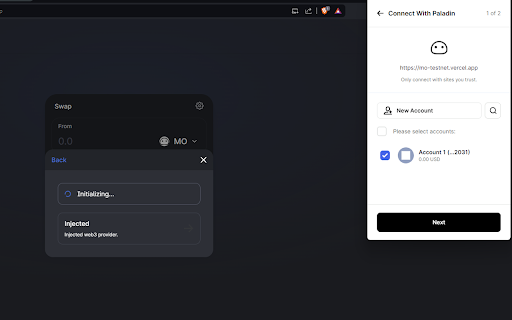
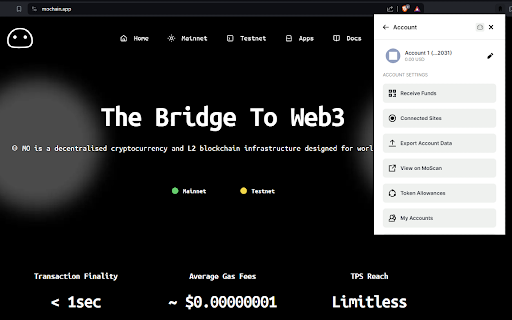
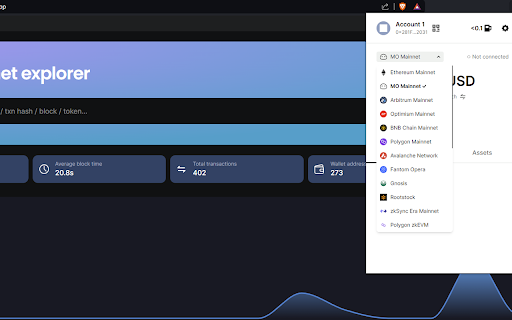
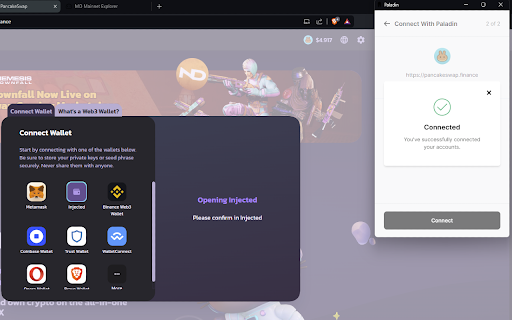
Paladin Web3 Wallet - Your portal to the world of cryptocurrencies.
Discover Paladin: Your Gateway to Web3 Freedom - the self-custodial wallet that simplifies your journey.
Dive into the world of MO Chain, Ethereum, BNB Chain, Polygon, and all other EVM-compatible chains with ease. With Paladin, adventure into the decentralized web, confident that we're here to support you. Connect your Ledger, Trezor, or Keystone hardware wallets for an added layer of security.
Paladin is perfect for you if:
You're active on DApps and DEXes.
You expect seamless operation from your tools.
Online privacy and security are priorities for you.
You prefer a straightforward and user-friendly crypto wallet experience.
What Paladin offers:
Freedom to Explore ⇒ Easily swap and bridge tokens within the wallet for unmatched convenience. Enjoy the best market rates. With our Quick Network Finder, adding new networks is a breeze. Forget about complicated procedures – a few clicks, and you're set.
Enhanced Security ⇒ Quickly revoke token permissions to minimize the risk of hacks and exploits. Paladin's unique visual cues help you avoid phishing by making it easy to identify authentic communications.
Reliable Connectivity ⇒ With Paladin, you're always online thanks to our dual-node system. Should one node fail, your wallet instantly connects to the backup, ensuring continuous, smooth operation.
Paladin isn't just a wallet; it's your launchpad to the decentralized web, catering to veterans and newcomers alike. Paladin is your partner in the crypto journey.
Explore more about Paladin:
https://getpaladin.org
More about MO Chain:
https://mochain.app
https://twitter.com/0xmochain
https://t.me/mochain_official
| 分类 | 📝工作流程与规划 |
| 插件标识 | lmfpihjaelihfkhggcllmiiamoanjbho |
| 平台 | Chrome |
| 评分 |
★★★★★
5
|
| 评分人数 | 2 |
| 插件主页 | https://chromewebstore.google.com/detail/paladin/lmfpihjaelihfkhggcllmiiamoanjbho |
| 版本号 | 1.0.9 |
| 大小 | 16.12MiB |
| 官网下载次数 | 19 |
| 下载地址 | |
| 更新时间 | 2024-03-26 00:00:00 |
CRX扩展文件安装方法
第1步: 打开Chrome浏览器的扩展程序
第2步:
在地址栏输入: chrome://extensions/
第3步: 开启右上角的【开发者模式】
第4步: 重启Chrome浏览器 (重要操作)
第5步: 重新打开扩展程序管理界面
第6步: 将下载的crx文件直接拖入页面完成安装
注意:请确保使用最新版本的Chrome浏览器
同类插件推荐

Feed Santa Your Cookies
Santa is here to eat your cookies! Use this plugin

Paladin
Paladin Web3 Wallet - Your portal to the world of
Firefly Walletbook: Save & Share Web3 Address
Want to simplify your life as a crypto enthusiast,

Anduro
AnduroAnduro wallet supports a multi-sidechain net

Aliexpress to WooCommerce importer
Quickly import products from Aliexpress to WooComm

YAKKL® Smart Wallet
The YAKKL® Smart Wallet is not a typical crypto wa

Meta-Press.es
Decentralized press meta-search engineExplore the

Live Link
Find out if your favorite YouTube creators are liv

DIG This Deal
Compare prices and find the best deals on new and

Left Unread
Show only unread conversations on Facebook, Messen

BoostPic - Search Google Images on the fly
Uncover the possibility to search Google Images qu

Follows You GitHub
Adds a "follows you" label on a GitHub f

Tanuki Utilities
Provide useful utilities for GitLab users.Title ch