
Arrow Navigation Chrome 插件, crx 扩展下载
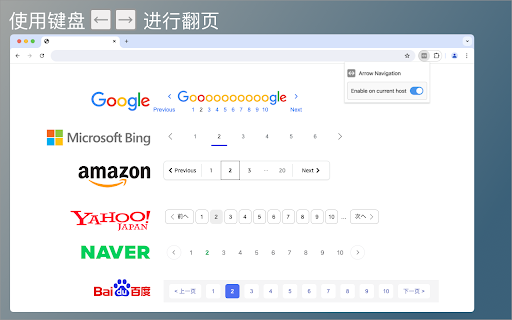
使用键盘方向键进行上一页、下一页操作,支持Google、Bing、百度、淘宝、豆瓣等常用网站。
尝试自动分析网页内容,为那些有分页栏但不支持键盘翻页的网站增加方向键翻页功能,提高网页浏览的效率。
插件默认开启,如果网页内容中有分页栏,并有符合预设的上一页、下一页链接,将自动激活快捷键:
- 按 → 触发下一页
- 按 ← 触发上一页
如果快捷键存在冲突,或者不想在特定的网站上使用此功能,可在插件菜单中为当前网站关闭功能。
目前支持英语、中文、日文、韩文的网页内容,如果需要支持适配更多语言或者页面,请让我知道。
| 分类 | 🛠️工具 |
| 插件标识 | mailneapngknjgimlchbniabnlaofdhb |
| 平台 | Chrome |
| 评分 |
★★★★☆
4.8
|
| 评分人数 | 67 |
| 插件主页 | https://chromewebstore.google.com/detail/arrow-navigation/mailneapngknjgimlchbniabnlaofdhb |
| 版本号 | 1.1.0 |
| 大小 | 19.71KiB |
| 官网下载次数 | 56 |
| 下载地址 | |
| 更新时间 | 2024-08-27 00:00:00 |
CRX扩展文件安装方法
第1步: 打开Chrome浏览器的扩展程序
第2步:
在地址栏输入: chrome://extensions/
第3步: 开启右上角的【开发者模式】
第4步: 重启Chrome浏览器 (重要操作)
第5步: 重新打开扩展程序管理界面
第6步: 将下载的crx文件直接拖入页面完成安装
注意:请确保使用最新版本的Chrome浏览器
同类插件推荐
Arrow Navigation
使用键盘方向键进行上一页、下一页操作,支持Google、Bing、百度、淘宝、豆瓣等常用网站。尝试自
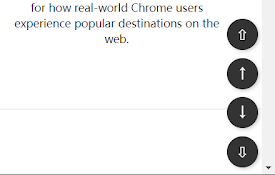
Page go-快速翻页工具
长网页浏览工具,右下角快速翻页,返回顶部,跳转到底部,向上翻页和向下翻页,新增跳转到网页中间按钮这款

Alternate Navigation Buttons
This extension places a back and forward and goto
Space to next page
Space to next page extension help you to load the

Page Turner
Navigate paginated webpages using your keyboard

Scroll to next image
Hit Ctrl+Down to scroll the page so the next image

Previous and Next page keyboard navigation
Allows you to navigate any paged website using the

urlNeXT
Sequence Navigator Tools Based on Active URLurlNex

Previous / Next Page
This extension displays the previous or next page

下一页
在页尾处,空格键自动翻到下一页When reading online documents or no

NextPage - auto load the next page
Auto load the next page of your favourite search e

Infy Scroll - A Next Page AutoPager
Add customized infinite scrolling to websites and

Keyboard Surfing
Web browsing with keyboard, no need to use a mouse