
Universal Trakt Scrobbler Chrome 插件, crx 扩展下载
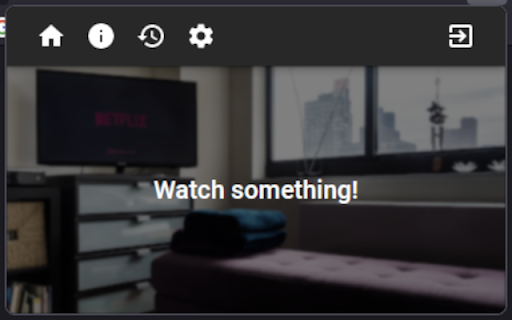
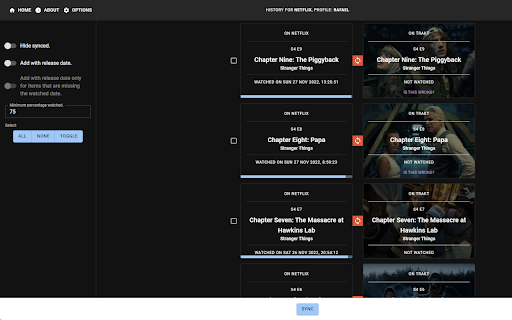
A universal sync for Trakt.tv.
Scrobble your watched shows/movies from Netflix, Amazon Prime, HBO Max, and other streaming services, to Trakt.tv!
You can use this extension to:
- Scrobble shows/movies that you're watching in the supported streaming services to Trakt.tv in real time.
- Sync your watch history from the supported streaming services with Trakt.tv.
- Make it so that the sync runs automatically every specified number of days.
Each functionality is completely optional. For each functionality to work, you must be logged in to the streaming service that you're scrobbling/syncing from.
For some streaming services, the extension might store a cache of the credentials that are needed to make requests to the service's API, but this information is never shared with any external services, and you always have the option to clear the cache.
For other services, it simply scrubs the web page for information about what you're watching.
None of the data collected by the extension is ever shared with any external services without your consent, and it's only ever used to scrobble/sync the shows/movies that you watch across several different streaming services to Trakt.tv.
You have the option to share some data to:
- Rollbar: you can share information about bugs so that they can be more easily fixed.
- Our Server: you can share information about corrections that you made to wrong matches between the streaming service and Trakt.tv so that they can be of use to other users.
Supported streaming services:
- Netflix
- Amazon Prime (may not work well in some regions)
- HBO Max (has limited syncing functionality)
- Many more!
| 分类 | 🎉趣味休闲 |
| 插件标识 | mbhadeogepkjdjeikcckdkjdjhhkhlid |
| 平台 | Chrome |
| 评分 |
★★★★☆
4.5
|
| 评分人数 | 4 |
| 插件主页 | https://chromewebstore.google.com/detail/universal-trakt-scrobbler/mbhadeogepkjdjeikcckdkjdjhhkhlid |
| 版本号 | 0.4.1 |
| 大小 | 2.97MiB |
| 官网下载次数 | 4000 |
| 下载地址 | |
| 更新时间 | 2024-12-06 00:00:00 |
CRX扩展文件安装方法
第1步: 打开Chrome浏览器的扩展程序
第2步:
在地址栏输入: chrome://extensions/
第3步: 开启右上角的【开发者模式】
第4步: 重启Chrome浏览器 (重要操作)
第5步: 重新打开扩展程序管理界面
第6步: 将下载的crx文件直接拖入页面完成安装
注意:请确保使用最新版本的Chrome浏览器
同类插件推荐

Web Scrobbler
Scrobble music all around the web!Web Scrobbler he

traktflix
A Trakt.tv scrobbler for Netflix.- Automatically s

Trakt improver
Add various improvements to Trakt.tvAdd various im

Trakt Search
Takes a url from iMDb and sparses it to a Trakt TV

Side Trakt (companion app for Trakt.tv)
Side Trakt, a chrome extension for Trakt.tvSide-tr

Overseerr Assistant
Browser extension for Overseerr that embeds button
Universal Trakt Scrobbler
A universal sync for Trakt.tv.Scrobble your watche

Enhanced Plex
Adds several features to the Plex/Web client for P
MAL-Sync
将MyAnimeList/AniList/Kitsu/Simkl集成一体并具备剧集自动跟踪功能。MA

Enhancer for Netflix, Crunchyroll, etc
Show trailers, IMDb/Simkl ratings, secret categori
Simkl Lists: TV, Anime, Movies - TV Tracker
Keep track of your favorite TV Shows, Anime, and M

DeArrow - 优化 Youtube 标题和缩略图
众包标题和缩略图应该是叙述性的,而不是修饰性的DeArrow is a browser extens

Real Debrid Download Manager
A Chrome Extension to simplify downloading of torr