
MeloSIP Chrome 插件, crx 扩展下载
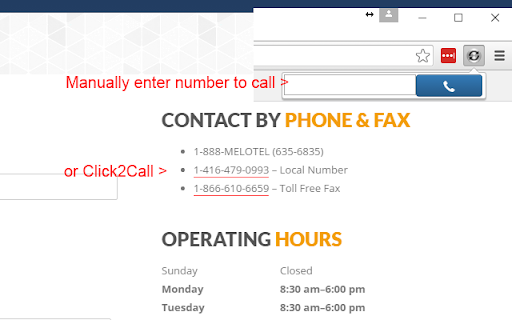
Turn phone numbers on websites into clickable links and automatically initiate phone calls
MeloSIP Click2Call is a versatile app that provides you with three different calling protocols - SIP, SKYPE, and MeloTel API. With these protocols, you can initiate calls with ease and enjoy an enhanced experience.
One of the key benefits of using MeloSIP Click2Call is the ability to dynamically change your caller ID based on the area you are calling. This feature is only available when using the MeloTel API, and you must subscribe to the numbers you want to display as your caller ID. With this feature, you can ensure that your business always presents a professional image, no matter where you are calling from.
In conclusion, MeloSIP Click2Call is an all-in-one app that provides you with an efficient and seamless calling experience. With the ability to initiate calls on three different protocols, and the option to dynamically change your caller ID, you can enjoy a versatile and enhanced calling experience with MeloSIP Click2Call. So, don't wait any longer, try it today and start experiencing the benefits!
What is Dynamic Caller ID Insertion?
Dynamic Caller ID Insertion is a feature within the MeloSIP Click2Call Chrome browser extension that allows the user to dynamically display a specific caller ID when making a call through the MeloSIP platform. The feature enables the user to add multiple caller IDs for different area codes, allowing for a customized and localized caller ID display when making calls to different regions.
To utilize Dynamic Caller ID Insertion, the user must first add their desired caller IDs through the MeloSIP platform. Each caller ID can be comprised of three main variables:
1) Area Code
2) Caller ID Name
3) Caller ID Number (10 numbers).
The user can add as many caller IDs as they need to ensure they have a localized caller ID for each region they plan on making calls to.
Once the caller IDs have been added, MeloSIP will dynamically insert the appropriate caller ID based on the area code of the recipient of the call. For example, if the user is calling a recipient with a 416 area code, the caller ID will display the user's phone number with a 416 area code. If the user is calling a recipient with a 514 area code, the caller ID will display the user's phone number with a 514 area code.
Dynamic Caller ID Insertion solves the problem of having a generic caller ID display for all calls made through MeloSIP, allowing for a more personalized and localized approach to telemarketing calls. The feature helps to improve the likelihood of recipients answering calls from unfamiliar numbers and can lead to increased call success rates.
| 分类 | 💬沟通 |
| 插件标识 | mcjbeeafoifefomenfhilbppdfdajpja |
| 平台 | Chrome |
| 评分 |
★★★☆☆
3.8
|
| 评分人数 | 5 |
| 插件主页 | https://chromewebstore.google.com/detail/melosip/mcjbeeafoifefomenfhilbppdfdajpja |
| 版本号 | 11.2.4 |
| 大小 | 396KiB |
| 官网下载次数 | 343 |
| 下载地址 | |
| 更新时间 | 2024-05-10 00:00:00 |
CRX扩展文件安装方法
第1步: 打开Chrome浏览器的扩展程序
第2步:
在地址栏输入: chrome://extensions/
第3步: 开启右上角的【开发者模式】
第4步: 重启Chrome浏览器 (重要操作)
第5步: 重新打开扩展程序管理界面
第6步: 将下载的crx文件直接拖入页面完成安装
注意:请确保使用最新版本的Chrome浏览器
同类插件推荐

Noojee Click for Asterisk
Turns phone numbers in any web page into click-to-

CommPeak - Asterisk Click2Call
CommPeak's Click2Call for Asterisk (AJAM)This

Invido - Webcam & Screen Recorder
Record, share and track your videosCapture and sha

MeloSIP
Turn phone numbers on websites into clickable link

Zoiper Click2Dial
Make phone numbers clickable and initiate calls fr

OnSIP Call Assistant
OnSIP customers can maximize workday efficiency wi

SIP Phone
SIP Phone is a WebRTC client.SIP Phone works using

SIP Click To Call Phone Extension
It is provide click to call from any web page in b

Select and Dial
Select a phone number, right click and dial it.Sma

Call From Browser
Call From Browser - Make your mobile call numbers

Right Click to Dial - SIP Dialer
Simple right click to dial for Chrome context menu

Click To Call Chrome Extension
This chrome extension use for click to call any nu

JustCall - Click To Call for CRM Tools
Click to call phone numbers available on any web p