
PEXA Digital Signing for Chrome Chrome 插件, crx 扩展下载
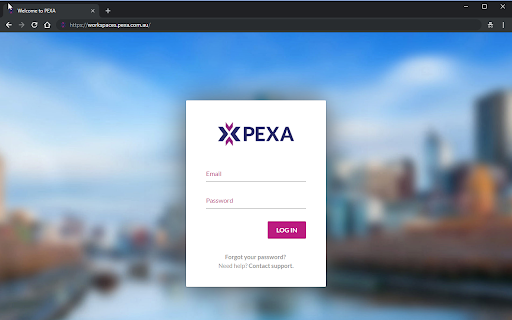

Sign PEXA documents
PEXA provides a simple and secure way to electronically sign documents and financial settlement when using your Chrome browser.
Your Security is important. Digital Certificates use public key cryptographic technology to secure information that passes from one computer to another over a network.
This technology helps to ensure that transacting online is a secure method of information exchange.
Install the PEXA digital signing extension today and eliminate the costs, hassle, and lack of security in paper-based world.
For more information on how we handle your personal information, please refer to PEXA's privacy policy at https://www.pexa.com.au/privacy-policy
| 分类 | 📝工作流程与规划 |
| 插件标识 | mehmbceeoajoljjbcodcbjlhmopjmlmf |
| 平台 | Chrome |
| 评分 |
★★☆☆☆
2.1
|
| 评分人数 | 151 |
| 插件主页 | https://chromewebstore.google.com/detail/pexa-digital-signing-for/mehmbceeoajoljjbcodcbjlhmopjmlmf |
| 版本号 | 88.0 |
| 大小 | 1.36MiB |
| 官网下载次数 | 30000 |
| 下载地址 | |
| 更新时间 | 2024-10-16 00:00:00 |
CRX扩展文件安装方法
第1步: 打开Chrome浏览器的扩展程序
第2步:
在地址栏输入: chrome://extensions/
第3步: 开启右上角的【开发者模式】
第4步: 重启Chrome浏览器 (重要操作)
第5步: 重新打开扩展程序管理界面
第6步: 将下载的crx文件直接拖入页面完成安装
注意:请确保使用最新版本的Chrome浏览器
同类插件推荐

iProctor Extension - Assess App
This is the chrome extension for iProctor, the pro
PEXA Digital Signing for Chrome
Sign PEXA documentsPEXA provides a simple and secu

NetDocuments
If you wish to remove the NetDocuments Extension,

QUT Timetable Planner
Plan your perfect timetable with this free open-so

3CX Click2Call
The 3CX browser extension provides click2call from

Philips Device Connector
This extension allows communication between websit

Signer.Digital Digital Signature, PKI
Digital Signature of eReturns, PDF & Web User

Digital Signature Extension
Extension for EDS Plugin.Make electronic digital s
Docusign eSignature Chrome 浏览器版
随时在 Chrome 中访问 Docusign eSignature。无论您是在网上购物、浏览网页,

Qantas Shopping Points-Prompter
Browser extension for Qantas shoppingQantas Shoppi

ShopBack - Cashback & Rewards
With the ShopBack browser extension, you'll ne