
Column to Comma-Separated List Chrome 插件, crx 扩展下载
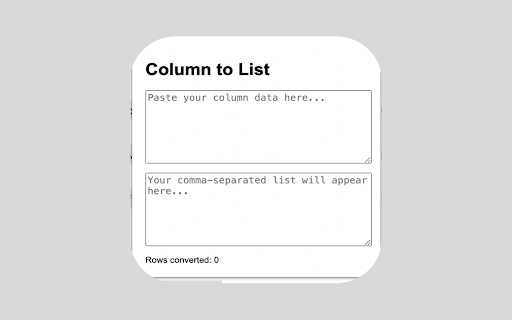
Convert column data into a comma-separated list.
Column to Comma-Separated List Converter
Transform your column data into a comma-separated list effortlessly with the Column to Comma-Separated List Converter extension. Ideal for anyone working with data, this tool streamlines your workflow by automatically converting pasted column data into a comma-separated format, copying it to your clipboard, and displaying the number of rows converted—all in real-time.
Key Features:
Instant Conversion: Paste your column data, and the extension automatically converts it into a comma-separated list.
Auto Copy to Clipboard: The converted list is instantly copied to your clipboard, ready for immediate use.
Row Count Display: Keep track of your data with a live count of the rows converted.
How to Use:
1. Open the extension by clicking on the icon in your Chrome toolbar.
2. Paste or type your column data into the input field.
3. The extension will automatically convert the data, copy it to the clipboard, and display the comma-separated list along with the row count.
Simplify your data handling tasks with this easy-to-use extension, perfect for data analysts, marketers, and anyone needing quick data transformations.
| 分类 | 📝工作流程与规划 |
| 插件标识 | mjggihmopbmmbhafkbnohkeplangkkjm |
| 平台 | Chrome |
| 评分 |
★★★★☆
4.3
|
| 评分人数 | 219 |
| 插件主页 | https://chromewebstore.google.com/detail/column-to-comma-separated/mjggihmopbmmbhafkbnohkeplangkkjm |
| 版本号 | 1.0 |
| 大小 | 6.73KiB |
| 官网下载次数 | 90 |
| 下载地址 | |
| 更新时间 | 2024-05-23 00:00:00 |
CRX扩展文件安装方法
第1步: 打开Chrome浏览器的扩展程序
第2步:
在地址栏输入: chrome://extensions/
第3步: 开启右上角的【开发者模式】
第4步: 重启Chrome浏览器 (重要操作)
第5步: 重新打开扩展程序管理界面
第6步: 将下载的crx文件直接拖入页面完成安装
注意:请确保使用最新版本的Chrome浏览器
同类插件推荐

Rapid Tags Comma Separator
Copy tags from rapidtags.io and paste them but wit

ColumnCopy
Enables copying columns from tables.Column Copy en
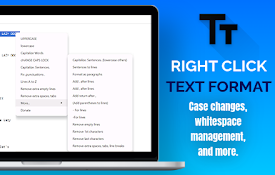
Right Click Text Format
Speed up text formatting with quick case changes,
Column to Comma-Separated List
Convert column data into a comma-separated list.Co

SEO Search Keyword Tool
SEO Keyword Search Tool searches using long-tail k

Google Meet Microphone Toggle
Adds browser-wide shortcuts to toggle microphone a

Semi-Colon List Delimiter
This extension will convert a list of multiple val

SQLDelimiter
This extension will convert multiple values to sel

Image Zoom Tool
Image Zoom Tool can zoom any image in your browser

Copytables
Select table cells, rows and columns with your mou

Powerful Table Capture
Copies HTML tables to the clipboard or exports the

In Zoom
Zoom in and out on images and videos using shift +
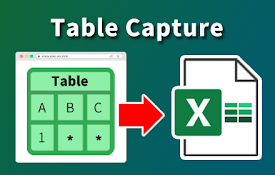
表捕获 - 表格数据到电子表格
捕获网站上的表格数据。 导出到 Microsoft Excel、Google Sheets、CSV