
uWorld Heatmap Chrome 插件, crx 扩展下载
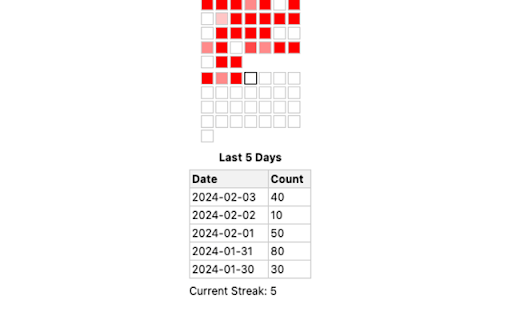
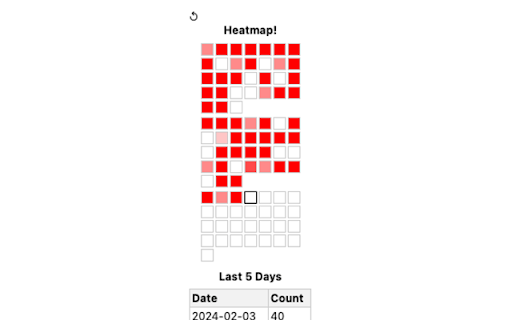
Daily question progress
Enhance your learning journey by tracking your progress with the dynamic visual aid of a heat map and staying motivated with our streak counter. Keep up the great work in your studies!
User Guide
- install the extension
- refresh chrome (may need to restart chrome)
- navigate to the "Previous Tests" page on https://apps.uworld.com/
- best practice: select 100 for "Items per page" at the bottom right
- click on the extension image in the top bar
- refresh chrome and the extension until data populates
| 分类 | 📚教育 |
| 插件标识 | mjhiemionbjmlbhjbnfppphnmbdmflgl |
| 平台 | Chrome |
| 评分 |
★☆☆☆☆
1
|
| 评分人数 | 1 |
| 插件主页 | https://chromewebstore.google.com/detail/uworld-heatmap/mjhiemionbjmlbhjbnfppphnmbdmflgl |
| 版本号 | 1.1 |
| 大小 | 77.59KiB |
| 官网下载次数 | 77 |
| 下载地址 | |
| 更新时间 | 2024-02-07 00:00:00 |
CRX扩展文件安装方法
第1步: 打开Chrome浏览器的扩展程序
第2步:
在地址栏输入: chrome://extensions/
第3步: 开启右上角的【开发者模式】
第4步: 重启Chrome浏览器 (重要操作)
第5步: 重新打开扩展程序管理界面
第6步: 将下载的crx文件直接拖入页面完成安装
注意:请确保使用最新版本的Chrome浏览器
同类插件推荐

Chrome Step ToolBox
Displays a table suggesting study resources during

Amboss Quality of Life Upgrades
Fixes the tiny issues with the Amboss interface.Ma

Med Study Pop-up by Picmonic
Quickly view high-yield details on any medical top

USMLE Spot Checker
An extension to notify users of Step 1, Step 2, an
uWorld Heatmap
Daily question progressEnhance your learning journ

NBME next clicker
Are you tired of endlessly clicking Next to find a

AnkiTab
Replace new tab page with Anki flashcardsMake revi

Fueler.daily - portfolio inspiration ideas
An extension to check for knowledge & inspirat

UWorld Answer Viewer
An extension to render content from UWorld practic

AAMC MCAT Interface by Jack Westin
This extension allows users who have purchased AAM

Anki generator, powered by open ai GPT
PhagosMaximize your study effectiveness and learni

AMBOSS SI Estimator
Extension for AMBOSS to give a rough estimate for

W-SOM Quirks Tab
Just some quirks.An extension made by a Wayne Stat