
contents.ai Chrome 插件, crx 扩展下载
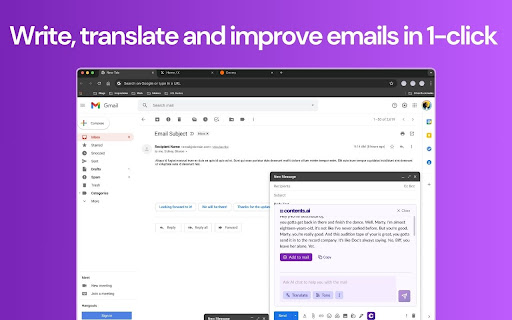

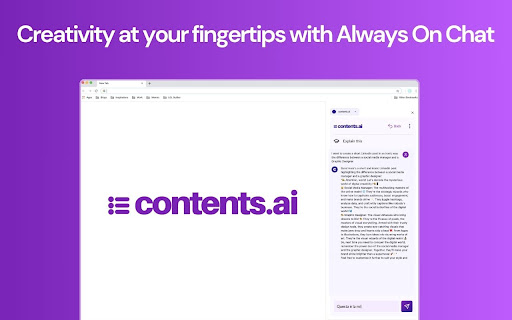
With the Contents.ai Chrome Extension, you can write, edit, or translate your content directly on your webpage.
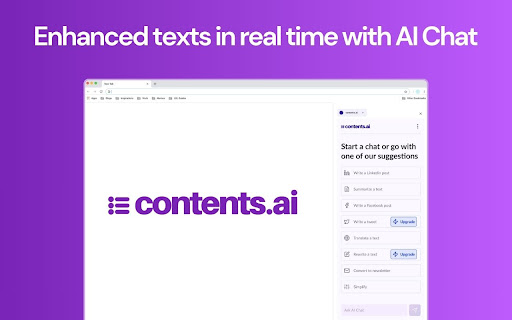
Enhance your texts with AI, in real time.
Discover how the Contents.ai Chrome extension can transform your online writing experience.
Perfect emails, blog articles, social media posts, and much more, directly from the web page you're visiting. With continuous AI assistance, every sentence is impactful and tailored to tell your story. Seamlessly integrate AI into your workflow and boost your productivity without ever leaving your browser. ?
What You Can Do with Contents.ai on Chrome:
? Always-On AI Chat: Get instant assistance to create, optimize, and rework content directly from the text on the web page you're visiting. The AI is always available to help with social posts, summaries, translations, and more. ?
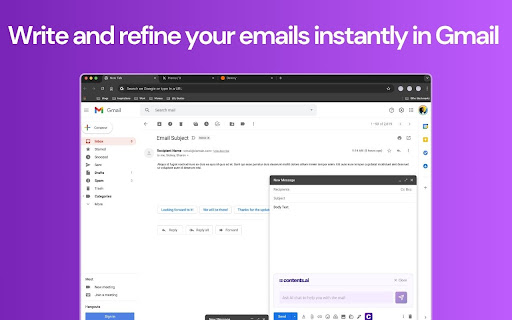
? Full Integration with Gmail: Enhance your communication directly in Gmail. Write, translate, and improve emails with advanced tools for fast, professional results. ?
? Web Content Extraction and Reworking: With the "Extract and Reorganize" feature, easily transform the content of any web page into new texts, without the tedious copy-paste process. ?
How It Works:
? Install the Extension: Click "Add to Chrome" to install the extension directly in your browser. ?
? Activate the AI: After installation, click on the extension icon to open the AI chat on any web page. ?️
? Start Using It: Use the chat to improve your texts in real time, taking advantage of preset suggestions or creating custom content. ✍️
Terms and Conditions of Service: This extension is available to customers with an active subscription. Discover how our AI can optimize your workflow and improve every word you write! ?
❓ Frequently Asked Questions:
? How can I install the extension?
Click on the “Add to Chrome” button on the extension page in the Chrome Web Store and follow the instructions to complete the installation.
? Does the extension only work on Google Chrome?
Yes, the extension is specifically designed for Google Chrome. It is not currently available for other browsers.
? Is a subscription required to use the extension?
Yes, you need to have an active Contents.ai subscription to use the extension.
? Is the extension free?
The extension is free and integrates with your paid Contents.ai plan.
? Is the extension compatible with other productivity tools?
Yes, the extension integrates seamlessly with any web page, including Gmail, WordPress, LinkedIn, and other platforms, offering comprehensive support for writing and content optimization.
? How can I get support?
For any questions or issues, contact us at [email protected], and our team will be happy to assist you.
Download now and transform your writing with Contents.ai! ?
| 分类 | 📝工作流程与规划 |
| 插件标识 | mkbdeemoekfnienlfhmjiffbbpaojpce |
| 平台 | Chrome |
| 评分 |
★★★★★
5
|
| 评分人数 | 2 |
| 插件主页 | https://chromewebstore.google.com/detail/contentsai/mkbdeemoekfnienlfhmjiffbbpaojpce |
| 版本号 | 1.1.8 |
| 大小 | 498KiB |
| 官网下载次数 | 252 |
| 下载地址 | |
| 更新时间 | 2024-11-30 00:00:00 |
CRX扩展文件安装方法
第1步: 打开Chrome浏览器的扩展程序
第2步:
在地址栏输入: chrome://extensions/
第3步: 开启右上角的【开发者模式】
第4步: 重启Chrome浏览器 (重要操作)
第5步: 重新打开扩展程序管理界面
第6步: 将下载的crx文件直接拖入页面完成安装
注意:请确保使用最新版本的Chrome浏览器
同类插件推荐

MyLens AI: Webpage and YouTube Video Summarizer
MyLens AI turns any website or YouTube video into

AI Web Chatbot
Lets you talk with AI about the current web page y

LAiPIC.AI: Quickly turn URL links into AI video ads
Your swift & powerful AI video maker: A simple
contents.ai
With the Contents.ai Chrome Extension, you can wri

AI Launchpad
Discover the world of artificial intelligence with

AI Genius
在搜索引擎结果中同时显示ChatGPT的回答AI Genius sounds like a soft
Empler AI | AI Workflows with GPT & More
Next-Generation AI Tool For Better Outcomes.Empler

Monkai - AI Focus Assistant from Your New Tab
Monkai is your personal AI assistant that helps yo

AI Command
Elevate Text Interaction with AI-Powered Capabilit

Brandengine.ai
Using GPT to help you comment better, easier &

Daily Intel Extension
Summarizes content from web pagesDaily Intel: Your

Research AI
Research AI - Helps you write marketing content, b

CoSupport AI
CoSupport Agents is a groundbreaking AI assistant,