
Attachment Metadata Removal for Gmail Chrome 插件, crx 扩展下载
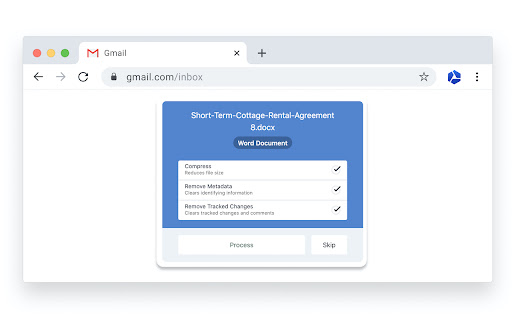
Attachment Metadata Removal for Gmail that cleans metadata from Microsoft Office and Adobe PDF attachments.
Okatee cleans sensitive metadata from Gmail attachments.
How it works:
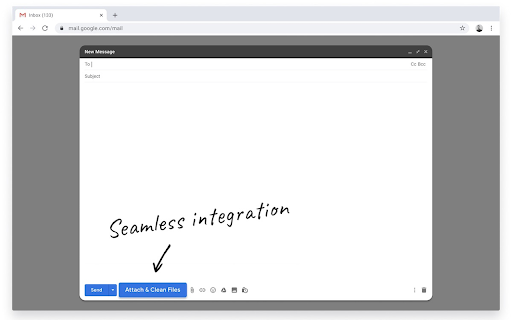
1. Integrates directly into the Gmail compose pane.
2. Select files to clean with the "Clean and Attach" button.
Compatible with:
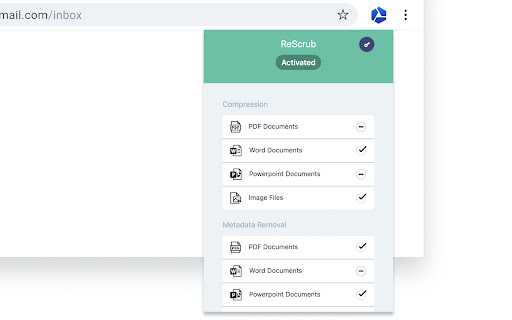
? .pdf (Core Properties / XMP Metadata / Annotations / Comments)
? .docx .doc (Core Properties / Custom Properties / Comments / Tracked Changes)
?️ .pptx .ppt (Core Properties / Custom Properties / Comments / Slide Notes)
? .xlsx .xls (Core Properties / Custom Properties / Comments)
? .png (XMP / Location / EXIF)
? .jpg (XMP / Location / EXIF)
? .jpeg (XMP / Location / EXIF)
Features:
? Integrates directly into Gmail
? Secure metadata removal
? Improves compatibility
?️ Reduces file size
Great for:
?⚖️ Legal professionals
?? Chartered professional accountants
?️♀️ Government officials and employees
?⚕️ Medical professionals (HIPAA compliant)
?? Journalists and their contacts
More information on Okatee can be found here: https://okatee.com/
Okatee is a Metadata Scrubbing Tool for Gmail. Okatee does not store or retain any attachment data. Your data stays secure and confidential.
| 分类 | 📝工作流程与规划 |
| 插件标识 | nbledajflacgoplolofjnjmkkaefbpdi |
| 平台 | Chrome |
| 评分 |
★★★★★
5
|
| 评分人数 | 1 |
| 插件主页 | https://chromewebstore.google.com/detail/attachment-metadata-remov/nbledajflacgoplolofjnjmkkaefbpdi |
| 版本号 | 6.2.2 |
| 大小 | 9.59MiB |
| 官网下载次数 | 240 |
| 下载地址 | |
| 更新时间 | 2024-07-04 00:00:00 |
CRX扩展文件安装方法
第1步: 打开Chrome浏览器的扩展程序
第2步:
在地址栏输入: chrome://extensions/
第3步: 开启右上角的【开发者模式】
第4步: 重启Chrome浏览器 (重要操作)
第5步: 重新打开扩展程序管理界面
第6步: 将下载的crx文件直接拖入页面完成安装
注意:请确保使用最新版本的Chrome浏览器
同类插件推荐
PixelBlock 2
PixelBlock 2 is a Gmail extension that blocks peop

Attachment Metadata Removal for Gmail
Attachment Metadata Removal for Gmail that cleans
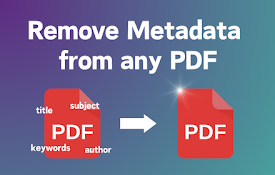
从 PDF 中删除元数据
通过我们的Chrome扩展程序轻松删除PDF的元数据。保护您的文件!向所有注重隐私的人士和专业人员介

6th Toolbar Spacer
A partition icon for spacing the extension buttons

BHVis:Visualization of your browsing habits
Browsing history is very important to know about b
HiddenTools for Google Chrome™
The easiest way to access all the productivity set

@ttaché: The Gmail Attachments Manager
@ttaché helps you quickly and easily locate import
Gmail Settings Extender
Bookmark mails and start compose in chrome-like ta

MetaClean for Gmail
Removes metadata and hidden data in email attachme

IPTC Photo Metadata inspector
Right-click on any image and select "View IPT

EXIF Viewer Pro
Quick access to EXIF data of any image you viewQui

Exify
EXIF viewer for the modern WebShow EXIF info by ho

Exif Metadata Viewer
Read meta information of audio, video, image, PDF,