
This Day in History Chrome 插件, crx 扩展下载



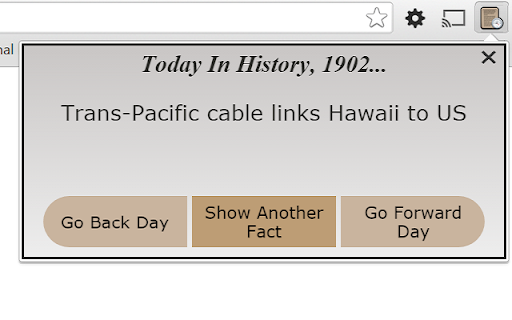
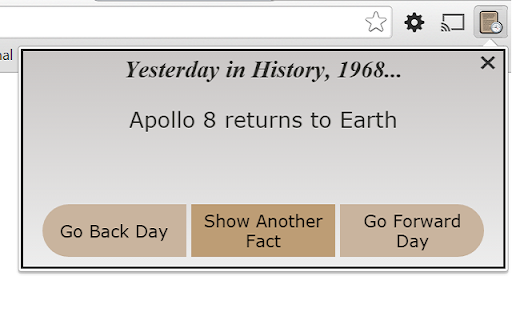
This extension shows a quick 'This day in history' fact.
Full project description here: http://alexbudilovsky.com/projects/tdih/this_day_in_hist.html
See different 'This Day in History' facts for every day of the year with a click of your mouse in the chrome browser - over 6200 historical facts in total. Facts include famous births and deaths, important historical events in the course of history, triumphant sporting occurrences, breakthrough discoveries, revolutionary laws being passed and overturned, and many more. Have an interesting and engaging conversation starter wherever you are, every single day! Every time you open a new tab, the default new tab will show you a new fact - no need to click the extension in the upper right corner.
This lightweight extension is very non-intrusive - it sits as an icon in the top right corner of your browser and shows a new fact with a click of the mouse. You can also scroll forward and back in day, as well as scroll through all the same facts for the same day.
For the more tech-savy, I have ensured that all users get the same facts shown, in the same same randomly shuffled order, using the current day as the seed for shuffling. Refer to code for details.
Know what happened today, give this extension a try!
I am interested in all feedback, positive and negative. Contact:
Email: alexbudy [at] gmail.com
Twitter: @AlexBudilovsky
Website: alexbudilovsky.com
GitHub: https://github.com/alexbudy/day_in_history_extension/
▀▀▀▀▀▀▀▀▀▀
Any rating and review would be really helpful and appreciated!
▀▀▀▀▀▀▀▀▀▀
Changelog:
1.8 - settings now sync for user
Thanks to myDataMaster.com for providing the free facts, in .sql form.
| 分类 | 🎉趣味休闲 |
| 插件标识 | ndkaiipoocfphiciaddeacmlaideidhe |
| 平台 | Chrome |
| 评分 |
★★★★☆
4.1
|
| 评分人数 | 8 |
| 插件主页 | https://chromewebstore.google.com/detail/this-day-in-history/ndkaiipoocfphiciaddeacmlaideidhe |
| 版本号 | 2.0 |
| 大小 | 243KiB |
| 官网下载次数 | 262 |
| 下载地址 | |
| 更新时间 | 2024-06-04 00:00:00 |
CRX扩展文件安装方法
第1步: 打开Chrome浏览器的扩展程序
第2步:
在地址栏输入: chrome://extensions/
第3步: 开启右上角的【开发者模式】
第4步: 重启Chrome浏览器 (重要操作)
第5步: 重新打开扩展程序管理界面
第6步: 将下载的crx文件直接拖入页面完成安装
注意:请确保使用最新版本的Chrome浏览器
同类插件推荐

WebStatData Organic Report
Displays quick Organic Report for currently visibl

Just the facts
Just the Facts highlights key information (quotes,

Daily Shakespeare
This extension delivers a different Shakespeare mo

Tapir Facts
Tapir Facts gives you a random tapir fact every ti
Word Of The Day!
Displays one new vocabulary word each day, it'

words.
There are no uninteresting words; only unintereste

Wiki Researcher
Don't Waste Time Opening Multiple Wiki Windows

FunFacts
Fun random facts about history, technology, scienc

Today in History
Learn what happened today in history around the wo

Daily Facts
Daily Facts : Get Daily Facts about Historical Eve

Easy History
Visit webpages by just entering a simple Keyword a
This Day in History
This extension shows a quick 'This day in hist

Historian
History on steroidsHistorian is browsing history o