
tracklessURL Chrome 插件, crx 扩展下载
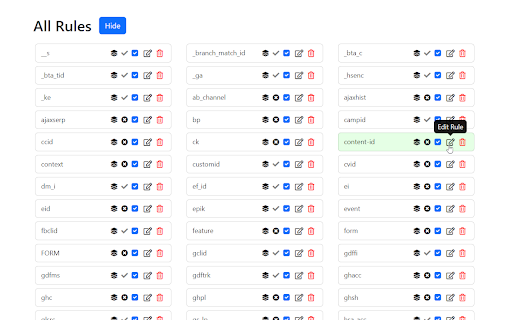
Removes tracking parameters from URLs
tracklessURL is an open-source privacy-focused extension that automatically removes tracking parameters from URLs before they're visited. Using the Declarative Net Request API, tracklessURL is able to modify URLs without ever requiring intrusive permissions. This means the extension is unable to view or store what websites you visit. The source code can be found on my GitHub at https://github.com/col1010/tracklessURL.
Features:
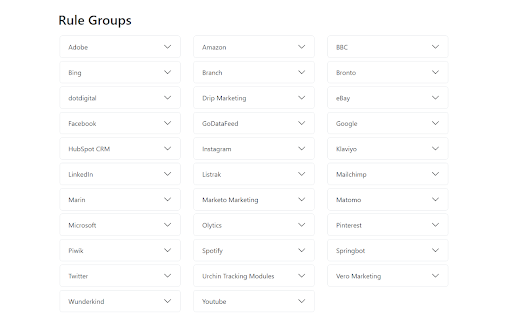
• Frequently updated built-in list of the most common URL trackers, such as UTM (Urchin Tracking Modules) parameters, Facebook trackers (fbclid), and multiple other social media and marketing website trackers.
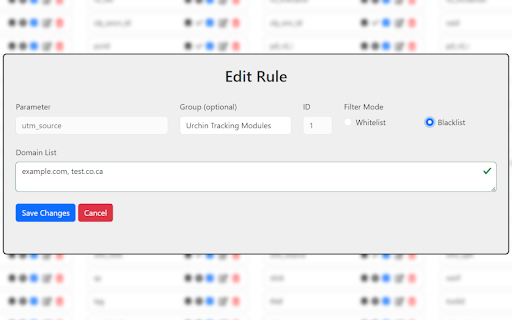
• Fully user-customizable: Simple, intuitive user interface allows you to add your own rules for blocking parameters. Delete, edit, toggle, or group rules together at any time.
• Global whitelist feature provides an easy way to whitelist any websites that may behave incorrectly because of parameter removal.
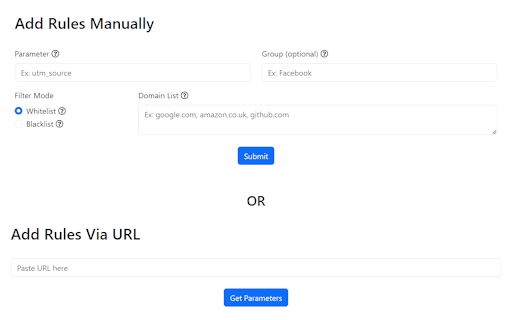
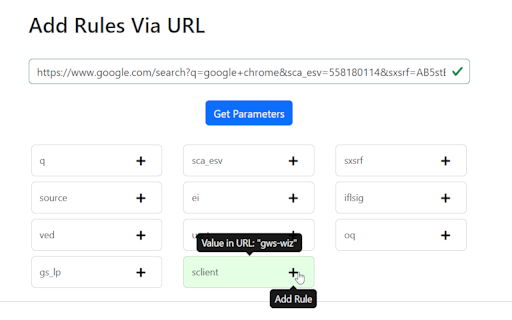
• Multiple ways to add rules: Add a parameter manually by specifying the parameter to block and the websites to block it on or paste a URL containing tracking parameters to quickly add new rules to block them.
See the GitHub repository for further information.
| 分类 | 🛠️工具 |
| 插件标识 | nemfkkkhhgnpbnmcnkeppjnhloknbjfk |
| 平台 | Chrome |
| 评分 |
★★★★☆
4.7
|
| 评分人数 | 3 |
| 插件主页 | https://chromewebstore.google.com/detail/tracklessurl/nemfkkkhhgnpbnmcnkeppjnhloknbjfk |
| 版本号 | 0.0.101 |
| 大小 | 857KiB |
| 官网下载次数 | 201 |
| 下载地址 | |
| 更新时间 | 2023-09-25 00:00:00 |
CRX扩展文件安装方法
第1步: 打开Chrome浏览器的扩展程序
第2步:
在地址栏输入: chrome://extensions/
第3步: 开启右上角的【开发者模式】
第4步: 重启Chrome浏览器 (重要操作)
第5步: 重新打开扩展程序管理界面
第6步: 将下载的crx文件直接拖入页面完成安装
注意:请确保使用最新版本的Chrome浏览器
同类插件推荐

Accutics URL Parser
An easy to use URL query string parameter parser.V

Query stripper
Strips annoying query parameters from URLs. It doe

网址净化器
净化当前标签页地址栏的链接。打开淘宝、天猫、1688的时候,地址栏的链接总是会多出一些冗余字符,这个

URL Edit
Easy URL manipulationEasy URL editing with a separ
Tracking Token Stripper
Removes Google Analytics (UTM) parameters, and var

Remove FBclid and UTM
Removes fbclid and utm_ query parameters in URLs.T

UTM Eraser
Clean tracking query parameters from URLs, such as

Copy UTM-Free
Copy any URL without UTM parametersThis Chrome ext
tracklessURL
Removes tracking parameters from URLstracklessURL

Copy Clean URL to Clipboard
Copy the current tab's URL to clipboard after

Get Clean URL
Get Clean URL is the first tool in my "Tiny T

Clean URL Copy
Copy the current URL to clipboard without ? params

CleanLink
Copy URL to clipboard stripping away unnecessary q