
JSON Formatter Chrome 插件, crx 扩展下载


Chrome extension to format JSON
This extension can be used to format JSON data.
Usage 1
1. Select the JSON text on browser screen
2. Right click on the selected text
3. Click on Format JSON
Usage 2
1. Click on the JSON format extension icon
2. Paste the JSON text to the input text area on the left side.
3. Click on Format button
| 分类 | 💻开发者工具 |
| 插件标识 | nheccekoienfcnaiegopcdbjanfgcojh |
| 平台 | Chrome |
| 评分 |
★★★★★
5
|
| 评分人数 | 1 |
| 插件主页 | https://chromewebstore.google.com/detail/json-formatter/nheccekoienfcnaiegopcdbjanfgcojh |
| 版本号 | 1.1.1 |
| 大小 | 26.69KiB |
| 官网下载次数 | 203 |
| 下载地址 | |
| 更新时间 | 2023-08-22 00:00:00 |
CRX扩展文件安装方法
第1步: 打开Chrome浏览器的扩展程序
第2步:
在地址栏输入: chrome://extensions/
第3步: 开启右上角的【开发者模式】
第4步: 重启Chrome浏览器 (重要操作)
第5步: 重新打开扩展程序管理界面
第6步: 将下载的crx文件直接拖入页面完成安装
注意:请确保使用最新版本的Chrome浏览器
同类插件推荐

Selected text as JSON
This extension creates a popup containing the page

JSON Formatter
Format json file to easier readable textInstead of
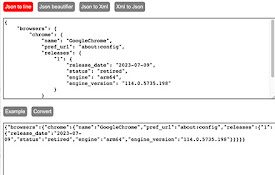
Json and Xml converter
A set of utilities for working with json and xml.

Json Visualizer
Format your JSON to make it easy to read or Displa

JSON.format
Format JSON data automaticallyMake JSON documents

JSON Formatter In Modal
Format JSON in modal dialog with right-click1.Sele

JSON Format Tool
A simple Chrome extension to format JSON dataA Chr

Salesforce Metadata Finder
Chrome extension to search Salesforce MetadataThis
JSON Formatter
Chrome extension to format JSONThis extension can

Collecta
Browser companion to collect images, links, and te

Snap Environment Switcher
Switch between environments and modes in complex s
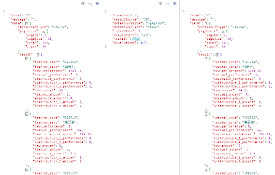
JSON Formatter 格式化
JSON格式化,可以多窗口多开,方便对比JSON入参和数据出参,现已支持粘贴图片到工作区。Makes

JSON Formatter
Formats JSON automatically! Open Source, Available