
ChatFlash – ChatGPT with your own voice Chrome 插件, crx 扩展下载

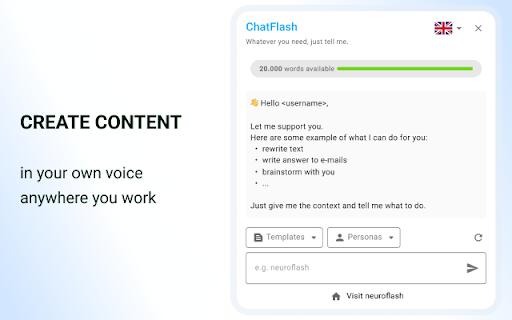
Create content in a flash anywhere! With the ChatFlash browser extension you can access neuroflash everywhere you write.
Tired of having to log in to AI tools, engineer a perfect prompt, then copy & paste your answers into FB, Twitter, Webflow, etc?
The ChatFlash browser extension is what’s missing in ChatGPT: a new extension experience that brings AI to anywhere you work in a simple cursor — whether you’re creating social content or responding to emails.
No more copying and pasting! The extension will be directly linked to your neuroflash account so you can pick up right where you left.
Wondering about the use cases you’ll find the browser extension helpful?
Let’s guide you through a few of them:
✏️ Rewriting existing content?
You can easily rewrite, repurpose, or summarize content using commands like, “Summarize the content above in 3 bullet points.”
? Responding to emails?
Just copy/paste the email into the ChatFlash browser extension and let it write your reply.
?Creating social content?
Writing social media content can be a breeze. Open the browser extension on any platform and tell ChatFlash what to write.
⭐ ️ Need inspiration?
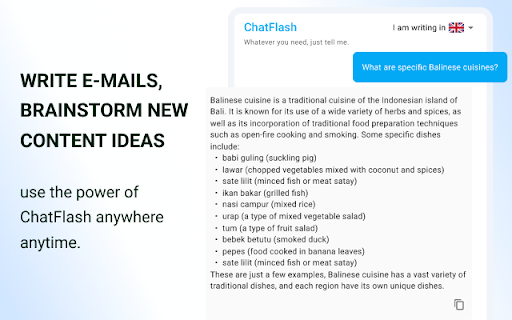
Brainstorm new ideas on any website without losing focus and being able to directly keep on working.
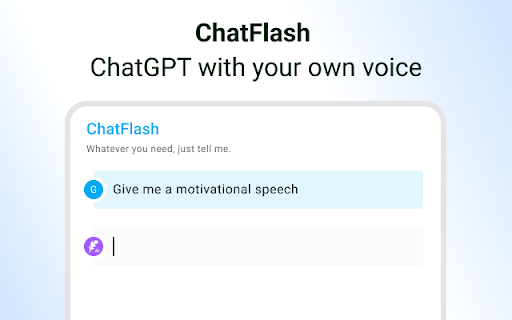
.... and all in your very own tonality, brand style and voice - with ChatFlash personalities.
| 分类 | 📝工作流程与规划 |
| 插件标识 | njkkmgnoknkknfelokcjldjlnkgnedcm |
| 平台 | Chrome |
| 评分 |
★★★★★
5
|
| 评分人数 | 14 |
| 插件主页 | https://chromewebstore.google.com/detail/chatflash-–-chatgpt-with/njkkmgnoknkknfelokcjldjlnkgnedcm |
| 版本号 | 1.2.5 |
| 大小 | 620KiB |
| 官网下载次数 | 4000 |
| 下载地址 | |
| 更新时间 | 2024-10-08 00:00:00 |
CRX扩展文件安装方法
第1步: 打开Chrome浏览器的扩展程序
第2步:
在地址栏输入: chrome://extensions/
第3步: 开启右上角的【开发者模式】
第4步: 重启Chrome浏览器 (重要操作)
第5步: 重新打开扩展程序管理界面
第6步: 将下载的crx文件直接拖入页面完成安装
注意:请确保使用最新版本的Chrome浏览器
同类插件推荐

GSC Helper by searchanalyzer.io
Streamlines your Google Search Console workflows.

SEO Plugin - diva-e
Chrome SEO PluginOur diva-e SEO plugin gives you a

PhoneMondo - CallerID and Click2Call
The PhoneMondo extension connects your browser to
ChatFlash – ChatGPT with your own voice
Create content in a flash anywhere! With the ChatF

i-talk 24
Geniales Tool zum Versenden von Sprachnachrichten,

Voiceboost - ChatGPT
Voiceboost allows for hands-free operation with it

XING Transfer to LinkedIn
XING Kontakte einfach bei LinkedIn findenDu möchte

TextCortex:个人AI助手&AI作家
定制您的AI助手,满足您的风格和需求 - 由您的输入独特打造,与1万+平台集成。使用 TextCor

Duden-Mentor-Textprüfung
Mit dem Mentor können Sie Ihre Texte überall im Ne

MindTree: Mindmap for ChatGPT
MindTree: Turn your linear ChatGPT chats into visu

Hashtag Analytics by Engage AI
快速揭露 LinkedIn 的覆盖面,赞和评论,检测热门井号的潜力以增加可见度。Hashtag An

Follower Insights for LinkedIn
Show the number of followers of a LinkedIn profile