
Keep One Pinned Tab Chrome 插件, crx 扩展下载
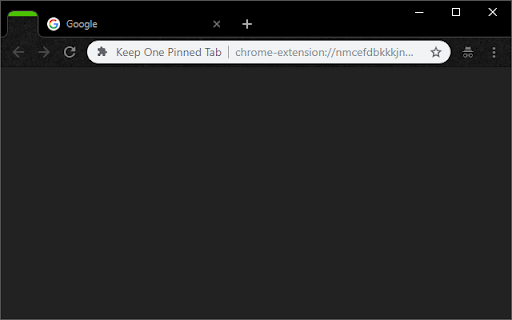
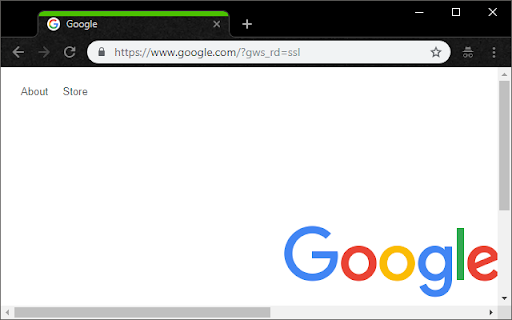
Keep one (optionally unfocusable) per window pinned tab open at all times. Prevents Chrome windows from closing with last tab.
Keep one (optionally unfocusable) per window pinned tab open at all times. Prevents Chrome windows from closing with last tab.
This extension prevents Chrome from closing when you close the final tab in a window. It keeps one pinned, blank tab always open as the first tab in your tab bar, and reopens it if it is closed.
------------------------
Inspired by "Live On":
https://chrome.google.com/webstore/detail/live-on/oficfgdfeoknbjfhommlpiekdapmnebh/
Icons by Everaldo Coelho:
http://www.everaldo.com/
Project released open-source, Github project available:
https://github.com/theborg3of5/KeepOnePinnedTab
------------------------
Please note that this was made for personal use, so replies and fixes may be delayed.
------------------------
Changelog:
1.0: Initial Release.
1.1: Bugfix: now takes into account whether the window is a popup vs. normal, and allows selection of special tab to aid in easier ctrl+tabbing.
1.2: Broke main functionality with last update, now fixed.
1.3: Extending closing functionality to second, semi-special tab.
2.0: Back from hiatus! Fixed the issue where a new pinned tab would appear upon every startup for some users, and moved the close-extra-new-tabs functionality out to a new extension, called "Close Extra New Tabs" (see other apps by this developer).
3.0: Added an options page! You can now set what URL you want the pinned tab to have, rather than it always being your new tab page. Defaults to new tab page if you don't set it.
3.1: Fixed an issue where the extension would open tabs forever, sorry folks!
3.2: Took out a console.log() that was left in (no functional impact).
4.0: Major update! Changes:
- Built-in options for pages to pin.
- Option: no focus special pinned tab.
- Squashed all known bugs.
4.1: A few small bugfixes:
- Don't open two new tabs (+ pinned one) when opening a new window.
- Work correctly in incognito mode.
4.2: Fix issue where we keep opening new pinned tabs when Chrome is allowed to stay open in the background
5.0: Complete rewrite and upgrade to manifest v3!
- Fixes the "never focus pinned tab" setting.
- Cleans up the settings page (and changes how we store settings behind the scenes).
| 分类 | 📝工作流程与规划 |
| 插件标识 | nmcefdbkkkjndgafnlaikloffhdeknod |
| 平台 | Chrome |
| 评分 |
★★☆☆☆
2.8
|
| 评分人数 | 10 |
| 插件主页 | https://chromewebstore.google.com/detail/keep-one-pinned-tab/nmcefdbkkkjndgafnlaikloffhdeknod |
| 版本号 | 5.0 |
| 大小 | 17.5KiB |
| 官网下载次数 | 2000 |
| 下载地址 | |
| 更新时间 | 2024-01-08 00:00:00 |
CRX扩展文件安装方法
第1步: 打开Chrome浏览器的扩展程序
第2步:
在地址栏输入: chrome://extensions/
第3步: 开启右上角的【开发者模式】
第4步: 重启Chrome浏览器 (重要操作)
第5步: 重新打开扩展程序管理界面
第6步: 将下载的crx文件直接拖入页面完成安装
注意:请确保使用最新版本的Chrome浏览器
同类插件推荐

SimpleLastTab
Creates a New Tab when you are at your last tab to

Live On
keeps chrome from closing when the last tab is clo
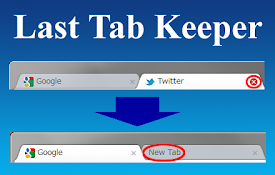
Last Tab Keeper
This extension create a new tab automatically if l
Last Tab Keepalive
Creates a new tab when the last tab is closed.** T
Keep Last Two Tabs
This extension keep last two tabs to prevent Chrom

Don't Close Window With Last Tab
Prevent closing of Google Chrome with the last tab

Pin Last Tab
Make the last tab pinnedUse the context menu to pi
Open PinnedTab Link
Open links from pinned tabs into new tabs.* Welcom
Keep One Pinned Tab
Keep one (optionally unfocusable) per window pinne

Pin Tab
A browser action to pin a tabA plugin to automatic
Do not close browser with last tab
Creates a new window with the same properties as t
Last Tab Back
Use the back key to close the tab if there are no

Last Tabs
Provides a menu with your previous tabs in order o