
Betherscan Chrome 插件, crx 扩展下载
Enhancing block explorers with essential data at a glance
Designed to enrich the experience on blockchain explorers. By integrating additional information directly into pages like blocks, transactions, and contracts, it ensures that all necessary data is accessible without needing to navigate away.
Betherscan is fully open source: https://github.com/tiagofneto/betherscan
Betherscan adds new data fields to various sections of block explorers, detailed as follows:
? Blocks
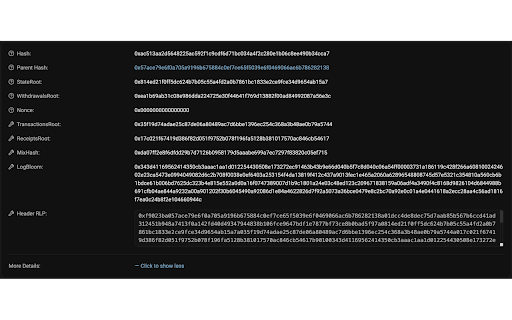
- State root: Root of the state Trie
- Transactions root: Root of the transactions Trie
- Receipts root: Root of the receipts Trie
- Mix hash: Used to verify the correctness of a block's Proof of Work. In Proof of Stake consensus, corresponds to the RANDAO value of the previous Beacon Chain block
- Logs Bloom: Bloom filter of indexable information from the logs entry of the transactions receipts
- Header RLP: RLP encoded block header
? Accounts
⭐ Smart Contracts
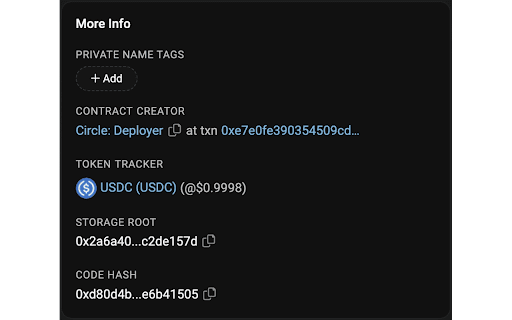
- Storage root: Root of the storage Trie
- Code hash: Keccak256 hash of the EVM code of the account
⭐ EOAs
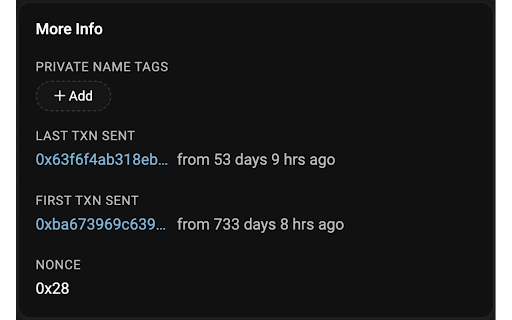
- Nonce: Number of transactions sent
? Transactions
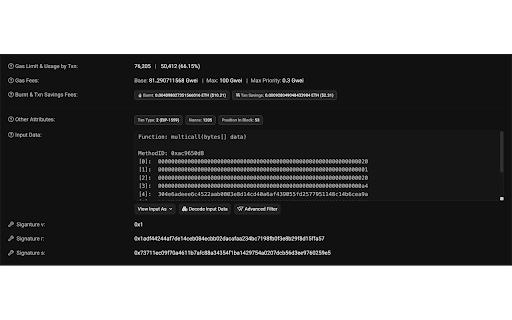
- Signature (v, r, s): Components of the digital signature (ECDSA) of the transaction
Currently supported block explorers:
Ethereum:
- Etherscan
- Sepolia Etherscan
- Holesky Etherscan
Polygon:
- Polygonscan
- Amoy Polygonscan
- zkEVM Polygonscan
- Cardona zkEVM Polygonscan
Binance Smart Chain:
- Bscscan
- Testnet Bscscan
Fantom:
- FTMScan
- Testnet FTMScan
Optimism:
- Optimistic Etherscan
- Sepolia Optimism Etherscan
Gnosis:
- Gnosisscan
Linea:
- Lineascan
- Sepolia Lineascan
Scroll:
- Scrollscan
- Sepolia Scrollscan
Frax:
- Fraxscan
Avalanche:
- Snowscan
- Testnet Snowscan
| 分类 | 💻开发者工具 |
| 插件标识 | nnahlkbepgjkeciakkhldbfgpfcgdhmb |
| 平台 | Chrome |
| 评分 |
★★★★☆
4.7
|
| 评分人数 | 23 |
| 插件主页 | https://chromewebstore.google.com/detail/betherscan/nnahlkbepgjkeciakkhldbfgpfcgdhmb |
| 版本号 | 0.2.0 |
| 大小 | 27.9KiB |
| 官网下载次数 | 37 |
| 下载地址 | |
| 更新时间 | 2024-06-06 00:00:00 |
CRX扩展文件安装方法
第1步: 打开Chrome浏览器的扩展程序
第2步:
在地址栏输入: chrome://extensions/
第3步: 开启右上角的【开发者模式】
第4步: 重启Chrome浏览器 (重要操作)
第5步: 重新打开扩展程序管理界面
第6步: 将下载的crx文件直接拖入页面完成安装
注意:请确保使用最新版本的Chrome浏览器
同类插件推荐

Charged: Add breakpoints to transactions
A web3 transaction debugger to increase developmen

etherscan-contract-downloader
Inject download button for verified contract on et
Betherscan
Enhancing block explorers with essential data at a

Frame Companion
Frame companion creates an injected connection to

MetaMask Flask DEVELOPMENT BUILD
THIS IS THE CANARY DISTRIBUTION OF THE METAMASK EX

IPFS 伴侣
在浏览器中应用IPFS扩展Feature Highlight: – Detect reques

Tenderly Dev Toolkit
One-click exploration & debugging tools in you

Rainbow
Rainbow 是一个有趣、简单且安全的以太坊钱包,让您管理资产如获至宝无论是新手还是高级用户,彩虹

DefiLlama
DefiLlama ExtensionWallet tags on Etherscan: Llama
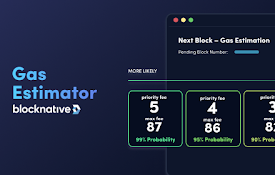
Blocknative Gas Fee Estimator for Ethereum, Base, Arbitrum, and More
Real-time gas predictions powered by AI & memp

Braavos
适用于 Starknet 的 Braavos 智能钱包可以轻松管理您的资产并从您的浏览器安全地访问去

Etherscan
Get the latest gas prices and the ability to easil
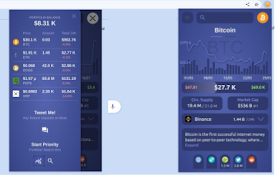
Crypto portfolio: Blockchain & Crypto tracker
Your Real-Time (on-chain) Cryptocurrency, NFT-expl