
Peek-a-tab, Tabs Manager for Google Chrome™ Chrome 插件, crx 扩展下载
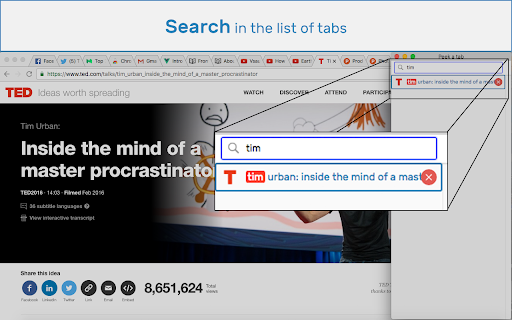
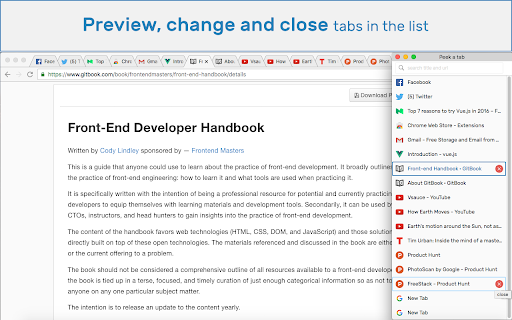

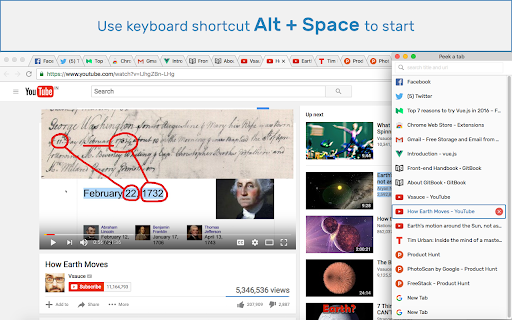
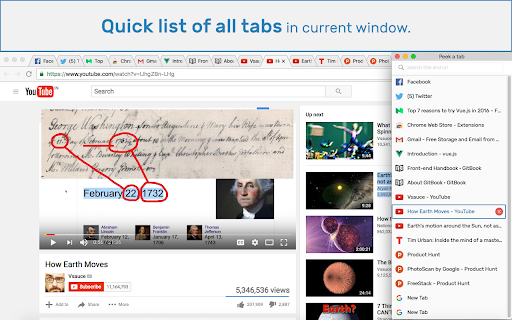
Search, preview, jump across, and close tabs quickly in your chrome browser.
Do you have a lot of tabs opened in your browser and find it cumbersome to manage them? well here is the solution.
Some points:
* Use Alt+Space (Option+Space for mac) to get a list of all the tabs from all the windows.
* Search in the title & url to quickly get the tab you want.
* Preview a tab on mouse click.
* Jump across between tabs quickly, even in different windows.
* Make a tab inactive/active to save resources
* Close unnecessary tabs quickly.
This extension's source code is available here: https://github.com/pramjeet/peek-a-tab
| 分类 | 📝工作流程与规划 |
| 插件标识 | nnpdamdaknpnohmlbnmgphiodghbohop |
| 平台 | Chrome |
| 评分 |
★★★☆☆
3
|
| 评分人数 | 16 |
| 插件主页 | https://chromewebstore.google.com/detail/peek-a-tab-tabs-manager-f/nnpdamdaknpnohmlbnmgphiodghbohop |
| 版本号 | 2.0.1 |
| 大小 | 198KiB |
| 官网下载次数 | 7000 |
| 下载地址 | |
| 更新时间 | 2024-05-29 00:00:00 |
CRX扩展文件安装方法
第1步: 打开Chrome浏览器的扩展程序
第2步:
在地址栏输入: chrome://extensions/
第3步: 开启右上角的【开发者模式】
第4步: 重启Chrome浏览器 (重要操作)
第5步: 重新打开扩展程序管理界面
第6步: 将下载的crx文件直接拖入页面完成安装
注意:请确保使用最新版本的Chrome浏览器
同类插件推荐

Tabs Manager
A Quick overview for your opened tabs across windo

GoTo Tab
Productivity focused extension that helps you mana

Peek-a-tab, Tabs Manager for Google Chrome™
Search, preview, jump across, and close tabs quick

Tab Manager
Quickly and conveniently manage your open tabsMani
Tabbie : easy tab viewer
Tabbie helps you to view, refresh, activate, searc

Keepin' Tabs – tabs manager
Manage your tabs.Features: - Search by title and U

Tabs Outliner
The Next Generation Session Manager; A Really Work

Awesome Window & Tab Manager
Displays a list of all windows and tabs open in Go
Tab-Sidebar
Adds a little Browser-Button which opens a Window

Tabbr: Tab Manager
Search your tabs.Move from tab to tab faster by se

Smart Tab Manager
Smart Tab Manager assists users to manage their Ch
TabMate
TabMate helps you manage the tab clutter. Easily s
Tab Manager v2
Quickly and conveniently manage your open tabsTab