
New Relic JSON Log Formatter Chrome 插件, crx 扩展下载
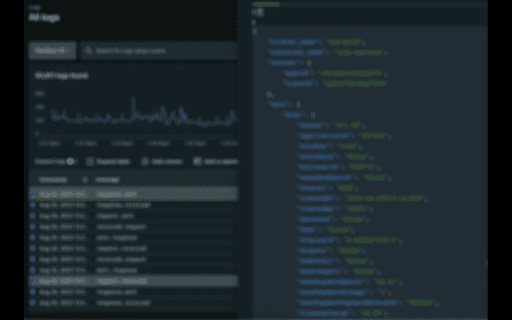
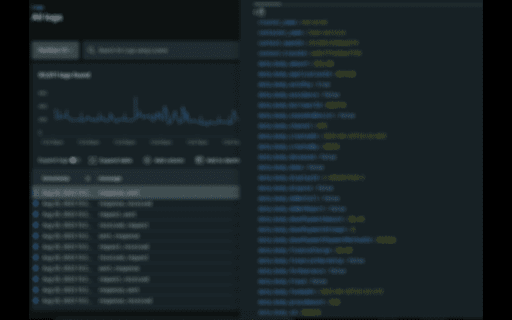
The New Relic JSON Log Formatter improves log analysis by effortlessly formatting New Relic logs into seamless JSON format.
The New Relic JSON Log Formatter is a powerful Chrome extension designed to enhance your log analysis workflow by providing seamless JSON log formatting for New Relic logs. As a developer or system administrator, gaining insights from your application's logs is crucial for troubleshooting and optimizing performance. This extension streamlines the process by transforming raw New Relic log data into a clean and easily readable JSON format.
Key Features:
Effortless Formatting: Instantly transform New Relic logs into structured JSON format, eliminating the hassle of manually parsing and formatting log entries.
Enhanced Readability: The extension organizes log data into a clear JSON structure, making it easier to identify and understand log details such as timestamps, log levels, and custom attributes.
Quick Installation: Seamlessly integrate the extension into your Chrome browser and begin formatting New Relic logs with just a few clicks.
Unlock the true potential of your New Relic logs with the New Relic JSON Log Formatter extension. Say goodbye to manual log parsing and hello to efficient, well-organized log analysis.
How to Use:
Install the extension from the Chrome Web Store.
Navigate to your New Relic log data.
Click the extension icon to initiate log formatting.
Enjoy neatly formatted JSON logs for improved readability and analysis.
Note: This extension is not affiliated with New Relic, but rather created to enhance the log analysis experience for users of New Relic's log services.
Discover a new level of log analysis clarity with the New Relic JSON Log Formatter. Download the extension now and simplify the way you handle New Relic log data.
| 分类 | 💻开发者工具 |
| 插件标识 | nonphjcjifbcockbifhndceclckopkfp |
| 平台 | Chrome |
| 评分 |
☆☆☆☆☆
0
|
| 评分人数 | 2 |
| 插件主页 | https://chromewebstore.google.com/detail/new-relic-json-log-format/nonphjcjifbcockbifhndceclckopkfp |
| 版本号 | 0.0.1 |
| 大小 | 40.06KiB |
| 官网下载次数 | 62 |
| 下载地址 | |
| 更新时间 | 2023-08-25 00:00:00 |
CRX扩展文件安装方法
第1步: 打开Chrome浏览器的扩展程序
第2步:
在地址栏输入: chrome://extensions/
第3步: 开启右上角的【开发者模式】
第4步: 重启Chrome浏览器 (重要操作)
第5步: 重新打开扩展程序管理界面
第6步: 将下载的crx文件直接拖入页面完成安装
注意:请确保使用最新版本的Chrome浏览器
同类插件推荐
Synthetics Formatter for Selenium IDE
Chrome extension for incorporating New Relic Synth

Json Compare
Compare JSON data and find the differenceJSON Comp
New Relic JSON Log Formatter
The New Relic JSON Log Formatter improves log anal

New Relic One Alert(s)
Alerts when a new Incident is created in my New Re

ControlUp Enrich
Improve IT team productivity with real-time deskto

Auto OAuth
Automatically log into sites with OAuth without ha

GitLab Issues JSON Export
Export GitLab issues in JSON format.Export issues

View log files
View your log files in your devtoolsThis tool allo
CSV Tools
Collection of small & convenient CSV tools.Som

Is It Fake News?
Check News Articles for Fake NewsCheck if the news

JSON Inspector - Explore your JSON files
JSON Inspector allows you to parse and explore you
sqlchart
visualize and edit sqlite-database as 2d-chartsfea

Circle of Trust
LinkedIn business networking extension for entrepr