
DotAlign Chrome 插件, crx 扩展下载
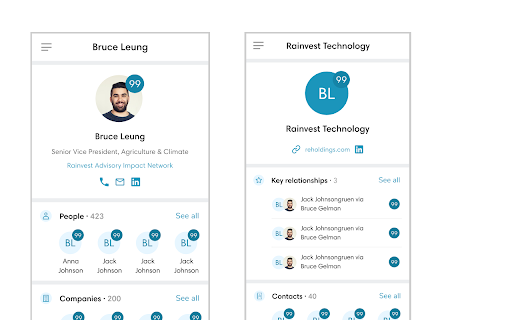
DotAlign Cloud analyzes Office 365 mailbox data (messages, calendar entries and contact cards) and provides up-to-date contact…
DotAlign Cloud analyzes Office 365 mailbox data (messages, calendar entries and contact cards) and provides up-to-date contact information and relationship intelligence based on that data. The solution is single tenant and is deployed and hosted on your, i.e. the customer’s Azure tenant. All data storage and processing happen there. No user data leaves your Azure tenant.
While DotAlign Cloud is relevant for a wide variety of industries, professional services like financial services, law firms and commercial real estate firms can especially benefit from it. DotAlign Cloud helps deliver cost savings by keeping contact information up to date automatically. It can help extract more value from your firms CRM investments.
DotAlign Cloud can also help deliver top line value by surfacing the right relationship at the right time, helping maximize the chance of winning new business.
The most common business use cases DotAlign Cloud helps solve are as follows.
*Core relationship, who knows who*
1. Do we know any senior executives at Reed Erasmus?
2. Does Susan have any warm MD-level relationships we could leverage?
3. Does any colleague know Bruce Leung?
4. What founder relationships do we have?
5. Can I get a relationship report for a list of leads?
*Contact and interaction stats*
1. What is Andrea Laughlin’s latest contact information?
2. When did we last reach out to Sam Roberts?
*Data control/API*
1. Can I control what I share with my colleagues?
2. Can I bring this data into our CRM and in-house apps?
| 分类 | 📝工作流程与规划 |
| 插件标识 | ofahkjbhcadlldpoahogjikmdoibbejh |
| 平台 | Chrome |
| 评分 |
★★★★☆
4.8
|
| 评分人数 | 144 |
| 插件主页 | https://chromewebstore.google.com/detail/dotalign/ofahkjbhcadlldpoahogjikmdoibbejh |
| 版本号 | 0.1.40 |
| 大小 | 82.31KiB |
| 官网下载次数 | 36 |
| 下载地址 | |
| 更新时间 | 2025-02-12 00:00:00 |
CRX扩展文件安装方法
第1步: 打开Chrome浏览器的扩展程序
第2步:
在地址栏输入: chrome://extensions/
第3步: 开启右上角的【开发者模式】
第4步: 重启Chrome浏览器 (重要操作)
第5步: 重新打开扩展程序管理界面
第6步: 将下载的crx文件直接拖入页面完成安装
注意:请确保使用最新版本的Chrome浏览器
同类插件推荐

dotNET Weekly
Contribute an awesome article/resource to dotNET W

Pray for GODs' guidance in a Google search
This extension replaces the Google logo with a pra

FSMify
Praise the FSM. Change words on webpages to be fil

Submit MVP Activity
Submit MVP ActivitySimplify the submission process

Church of Jesus Christ Site Side by Side
Read the Church of Jesus Christ of Latter-Day Sain

Azure Authorization Header Extractor
Extracts Azure authorization header from requests*
DotAlign
DotAlign Cloud analyzes Office 365 mailbox data (m

DealCloud
Identify opportunities, capture notes, and update

Azure DevOps branch naming
Automated branch naming for Azure DevOpsAzure DevO

Sourcescrub Vitals
Access the Sourcescrub profile from a company'

PitchBook Extension for Google Chrome™
PitchBook Extension for Google Chrome™Access Pitch

Outlook 365 to Zoom Meetings, URL Cleaner
For Windows & Outlook 365 users who get a '

Cognism - Premium Sales Intelligence
Find premium email and mobile data for your most v