
Video Editor by DriveEditor.com Chrome 插件, crx 扩展下载
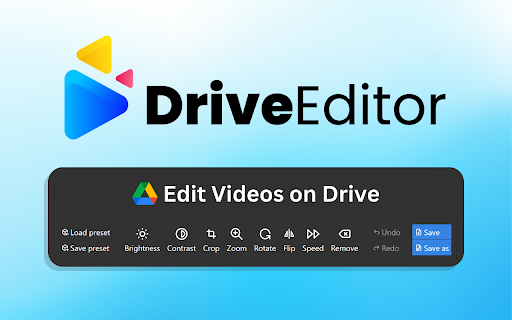

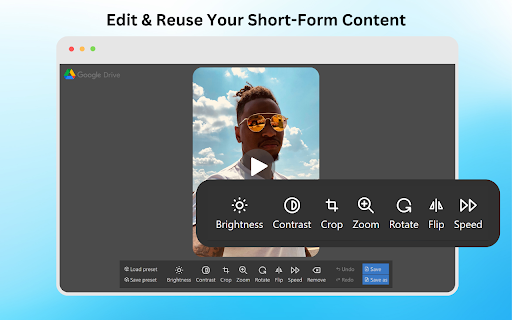
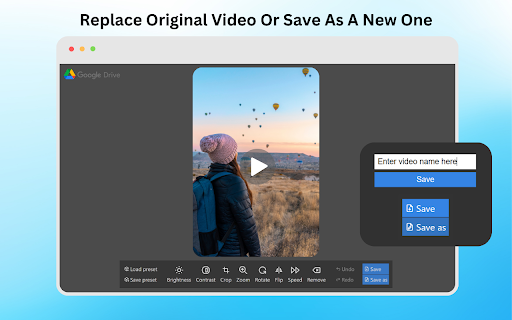
Edit your videos with Google Drive video editor. Adjust brightness, crop, trim, mirror, rotate, remove metadata and save your edits.
Drive Video Editor lets you edit videos directly on your Google Drive.?✨
Our Google Drive video editor makes it super easy to edit videos on your Drive. No watermarks! Whether you're editing Instagram reels, TikTok videos, or YouTube Shorts, our online video editor has got you covered.
Limitations:
Due to video codec limitations of Google Drive, the Drive Video Editor extension will not always be able to process .MOV files stored on your Google Drive.
Need help? Found a bug? Have an idea for improvements?
Let us know here: https://driveeditor.com/#contact
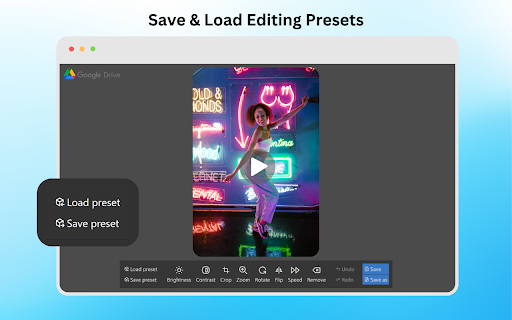
If you're a social media reposter, a freelance video editor, or a marketer, this tool helps you edit video clips in seconds. If you want to apply the same edits to multiple videos just copy and paste editing presets for faster edits. Perfect for repurposing and reusing content and avoiding shadow bans and 0 view "jail"! ?
What are the editing features?
➕ Edit Brightness & Contrast
➕ Crop & Trim Video
➕ Mirror Video
➕ Rotate Video
➕ Zoom Video
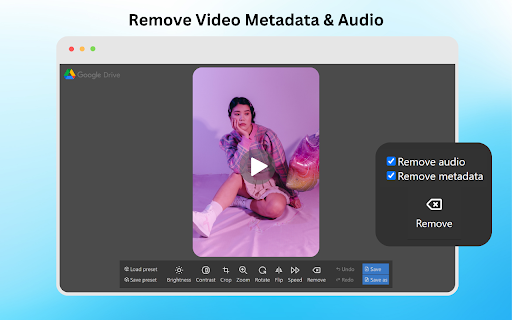
➕ Remove Video Sound
➕ Remove Video Metadata
➕ Copy/Paste Video Editing Presets
How to use?
1️⃣ Click the "Add to Chrome" button and pin it to your toolbar.
2️⃣ Click on the extension icon and Log in to your Gmail account
3️⃣ Open your Google Drive.
4️⃣ Select the video you want to edit.
5️⃣ Click on the "Edit video" button under the video preview to open the editor.
Who is it for?
✓ Reposters
✓ Freelance Video Editors
✓ Social Media Marketers
Supported video codecs:
▶️AV1
▶️H.264
▶️H.265
▶️VP8
▶️VP9
Frequently Asked Questions
❓Can I copy and paste my edits?
- Yes! Use it if you need to apply the same editing preset on multiple videos.
❓Can I remove video metadata?
- Yes! Click on the Remove button to clear video metadata for better privacy.
❓What video formats are supported by the extension?
- The extension supports popular video formats such as MP4, MOV, AVI, MKV and WEBM. If you encounter any issues with a specific format, please refer to the support for more details.
❓Is there a limit to the size or length of the videos I can edit?
- The extension is designed to handle most standard video files. However, performance may vary based on the size and length of the video, as well as your device’s capabilities. For optimal performance, we recommend using videos under 50MB and shorter than 5 minutes.
Try our video cutter and video trimmer today to edit, save and share awesome short form video content right in your Drive!
| 分类 | 📝工作流程与规划 |
| 插件标识 | offhjbngjddkcaajegpjpjbjodicenji |
| 平台 | Chrome |
| 评分 |
★★★☆☆
3.1
|
| 评分人数 | 530 |
| 插件主页 | https://chromewebstore.google.com/detail/video-editor-by-driveedit/offhjbngjddkcaajegpjpjbjodicenji |
| 版本号 | 0.6.3 |
| 大小 | 1.96MiB |
| 官网下载次数 | 941 |
| 下载地址 | |
| 更新时间 | 2025-02-10 00:00:00 |
CRX扩展文件安装方法
第1步: 打开Chrome浏览器的扩展程序
第2步:
在地址栏输入: chrome://extensions/
第3步: 开启右上角的【开发者模式】
第4步: 重启Chrome浏览器 (重要操作)
第5步: 重新打开扩展程序管理界面
第6步: 将下载的crx文件直接拖入页面完成安装
注意:请确保使用最新版本的Chrome浏览器
同类插件推荐
Shotcut 在线 - 视频编辑器
使用 Shotcut 在线视频编辑器创建和编辑视频Shotcut 在线视频编辑器 – 在您的网络浏览

Video Editor by DriveEditor.com
Edit your videos with Google Drive video editor. A

VivaVideo - Video Editor&Maker
VivaVideo is an Easy-to-use Video Editor.VivaVideo

Cap-Cut Video Editor
CapCut is an easy-to-use video editor that is perf

FeedPal: 自动订阅收藏夹里的博客
查看已收藏的博客的最新内容,并在更新时得到提醒。如果你收藏过某个博客的文章,那么你大概也会对这个博客

wide.video
Free Online Video Editorwide.video, a free online

CapCut - Video Editor
CapCut is a free, all-in-one video editing tool..C

Vinkle Video Editor
Vinkle is an easy-to-use video editor that is perf

在线视频编辑器(video2edit.com)
使用此免费的多合一在线视频工具解决所有视频编辑和转换需求。Convert your video fi

电影制作 MovieStudio 视频编辑器
电影制作者在线创建, 编辑和录制视频, 并添加视频, 音频, 图像和文本MovieStudio是制作

视频编辑器 VideoStudio
VideoStudio 视频编辑器在线使用任何视频、音频、图像和文本创建和编辑视频會是一个视频编辑器

Kdenlive - 视频编辑器
使用多轨视频编辑和任何音频/视频格式创建和编辑视频此扩展允许用户使用 Kdenlive 视频编辑器。
Video Cutter and Trimmer
Cut and Trim video online without downloading soft