
Screentime Chrome 插件, crx 扩展下载
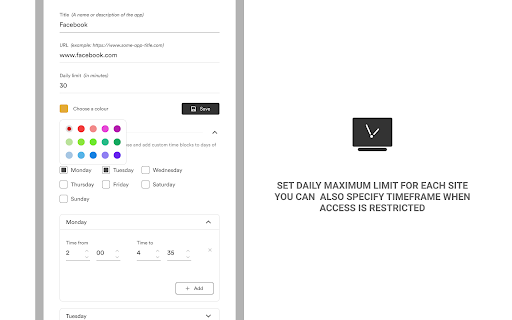
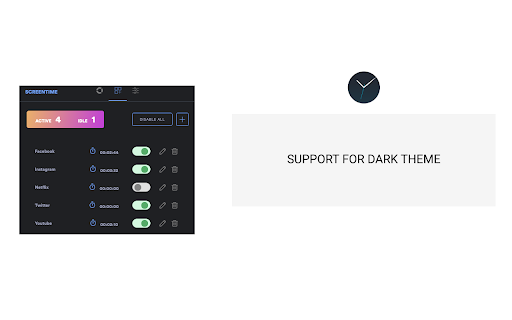

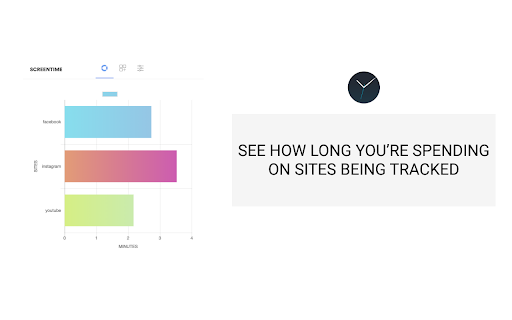
To keep track and manage your time on sites that reduce productivity. You can set the number of minutes you want and time frames
The extension allows you to control how much time you spend on popular social media sites and entertainment sites. You can specify how many minutes in a day you want to use on each site and once you've gotten to the limit, you won't be able to access the site. Time frames can be specified for when you want the sites to be inaccessible for each day of the week. You can also add or remove sites.
| 分类 | 📝工作流程与规划 |
| 插件标识 | ofmanejijbcohgebmdfacglmhemiifca |
| 平台 | Chrome |
| 评分 |
★★★★☆
4.8
|
| 评分人数 | 693 |
| 插件主页 | https://chromewebstore.google.com/detail/screentime/ofmanejijbcohgebmdfacglmhemiifca |
| 版本号 | 5.0.8 |
| 大小 | 1.62MiB |
| 官网下载次数 | 20000 |
| 下载地址 | |
| 更新时间 | 2023-12-11 00:00:00 |
CRX扩展文件安装方法
第1步: 打开Chrome浏览器的扩展程序
第2步:
在地址栏输入: chrome://extensions/
第3步: 开启右上角的【开发者模式】
第4步: 重启Chrome浏览器 (重要操作)
第5步: 重新打开扩展程序管理界面
第6步: 将下载的crx文件直接拖入页面完成安装
注意:请确保使用最新版本的Chrome浏览器
同类插件推荐

timelimit
An extension to keep you off distracting websites!

ScreenTime
tldr; browser screen time pluginScreenTime for Chr

Pretty Screentime
Reports Screen Time data of your favourite website

Browser Screen Time
Keep track of the amount of time you spend on the
Screentime
To keep track and manage your time on sites that r

Website Time Tracker
Find out how much time you spend on various websit

YouTube Time
Prevent procrastination by setting a daily time li

Web Activity Time Tracker - 封鎖網站、Pomodoro 與網頁分析
追踪和限制您的网站活动时间,并阻止访问网站。监控您的网站使用情况使用 Web Activity Ti

Limit - Set Limits for Distracting Sites
Limit your time spent on distracting sites. Limit

StayFree - Website Blocker & Web Analytics
Analytics to help you understand and control your

Unhook - Remove YouTube Recommended & Shorts
Hide YouTube related videos, shorts, comments, sug

Fructify: Productivity + New Tab
Productivity new tab dashboard with todo list, goa
Webtime Tracker
Discover your browsing habits! Time tracking at it