
Text2Color for Canva Chrome 插件, crx 扩展下载
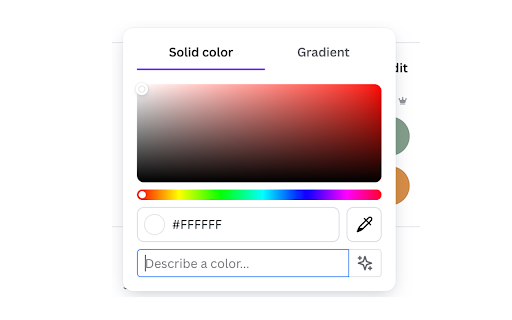
Transform text descriptions into colors directly in Canva's color picker. Enhance your workflow with AI-powered color selection.
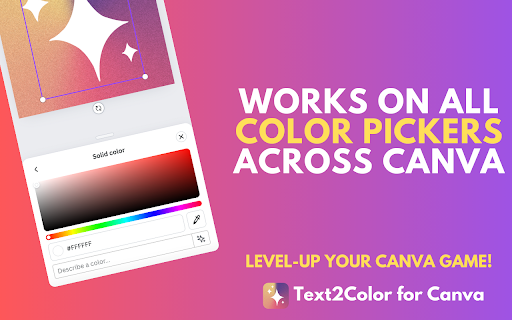
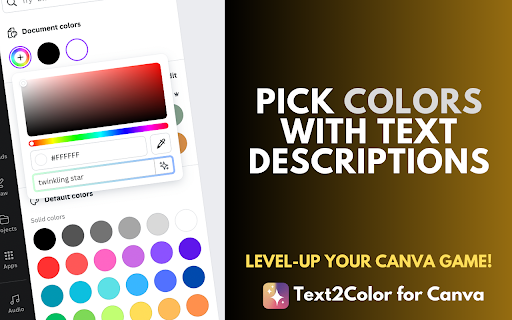
Text2Color for Canva brings the power of natural language color selection to your Canva designs. With Text2Color, you can simply describe the color you're envisioning, and watch as it magically appears in your Canva color picker.
1. Seamless Integration - works directly within Canva's interface
2. Natural Language Input - describe colors in your own words
3. AI-Powered - utilizes advanced AI to interpret color descriptions
4. Time-Saving - quickly find the perfect color without manual adjustments
5. User-Friendly - simple, intuitive interface that matches Canva's design
How It Works:
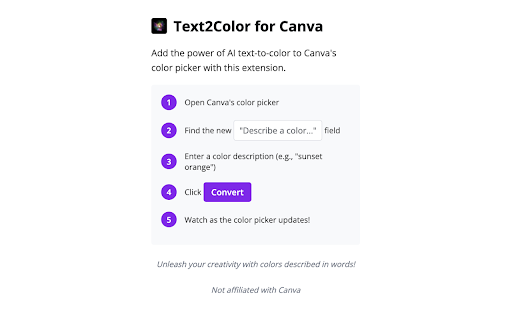
- Open any color picker in Canva
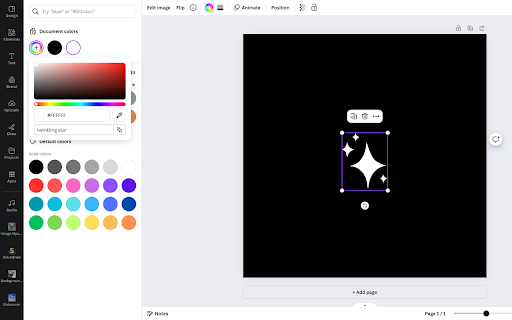
- Find the new "Describe a color..." input field
- Type in your color description (e.g., "sunset orange", "deep sea blue")
- Press Enter or click the sparkle icon
- Watch as your described color appears in the Canva color picker
Perfect for designers, marketers, and anyone who wants to streamline their color selection process in Canva. Say goodbye to endless scrolling through color palettes, googling brand colors and say hello to intuitive, description-based color picking!
To make the extension work, add your API key from Text2Color.com - you can create an account and generate colors for free, with a limited number of credits. Click on the Text2Color extension icon in your Chrome toolbar. In the popup, enter your API key from Text2Color.com and click "Save".
Not affiliated with Canva.com
| 分类 | 🎨艺术与设计 |
| 插件标识 | ofpflpdlnnenabgalflbkehfadanjfgi |
| 平台 | Chrome |
| 评分 |
★★★☆☆
3.7
|
| 评分人数 | 3 |
| 插件主页 | https://chromewebstore.google.com/detail/text2color-for-canva/ofpflpdlnnenabgalflbkehfadanjfgi |
| 版本号 | 1.0.1 |
| 大小 | 41.16KiB |
| 官网下载次数 | 63 |
| 下载地址 | |
| 更新时间 | 2024-07-29 00:00:00 |
CRX扩展文件安装方法
第1步: 打开Chrome浏览器的扩展程序
第2步:
在地址栏输入: chrome://extensions/
第3步: 开启右上角的【开发者模式】
第4步: 重启Chrome浏览器 (重要操作)
第5步: 重新打开扩展程序管理界面
第6步: 将下载的crx文件直接拖入页面完成安装
注意:请确保使用最新版本的Chrome浏览器
同类插件推荐

Neonify
A nifty bar that changes your boring Chrome into N
Text2Color for Canva
Transform text descriptions into colors directly i

Plus: Live screenshots of any app or website
Capture, share and save data with live screenshots

DesignDupe
Identify colors and fonts on any website instantly

Canva Automation - Auto Canva Maker
Automate your Canva designs with variables, genera

Notion Sidebar Expander
Expands Notion Sidebar items to reveal the current

Canva PowerTools
Your handy companion to supercharge your Canva.com

Your favorite apps in a sidebar - TabBuddy
Access your favorite apps (ChatGPT, Reddit, YouTub

Sticky Notes
Sticky notes on every pageSticky is the ultimate b
PromptPal
The ultimate idea generator for your Midjourney ph
Sidenote
An extension to discuss a site, on the site.Add a

AI Chrome Extension powered by ChatGPT - Magictool AI
Your All-in-One AI Chrome Extension featuring Chat

ChatPlayground - Access the Best AI Models & Compare Them
Access the Best AI Models (25+) and Compare ThemAc