
Behirut Chrome 插件, crx 扩展下载
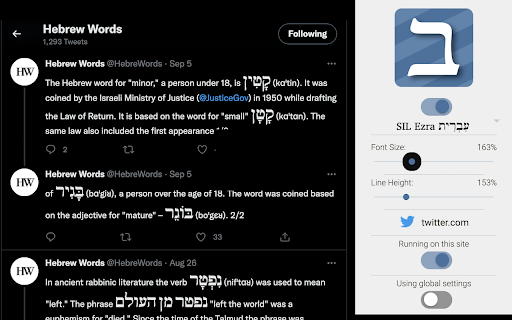
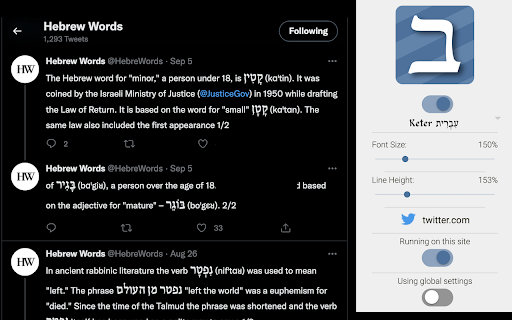
Adjust Hebrew script on webpages for greater clarity
Clarify Hebrew script text
This browser extension makes reading Hebrew on the internet easier by allowing the user to change the font, font size, line height.
Most sites do not load fonts that support Hebrew well, and Hebrew with niqqud is often difficult to read. This extension makes it easier to Hebrew text on web sites by injecting more reader friendly fonts into the page.
This project is a fork of the fantastic Wudooh extension — https://chrome.google.com/webstore/detail/wudooh-%D9%88%D8%B6%D9%88%D8%AD/nigfaloeeeakmmgndbdcijjegolpjfhn
The project is free and open source (MIT) and hosted on Github — https://github.com/charlesLoder/Behirut
| 分类 | ♿无障碍访问 |
| 插件标识 | oheckpbfhaflflnllkaenfabbdcplbhh |
| 平台 | Chrome |
| 评分 |
★★★★☆
4.8
|
| 评分人数 | 19 |
| 插件主页 | https://chromewebstore.google.com/detail/behirut/oheckpbfhaflflnllkaenfabbdcplbhh |
| 版本号 | 1.0 |
| 大小 | 355KiB |
| 官网下载次数 | 139 |
| 下载地址 | |
| 更新时间 | 2022-10-10 00:00:00 |
CRX扩展文件安装方法
第1步: 打开Chrome浏览器的扩展程序
第2步:
在地址栏输入: chrome://extensions/
第3步: 开启右上角的【开发者模式】
第4步: 重启Chrome浏览器 (重要操作)
第5步: 重新打开扩展程序管理界面
第6步: 将下载的crx文件直接拖入页面完成安装
注意:请确保使用最新版本的Chrome浏览器
同类插件推荐

Syriac to Hebrew Transliteration Plugin
Syriac to Hebrew is a Chrome extension that allows

Qwerto
With Qwerto you can fix typing mistakes in English

Hebrew Tooltip Translation for Google Chrome™
Translate Hebrew to English and vice-versa via too

Talmud Sidebar Extension (Powered by Sefaria)
Bring the comprehensive Sefaria library to any web

Mekor Torah Sources
Get a verse from its citation.This extension makes

TorahTab by Sefaria
Learn Torah daily!Follow your favorite Torah calen

Search ALHATORAH Concordance
Get instant Biblical Concordance results for any w

Nekudot
Add `nekudot' to hebrew text.If you're lea

Nikud for the Web
Easily add vocalization to any webpage in your bro

Wudooh وضوح
Clarify Arabic script textWudooh (clarity in Arabi
Behirut
Adjust Hebrew script on webpages for greater clari

平行文本
你的语言学习副驾驶将语言翻译到侧边栏 在 Android 上使用: * 从 https://pla

KXL Klien/Jastrow Dictionary (sefaria)
Provides access to the sefaria dictionary from chr