
Fact Checker Chrome 插件, crx 扩展下载
Fact check highlighted text using AI
Instantly fact check information, using Perplexity's API.
• How It Works:
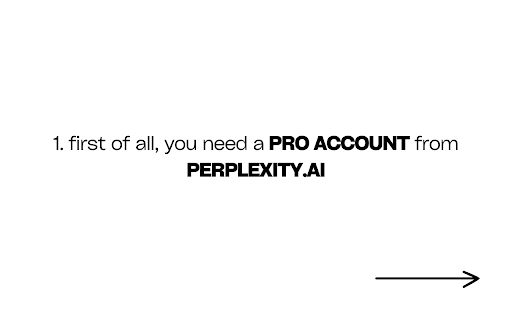
First and foremost, you'll need to have a Perplexity Pro account.
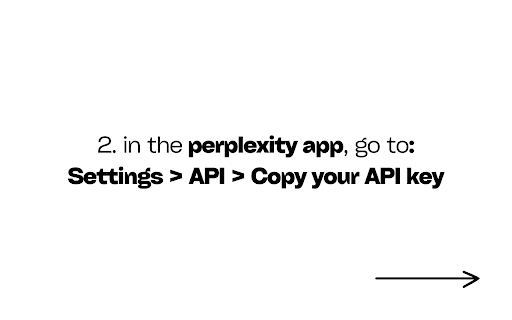
Then, head to Settings > API > Copy your API key
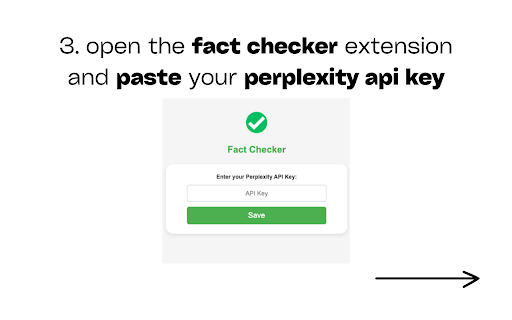
Once you have the key copied, you need to:
1. Open the extension popup and input the key there.
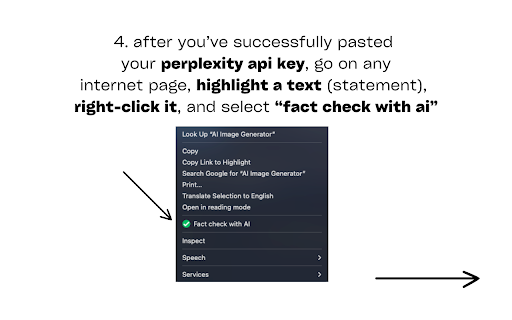
2. Highlight any text on a webpage that you want to fact-check.
3. Right-click and select "Fact Check with AI" from the context menu.
4. A small window will appear on the page with the fact-check results, including:
- Truth Percentage
- Fact Check Summary
- Contextual Information
- Source Citations
• The tool's good for:
- Students researching for assignments
- Journalists verifying information
- Casual internet users curious about the accuracy of online content
- Professionals fact-checking industry-specific claims
- Anyone who values truth and accuracy in information
• Privacy and Data Use:
The extension only sends the highlighted text and the current page URL to the Perplexity API for fact-checking. No personal data is collected or stored.
• Technical Requirements:
- Works with Google Chrome browser
- Requires an internet connection for API access
- Users need to provide their own Perplexity API key (requires a Perplexity Pro subscription)
• Support and Feedback:
This tool is a one-man band gig, so any suggestions would massively help!
• Disclaimer:
While the tool strives for the highest accuracy, the fact-checking results are based on the current information available to the AI model. I encourage you to critically evaluate the provided information and sources.
---
| 分类 | 🛠️工具 |
| 插件标识 | olfaipihfeomkedngnkkmappbojmlmml |
| 平台 | Chrome |
| 评分 |
★★★★★
5
|
| 评分人数 | 2 |
| 插件主页 | https://chromewebstore.google.com/detail/fact-checker/olfaipihfeomkedngnkkmappbojmlmml |
| 版本号 | 1.3 |
| 大小 | 17.41KiB |
| 官网下载次数 | 74 |
| 下载地址 | |
| 更新时间 | 2024-08-02 00:00:00 |
CRX扩展文件安装方法
第1步: 打开Chrome浏览器的扩展程序
第2步:
在地址栏输入: chrome://extensions/
第3步: 开启右上角的【开发者模式】
第4步: 重启Chrome浏览器 (重要操作)
第5步: 重新打开扩展程序管理界面
第6步: 将下载的crx文件直接拖入页面完成安装
注意:请确保使用最新版本的Chrome浏览器
同类插件推荐

Plex it
Adds a button to search in Perplexity in a search

Perplexity AI for Google
An extension that integrates Perplexity AI into Go

Mem0
? Share context across ChatGPT, Claude & Perpl

Fact Check Anything
The ultimate reading and debating companion - fact

factfully
factfully is the world's first AI-driven misin
Fact Checker
Fact check highlighted text using AIInstantly fact

The Fact Checker
It's like Community Notes for the whole web! P

ChatGPT Perplexity Google AI Chat Search
Search multiple AI search Engines and best AI chat

Perplexity - AI Search
Upgrade your default search engineSet Perplexity a

Save my Chatbot - AI Conversation Exporter
? Download Claude, Perplexity, Phind, ChatGPT and

Perplexity AI
使用 Perplexity AI Chrome 扩展来查找信息,并轻松切换从 perplexity.

Perplexity - AI Companion
Ask anything while you browseEver found yourself b

Check
Verify breaking news onlineVerify breaking news on