
Privacy Bookmarks Chrome 插件, crx 扩展下载
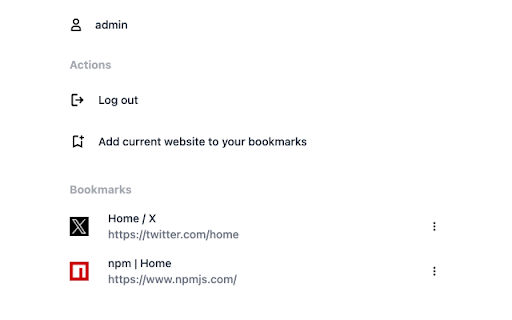
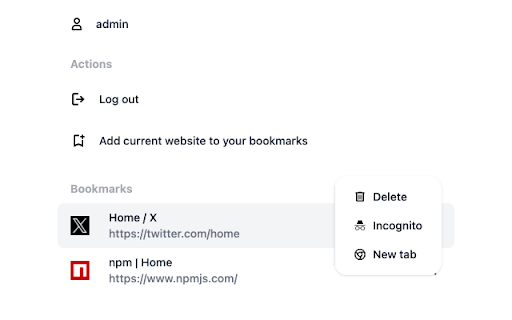
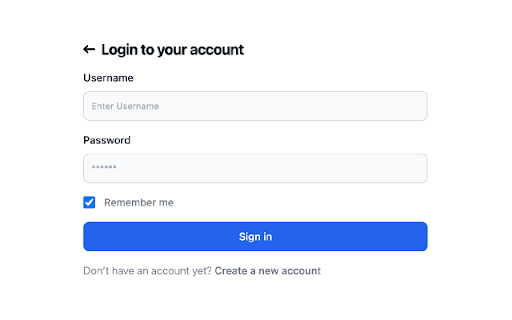
Privacy Bookmarks is designed to help users manage their bookmarks with a focus on privacy.
Privacy Bookmarks is designed to help users manage their bookmarks with a focus on privacy. With Privacy Bookmarks, you can save and organize links to your favorite websites, articles, videos, and more, all while ensuring that your data remains private and secure.
* Privacy-Focused:
You can save and organize your favorites in your own account. Bookmarks can only be viewed once you have logged in.
* Local Storage:
Store bookmarks locally on their device instead of syncing them to a cloud service, providing additional privacy.
* Private Browsing:
You can open bookmarks in an incognito window, and no browsing history is left.
* No Tracking:
Privacy Bookmarks doesn't track your activity or collect your data for advertising purposes.
| 分类 | 🛠️工具 |
| 插件标识 | olihhklffojblnfnieencdcfjooeddhn |
| 平台 | Chrome |
| 评分 |
★★★☆☆
3.8
|
| 评分人数 | 4 |
| 插件主页 | https://chromewebstore.google.com/detail/privacy-bookmarks/olihhklffojblnfnieencdcfjooeddhn |
| 版本号 | 1.3 |
| 大小 | 104KiB |
| 官网下载次数 | 67 |
| 下载地址 | |
| 更新时间 | 2025-01-13 00:00:00 |
CRX扩展文件安装方法
第1步: 打开Chrome浏览器的扩展程序
第2步:
在地址栏输入: chrome://extensions/
第3步: 开启右上角的【开发者模式】
第4步: 重启Chrome浏览器 (重要操作)
第5步: 重新打开扩展程序管理界面
第6步: 将下载的crx文件直接拖入页面完成安装
注意:请确保使用最新版本的Chrome浏览器
同类插件推荐

SecureMark
A bookmark encryption tool.This extension is a too

Extension Manager
Manage your Chrome extensions comfortably by enabl

Private Bookmarks
Save your websites, where no one can see them!What

Privacy Bookmarks
Privacy Bookmarks is designed to help users manage

Encrypted Bookmarks
Store private bookmarks encrypted in Chrome's
侧边书签栏
包含隐私书签、隐私书签导入导出、隐私书签加密同步、清除浏览记录、置顶书签、最近访问、最常访问、最近添
书签锁
个人书签加锁个人书签加锁 v1.1.2 -增加与服务器同步功能; -修复bug。

Hush - private bookmarking
The only secure way to create and access private b

LinkSaver: Private Bookmark
Seamlessly maintain your own digital library, conv

BanPop
Auto close pop windows for you.Automatically close

Private Bookmarker
Private Bookmark app will help you save bookmarks

Selection To PopUp
Perform easy actions like Search, Copy, Translate

Bookmark Saver
Now you can save your bookmarks smartly and easily