
LinkSaver: Private Bookmark Chrome 插件, crx 扩展下载
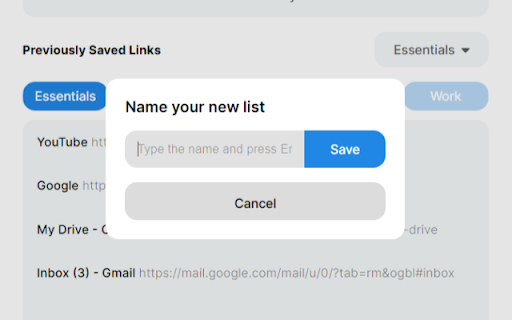
Seamlessly maintain your own digital library, conveniently save and access your favorite links, all while protecting your privacy.
Experience the ultimate convenience of effortlessly saving and organizing your favorite links with just a single click.
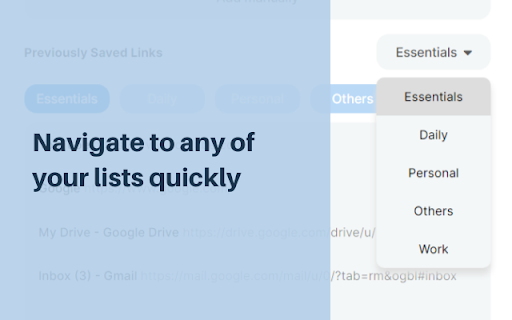
With LinkSaver, you'll enjoy unparalleled control over your digital bookmarks, allowing you to create multiple lists, rename them at will, and easily segregate your links for quick and efficient access.
? Say goodbye to accidental deletions!
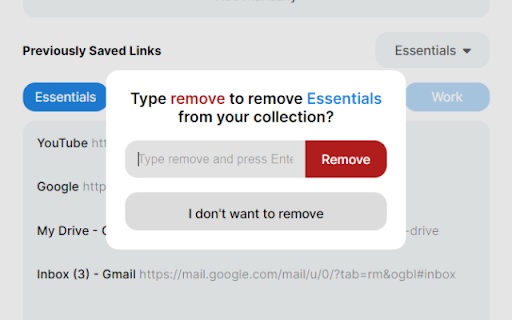
LinkSaver prioritizes your peace of mind by implementing a thoughtful confirmation system whenever you choose to delete a list. No longer will you have to worry about losing valuable collections of links due to hasty actions. Your organization and hard work are safeguarded every step of the way.
? Embrace the versatility of LinkSaver's intuitive interface.
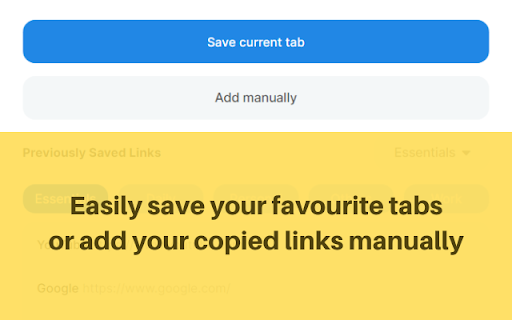
Two convenient methods await you to effortlessly save your cherished links. Utilize the "Save Current Tab" button to instantly capture the web page you're currently viewing. Alternatively, use the "Add Manually" button to seamlessly save any copied link that catches your attention.
But there's more to LinkSaver than meets the eye.
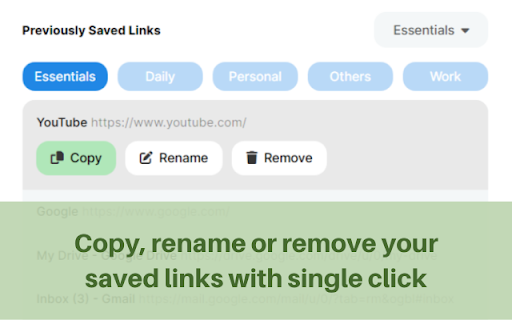
? Recognizing the significance of customization, we empower you to rename link titles, giving them personalized meaning that resonates with your preferences. Experience the joy of curating a collection that reflects your unique interests, passions, and aspirations.
? Most importantly, LinkSaver prioritizes your privacy above all else.
This remarkable extension operates completely independent of the internet, meaning no connections to external servers, no cookies, and no cache. Your favorite links remain exclusively in your control, ensuring the utmost confidentiality and data privacy. Enjoy the peace of mind that comes with managing your cherished online resources without compromising your personal information.
| 分类 | 📝工作流程与规划 |
| 插件标识 | pdfdfdelkmcjeaabcgbomohieopnlakl |
| 平台 | Chrome |
| 评分 |
★★★★☆
4.5
|
| 评分人数 | 8 |
| 插件主页 | https://chromewebstore.google.com/detail/linksaver-private-bookmar/pdfdfdelkmcjeaabcgbomohieopnlakl |
| 版本号 | 1.0 |
| 大小 | 7.55MiB |
| 官网下载次数 | 75 |
| 下载地址 | |
| 更新时间 | 2023-06-20 00:00:00 |
CRX扩展文件安装方法
第1步: 打开Chrome浏览器的扩展程序
第2步:
在地址栏输入: chrome://extensions/
第3步: 开启右上角的【开发者模式】
第4步: 重启Chrome浏览器 (重要操作)
第5步: 重新打开扩展程序管理界面
第6步: 将下载的crx文件直接拖入页面完成安装
注意:请确保使用最新版本的Chrome浏览器
同类插件推荐
Privacy Bookmarks
Privacy Bookmarks is designed to help users manage

Encrypted Bookmarks
Store private bookmarks encrypted in Chrome's
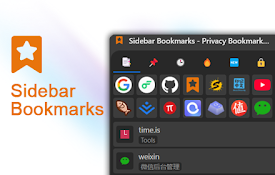
侧边书签栏
包含隐私书签、隐私书签导入导出、隐私书签加密同步、清除浏览记录、置顶书签、最近访问、最常访问、最近添
书签锁
个人书签加锁个人书签加锁 v1.1.2 -增加与服务器同步功能; -修复bug。
Bookmark Lock
Easy way to Lock your bookmarks with a 4-digit pin
Easy Private Bookmarks
Easiest way to create and manage password secured

Hush - private bookmarking
The only secure way to create and access private b

Secure Bookmarks
Adds a password-protected bookmark listSecure Book

LinkLocker - Private Bookmarking
Clip Web content to your LinkLocker account.Use th

LinkSaver: Private Bookmark
Seamlessly maintain your own digital library, conv

Link Saver
Save your links which you paste everywhere.While a

Private Bookmarker
Private Bookmark app will help you save bookmarks

Bookmark Dashboard
Manage your BookmarkBookmark Dashboard를 통하여 좀 더 손쉽