
Eglador Validation Chrome 插件, crx 扩展下载

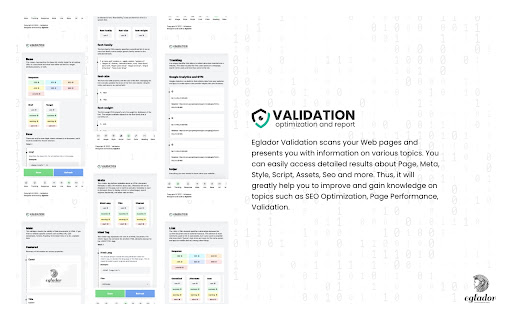
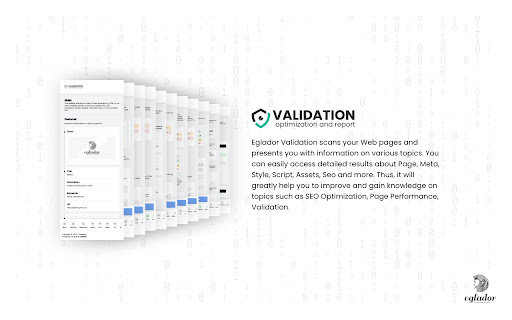

This validator checks the validity of Web documents in HTML.
Eglador Validation scans your Web pages and presents you with information on various topics. You can easily access detailed results about Page, Meta, Style, Script, Assets, Seo and more. Thus, it will greatly help you to improve and gain knowledge on topics such as SEO Optimization, Page Performance, Validation.
(1) Tracking
It checks the tracking codes of platforms such as Google Analytics, Gemius, Hotjar on the page.
(2) Response
It gives you various server-side information of your page with information such as XMLHttpRequest (cache-control, content-encoding, content-type, content-security-policy, expires, server, etc.).
It gives you various information on the browser side of your page with information such as UserAgent (appName, appVersion, platform, platform, vendor).
(3) Meta
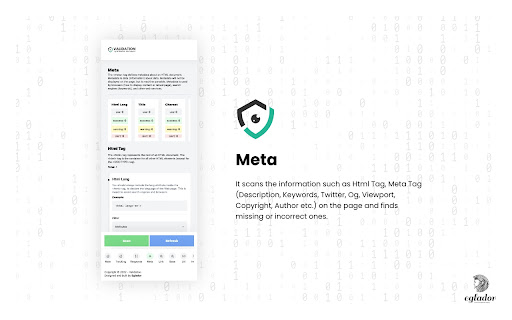
It scans the information such as Html Tag, Meta Tag (Description, Keywords, Twitter, Og, Viewport, Copyright, Author etc.) on the page and finds missing or incorrect ones.
(4) Link
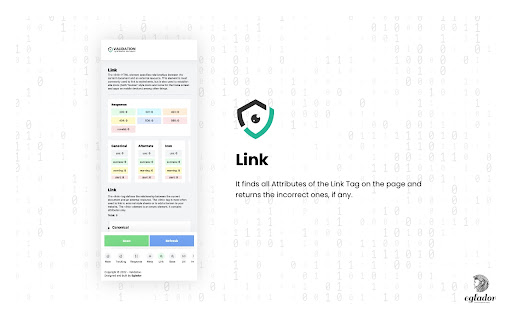
It finds all Attributes of the Link Tag on the page and returns the incorrect ones, if any.
(5) Base
It finds all Attributes of the Base Tag on the page and returns the incorrect ones, if any.
(6) Url
It gives attribute controls and response status by scanning all the URLs on the page and making a request.
(7) Image
It scans all the images on the page and sends a request, giving attribute controls and response statuses.
(8) Style
It scans all the Styles on the page and sends the request, giving the attribute controls and response statuses.
(9) Scripts
It scans all Scripts on the page and sends requests, giving attribute controls and response statuses.
(10) Fonts
It finds all the Fonts on the page and gives information such as font-family, font-size, font-weight.
(11) Color
Returns all the colors found on the page.
(12) Heading
It finds all Heading Tags on the page and shows how many of each are used.
(13) Robots Txt
Checks the Robots Txt File on the page.
(14) Structured Data
It scans the data structures on the page and checks the data.
You can view the change-log for every version update at https://eglador.github.io/validation
| 分类 | 💻开发者工具 |
| 插件标识 | olmfoedeomcjbogpmadfchdhoafnjggh |
| 平台 | Chrome |
| 评分 |
☆☆☆☆☆
0
|
| 评分人数 | 1 |
| 插件主页 | https://chromewebstore.google.com/detail/eglador-validation/olmfoedeomcjbogpmadfchdhoafnjggh |
| 版本号 | 1.0.0 |
| 大小 | 55.01KiB |
| 官网下载次数 | 40 |
| 下载地址 | |
| 更新时间 | 2022-12-15 00:00:00 |
CRX扩展文件安装方法
第1步: 打开Chrome浏览器的扩展程序
第2步:
在地址栏输入: chrome://extensions/
第3步: 开启右上角的【开发者模式】
第4步: 重启Chrome浏览器 (重要操作)
第5步: 重新打开扩展程序管理界面
第6步: 将下载的crx文件直接拖入页面完成安装
注意:请确保使用最新版本的Chrome浏览器
同类插件推荐

Tab Defrag
Sorts all tabs in the current window by their URLs
Auto Tab Manager
Auto Tab Manager# Automatic Tab Management Plugin

Simple Headers
Simple editor for response headers.Formerly named

Eglador Validation
This validator checks the validity of Web document

Azure DevOps Pipeline Tags
Display pipline run tags in pipeline list viewThis

Show protocol of address
Display protocol (https, http, ftp, ...) from give

RS Wiki RuneMetrics Logger
A chrome extension for the RS Wiki RuneMetrics log
Element Outliner
Adds Outlines to Elements■ FUNCTIONALITY ◈ Tog

Byte Eight Lab - MultiTool
View general information about the page, edit cook

Site Notes
Take notes that show up for a specific websiteTake

Coodde Tools
Set of compact tools for developers which are used

Color picker free
Color Picker Free is a Chrome extension designed t