
Clarity AI Chrome 插件, crx 扩展下载
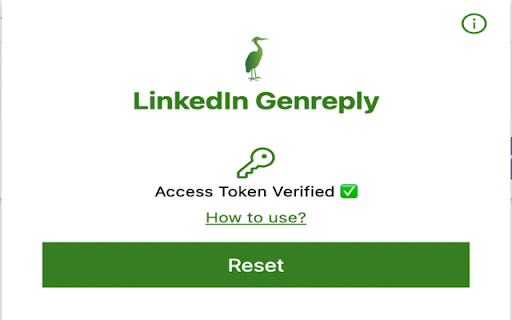

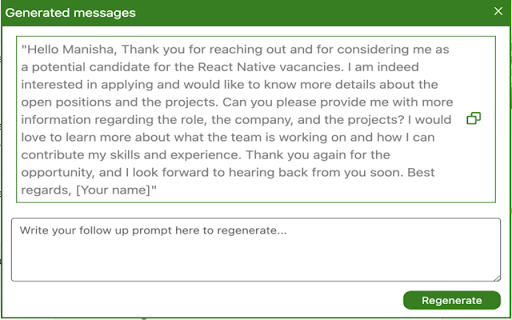
Quickly and easily set up auto-replies to messages you receive, saving you time and effort in responding to messages.
Introducing our new Chrome extension, designed to make your LinkedIn messaging experience even easier and more efficient. With our extension, you no longer need to spend time thinking about how to craft the perfect response to your LinkedIn messages. Our advanced technology uses GPT-3, one of the most advanced natural language processing tools available, to generate responses for you based on your recent LinkedIn message history.
Our extension reads your last couple of LinkedIn messages and then generates a response that matches the tone and content of your previous messages, saving you time and effort. Whether you're responding to a job offer, networking with a new contact, or following up on a conversation, our extension can help you quickly and easily craft a response that will impress your recipients.
Our extension is perfect for busy professionals who want to save time while still maintaining a professional tone in their LinkedIn messages. Try our extension today and experience the convenience and efficiency of automated message responses powered by GPT-3!
| 分类 | 📝工作流程与规划 |
| 插件标识 | oocjbppnakjplkgkcpiaobafeedefhdn |
| 平台 | Chrome |
| 评分 |
☆☆☆☆☆
0
|
| 评分人数 | 1 |
| 插件主页 | https://chromewebstore.google.com/detail/clarity-ai/oocjbppnakjplkgkcpiaobafeedefhdn |
| 版本号 | 1.0.2 |
| 大小 | 402KiB |
| 官网下载次数 | 25 |
| 下载地址 | |
| 更新时间 | 2023-03-24 00:00:00 |
CRX扩展文件安装方法
第1步: 打开Chrome浏览器的扩展程序
第2步:
在地址栏输入: chrome://extensions/
第3步: 开启右上角的【开发者模式】
第4步: 重启Chrome浏览器 (重要操作)
第5步: 重新打开扩展程序管理界面
第6步: 将下载的crx文件直接拖入页面完成安装
注意:请确保使用最新版本的Chrome浏览器
同类插件推荐

Wordsmith
Write with purpose. Write with Wordsmith.Wordsmith
Clarity AI
Quickly and easily set up auto-replies to messages

ChatGPT for Gmail
Your Email Generator for GmailChatGPT for Gmail is

CPBARD
概括并提供任何 competitiveprogramming 文章的关键见解。Generates h

TalkGuidanceGPT
TalkGuidance is a screen reader powered by GPT, wh
SummChat-摘要到聊天ChatGPT
通过ChatGPT总结摘要,提供互动聊天(包括翻译和继续对话)SummChat在总结网页摘要基础上,

ChatGPT for Google Search
Adds ChatGPT results alongside Google search resul

GPT Vokal
Give voice instructions to ChatGPT.This extension

Spark Copilot
Outreach CopilotSpark Copilot is your cold outreac

Generative Prompts
An extension for displaying entries from the Aweso

GPT3 Accessible Tables
GPT3 Accessible Tables is an extension that uses O

Boss Hub | Card
Boss Hub Card | Your Business Card GeneratorBoss H
ChatFox - 适用于 Instagram、Twitter 和 LinkedIn 的 OpenAI ChatGPT
The Open-AI ChatGPT powerful tool to give you the