
UnSponsored Chrome 插件, crx 扩展下载
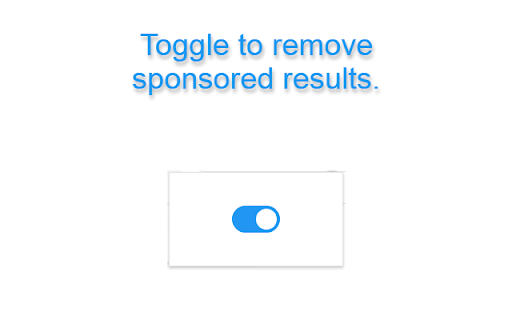

Hide sponsored content on web pages.
Enjoy an ad-reduced browsing experience as UnSponsored hides sponsored results, providing a cleaner and distraction-free view. Customise your web search by toggling the extension on or off with a simple switch. UnSponsored is open-source, released under the MIT license, and designed to enhance your online search privacy.
Features:
Removes sponsored results from Google searches.
Toggle extension on or off for a personalized experience
Open-source code under the MIT license
How to Use:
Install UnSponsored from the Chrome Web Store.
Click on the UnSponsored icon then you can toggle the extension on or off.
Enjoy an ad-reduced searching experience!
Open Source:
UnSponsored is an open-source project. Feel free to explore, contribute, or report issues on GitHub. The code is released under the MIT License, promoting transparency and collaboration.
https://github.com/dumbross/UnSponsored
Feedback:
We welcome your feedback and contributions to make UnSponsored even better.
| 分类 | 🛠️工具 |
| 插件标识 | pmbneaajfhcoecedlmkfkdnjemmebbcb |
| 平台 | Chrome |
| 评分 |
★★★★☆
4.8
|
| 评分人数 | 193 |
| 插件主页 | https://chromewebstore.google.com/detail/unsponsored/pmbneaajfhcoecedlmkfkdnjemmebbcb |
| 版本号 | 1.5 |
| 大小 | 71.42KiB |
| 官网下载次数 | 2000 |
| 下载地址 | |
| 更新时间 | 2023-11-20 00:00:00 |
CRX扩展文件安装方法
第1步: 打开Chrome浏览器的扩展程序
第2步:
在地址栏输入: chrome://extensions/
第3步: 开启右上角的【开发者模式】
第4步: 重启Chrome浏览器 (重要操作)
第5步: 重新打开扩展程序管理界面
第6步: 将下载的crx文件直接拖入页面完成安装
注意:请确保使用最新版本的Chrome浏览器
同类插件推荐

SearchX - Empower your Google Search
Hide ads, prioritize websites, have ChatGPT next t
UnSponsored
Hide sponsored content on web pages.Enjoy an ad-re

Google Search Ad Remover
A simple chrome extension that removes advertised
Hide "People Also Asked" Results
Hides the "People Also Asked" results fr

Disable AI Overview | Turn Off AI Overview
Disables or Turn Off AI Overview in Google search
Hide Google AI Overviews
Hide annoying Google AI Overviews.This browser ext

Amazon Ad & Sponsored Listing Blocker
Block all ads and sponsored listings on Amazon. Wo
Google Search Ad Remover And Customizer
This extension gives you the ability to customize
Bye Bye, Google AI: Turn off Google AI Overviews, Discussions and Ads
Filter Google search results to hide AI overviews,

Social Sponsored Ads Blocker
Removes sponsored / promoted social ads content on

DeArrow - 优化 Youtube 标题和缩略图
众包标题和缩略图应该是叙述性的,而不是修饰性的DeArrow is a browser extens

Reddit Promoted Ad Blocker
Hide those pesky promoted Reddit ads that look lik
F.Block Sponsored
Block Facebook™ sponsored and suggested posts in a