
YCS - YouTube Comment Search Chrome 插件, crx 扩展下载
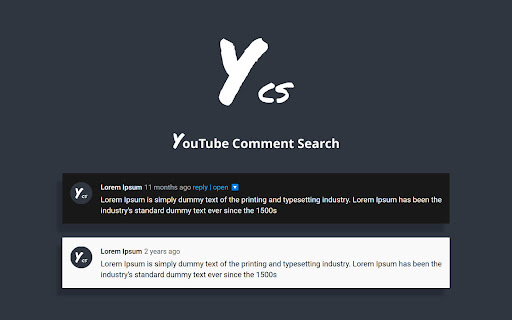
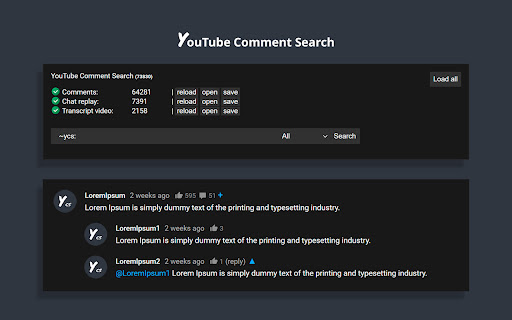
Search comments, replies, chat replay, video transcript for the current video on YouTube by contents, authors, time.
The YCS (YouTube Comment Search) is a chrome extension.
Search comments, replies, chat replay, video transcript for the current video on YouTube by contents, authors, time.
Features:
✅ Quick search by timestamp, author, content
✅ Export comments, replies, chat replay, video transcript
✅ Flexible (fuzzy) search
✅ Multilingual search
✅ Search by Emoji
✅ Works in incognito mode
✅ Unlimited load comments
✅ Time stamps - show comments, replies with time stamps
✅ Author - show comments, replies and chat comments from the author
✅ Likes - show comments, replies by number of likes (sort largest to smallest)
✅ Replied - show comments by number of replies (sort largest to smallest)
✅ Members - show comments, replies and chat comments from channel members
✅ Donated - show chat comments from users who have donated
✅ Show random comment
✅ Small size, low use CPU and memory
Instructions:
1. Open video on YouTube
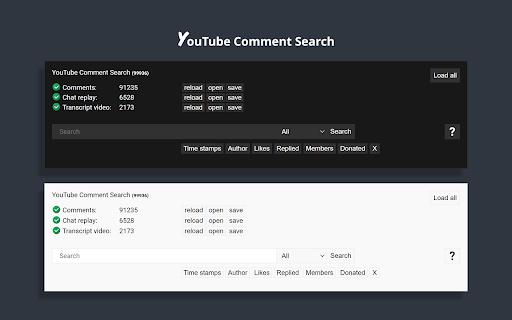
2. Find the YCS extension under the current video and click the button "Load all" or choose to load the categories
3. Write the search query, press Enter or click the button Search
FAQ
1) How to like, reply to a comment?
In the search results, click on the date (like, "2 months ago") of the comment, reply and will open a new window with an active comment or reply under the video, where you can do any action.
2) How do I find all timestamped comments and replies on a video?
Click on the "Time stamps" button under the search bar.
3) How can I find addressed to user's comments, replies?
Write " @ " in the input field.
4) How can I view the contents of the video transcript at a specific minute?
You can write a search query for Trp. Video, in the " mm:ss " format. For example:
" : " - all the text of the video transcript.
" 15: " - all the text in the 15th minute.
And etc.
5) How can I view the comment for a found reply?
Click on the " ▼ " button.
6) How can I see the all replies to the found comment?
In the header of the found comment, you can find the reply icon and the count, to see the replies click on the " + " button.
7) How to use search in YouTube shorts?
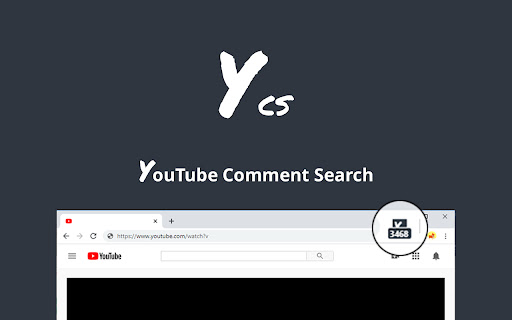
Open a YouTube video short. Click badge YCS (right of the address bar) and click on the button Open YT short.
You can use the search engine (YCS), while loading comments, chat, transcript video.
| 分类 | 🛠️工具 |
| 插件标识 | pmfhcilikeembgbiadjiojgfgcfbcoaa |
| 平台 | Chrome |
| 评分 |
★★★★☆
4.1
|
| 评分人数 | 20 |
| 插件主页 | https://chromewebstore.google.com/detail/ycs-youtube-comment-searc/pmfhcilikeembgbiadjiojgfgcfbcoaa |
| 版本号 | 88 |
| 大小 | 291KiB |
| 官网下载次数 | 50000 |
| 下载地址 | |
| 更新时间 | 2024-10-04 00:00:00 |
CRX扩展文件安装方法
第1步: 打开Chrome浏览器的扩展程序
第2步:
在地址栏输入: chrome://extensions/
第3步: 开启右上角的【开发者模式】
第4步: 重启Chrome浏览器 (重要操作)
第5步: 重新打开扩展程序管理界面
第6步: 将下载的crx文件直接拖入页面完成安装
注意:请确保使用最新版本的Chrome浏览器
同类插件推荐

Youtube Comment Filter
Chrome extension that filters Youtube commentsA Ch

YouTube Comment Navigator 95
Search and filter YouTube comments with a nostalgi

YouTube Timestamps
Shows YouTube timestamps from comments.It adds tim

Timestamped YouTube Comments
See timestamped comments as you watchPlease use yo

Youtube™ Actual Top Comments
Sort YouTube™ comments by most liked and search al
YCS - YouTube Comment Search
Search comments, replies, chat replay, video trans

Show YouTube comments while watching
Show YouTube comments on the right of the video. R

Return YouTube Comment Username
This script replaces the "handle" in the

Youtube-shorts block
Play the Youtube shorts video as if it were a norm

DetailedTime
YouTube動画の公開時刻を表示するやつ◆どんな機能? YouTube動画の公開時刻を表示します。

YouTube Comment Reader
Search, Sort, Filter, Read YouTube Comments in spr