
Tag Recovery Chrome 插件, crx 扩展下载
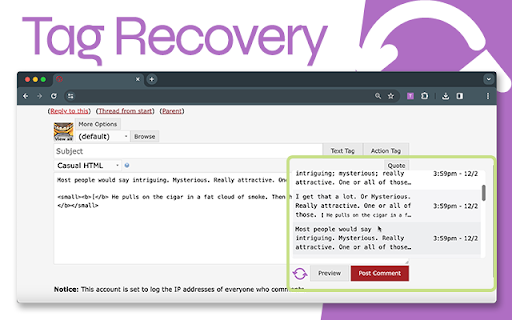

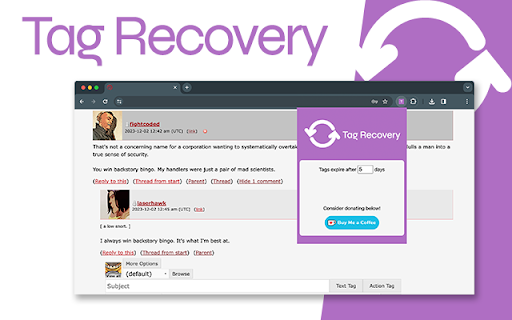
Retrieve text from DW forms
Save and recover your tags, form data, for each username in all of your Dreamwidth role play communities.
Please leave a review, boost it on Plurk, and send questions/concerns/feedback to [email protected], or leave an issue on the GitHub repo.
============
VERSION 1.3.0
============
Ensures Tag Recovery is now accessible on new entry, preview, and other reply pages.
============
VERSION 1.2.0
============
Updates @crxjs/vite-plugin to beta.26 to fix Content Security Policy directive violations
============
VERSION 1.1.0
============
Workaround fix to @crxjs/vite-plugin library when manifest output bundle is not defined
============
VERSION 1.0.2
============
Updates dependency vulnerabilities
============
VERSION 1.0.1
============
Saved records now display properly on thread pages in textareas on mouse over and revert to previous textarea value on mouse out.
| 分类 | 🛠️工具 |
| 插件标识 | pndobcmiekagakecokaakanabdifnhok |
| 平台 | Chrome |
| 评分 |
★★★★☆
4.4
|
| 评分人数 | 24 |
| 插件主页 | https://chromewebstore.google.com/detail/tag-recovery/pndobcmiekagakecokaakanabdifnhok |
| 版本号 | 1.3.0 |
| 大小 | 1.5MiB |
| 官网下载次数 | 358 |
| 下载地址 | |
| 更新时间 | 2024-11-14 00:00:00 |
CRX扩展文件安装方法
第1步: 打开Chrome浏览器的扩展程序
第2步:
在地址栏输入: chrome://extensions/
第3步: 开启右上角的【开发者模式】
第4步: 重启Chrome浏览器 (重要操作)
第5步: 重新打开扩展程序管理界面
第6步: 将下载的crx文件直接拖入页面完成安装
注意:请确保使用最新版本的Chrome浏览器
同类插件推荐

Plurk Savior
Automatically mute and hide plurks on your timelin

Formalizr
Remembers what you type in web pages to be able to
Tag Recovery
Retrieve text from DW formsSave and recover your t

AutoSave & Recovery
Save input text values for easy retrieval, elimina

Dreamwidth Tools
Unofficial Dreamwidth ToolsTools that make using D

LJ Account Juggler
This addon lets users easily switch between accoun

TLDR.AI
Say goodbye to information overloadIntroducing TLD

Smiley Ogame
Smiley for Ogame ChatEN __________________________

Microbots AI Platform
This extention allows to build automations using p

Costbot Price Tracker
Easily view historical pricing data from costbot.n

Character Input
Press Insert key, then: aXXX for an Alt Code, XXXX

Atfos
Atfos: x999 tool.Atfos stands for Automated Tool F

Twitter Reaction Counter
This extension get list of Like/Retweet on a tweet