Ai Code Editor Chrome 插件, crx 扩展下载
CRX扩展文件安装方法
第1步: 打开Chrome浏览器的扩展程序
第2步:
在地址栏输入: chrome://extensions/
第3步: 开启右上角的【开发者模式】
第4步: 重启Chrome浏览器 (重要操作)
第5步: 重新打开扩展程序管理界面
第6步: 将下载的crx文件直接拖入页面完成安装
注意:请确保使用最新版本的Chrome浏览器
同类插件推荐

Ai Code Editor
AI Powered Code EditsAi Code Editor is an AI-power

Chrome Web Scraper
Chrome extension to automatically scrape text from

DivCat
Copy css and html code from any website.DivCat - E

Easy Select
Get readable & maintainable css selector from

Notepad++在线
适用于 Win 平台的文本和源代码编辑器Notepad++ Online 是一款功能丰富的 Chro

CSS Inspector
Activate this extension to view any information in

CSS-WebStyler
AI powered Web Customizer. Customize the design of
UI Inspector - Visual CSS Editor
Inspect and visually edit elements and their CSS d

AI Code Preview
Preview, copy, and download code from AI responses
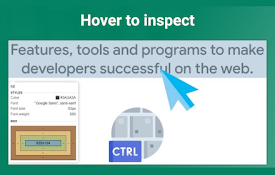
Quick Inspect Element
Quickly inspect HTML elements with a simple mouse
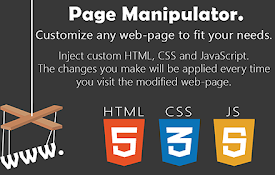
Page Manipulator
Inject HTML, CSS or JavaScript into any web-page.
网页编辑
单击按钮即可轻松临时编辑网站。只需单击按钮即可轻松临时编辑网站。 无需编码或知识。 只需单击一下即可

Edit Website Extension
Edit Live Websites Text On The FlyEdit texts in li