Wikipedia Modernizer Chrome 插件, crx 扩展下载
CRX扩展文件安装方法
第1步: 打开Chrome浏览器的扩展程序
第2步:
在地址栏输入: chrome://extensions/
第3步: 开启右上角的【开发者模式】
第4步: 重启Chrome浏览器 (重要操作)
第5步: 重新打开扩展程序管理界面
第6步: 将下载的crx文件直接拖入页面完成安装
注意:请确保使用最新版本的Chrome浏览器
同类插件推荐

Quick Search Wiktionary
Provides quick access to Wiktionary from any page.

WikiReader: Wikipedia Simplified
Get what you need from Wikipedia with a simple and

Wikipedia Search
Search Wikipedia by typing 'w' followed by

clearRead
Extract the body of the article, remove the advert

Wikipedia Modernizer
Updates Wikipedia's design to a more modern an

The New Wiki
Beautiful and useful tools for your WikipediaNewWi

Qwikipedia
Hover over blue terms in Wikipedia pages to get a
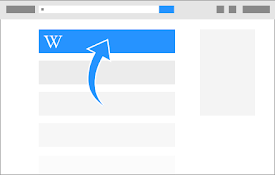
Make Wikipedia #1
This extension will move Wikipedia pages to the to

Modern for Wikipedia
Wikipedia gets a beautiful, clean, modern interfac

Wiki Readifyer
Makes Wikipedia articles pleasantly readable. Noth

High Wiki
Read everything on Wikipedia in just one tab. For

Selection Search - Quick Search
Easily search ? for selected text in different se

Enhanced Wikipedia UI
A massive redesign of the Wikipedia website. Enhan