Side Notepad Chrome 插件, crx 扩展下载
CRX扩展文件安装方法
第1步: 打开Chrome浏览器的扩展程序
第2步:
在地址栏输入: chrome://extensions/
第3步: 开启右上角的【开发者模式】
第4步: 重启Chrome浏览器 (重要操作)
第5步: 重新打开扩展程序管理界面
第6步: 将下载的crx文件直接拖入页面完成安装
注意:请确保使用最新版本的Chrome浏览器
同类插件推荐

MaxFocus: 链接预览和AI助手
直接从当前标签页预览链接,保持专注。MaxFocus 非常适合顺畅地浏览社交媒体和新闻源、不间断地观
Notepad
Simple note for sidebar from Nyx.Introducing Versi
MadNotes
Minimalistic markdown notepad. Boost your efficien

Your favorite apps in a sidebar - TabBuddy
Access your favorite apps (ChatGPT, Reddit, YouTub
Fexity Pro
Your go-to productivity tool.Fexity Pro is an easy

Sava OS
A desktop interface for your web browser.Use the C

Sticky Notes
Sticky notes on every pageSticky is the ultimate b
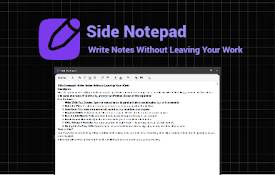
Side Notepad
Write Notes Without Leaving Your WorkSide Panel No

Page Notes Sidebar
Add notes to web pages and access them from the si

Moneo AI - New Tab, Tab Manager, Bookmarks, Split View
Moneo AI is your beautifully designed productivity

Tab Notes: Simple Notepad
A clean, distraction-free notepad with rich text f

Sidebar Key Notes
Highlight and save definitions, pictures, reminder

Fabric web clipper – save anything from the web
? All your stuff in one place. ? Collaborate on an