Voice Command: voice control and dictation Chrome 插件, crx 扩展下载
CRX扩展文件安装方法
第1步: 打开Chrome浏览器的扩展程序
第2步:
在地址栏输入: chrome://extensions/
第3步: 开启右上角的【开发者模式】
第4步: 重启Chrome浏览器 (重要操作)
第5步: 重新打开扩展程序管理界面
第6步: 将下载的crx文件直接拖入页面完成安装
注意:请确保使用最新版本的Chrome浏览器
同类插件推荐
Voice Command: voice control and dictation
VOICE COMMANDS and VOICE TYPING anywhere on the we
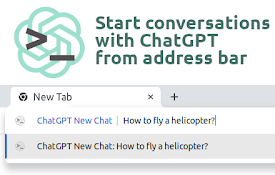
ChatGPT New Chat
Just type "gpt How to fly a helicopter?"

EmojiPad: Zero Permissions Emoji Keyboard
Searchable copy & paste for emojis. Unlike oth
Scribe-a-saurus - Speech-To-Text Dictation
Transcribe your speech to text instantly. Speak, a

Echo - Speech-to-Text Dictation
Voice typing. Dictate into any website. Real-time

Voice/Speech To Text - DictationDaddy
Use your voice or speech to reply to emails, Slack
Speak! - Speech-To-Text Smart Dictation
Dictate with ease anywhere on the web using auto-e

StopWork.ai - Voice To Everything - AI Powered
Use dictation for instant voice typing, AI quick a
TalkaType - Simple, Secure Web Dictation
Use your voice to type on any website in real-time

语音识别无处不在
使用语音识别填写任何表格,并用语音和文字口述电子邮件。使用自定义语音命令控制互联网!语音识别无处不在

Voice Typing
Use your voice to type on any websitevoice typing

SpeechAgent - Live Voice Typing
Speech to text converter to fill active text area

Pinnable ChatGPT:在侧边栏中钉选 GPT 对话
在侧边栏中钉选 ChatGPT 对话以便快速访问置顶对话将始终保持在顶部,便于快速访问。 Pinn