
Voiceitt: Speech-To-Text for Non-Standard Speakers Chrome 插件, crx 扩展下载
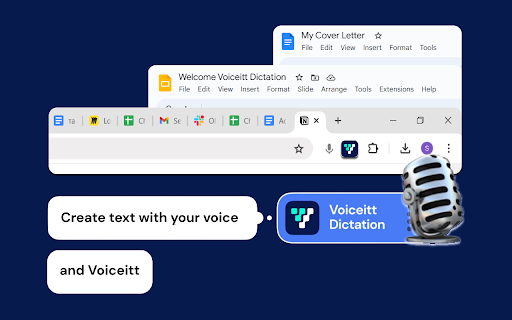

Accessible Speech-to-Text for people with non-standard speech. Link your Voiceitt account to dictate.
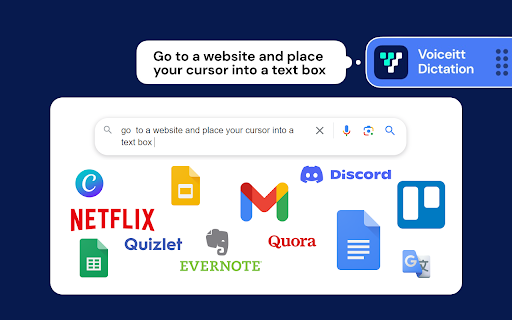
AI-powered accessible speech-to-text for people with non-standard speech, accented English, or aging voices. Link your Voiceitt account to begin dictating into various websites. Using voice-to-text to write emails, blogs, or Slack messages seamlessly.
If you are new to Voiceitt, visit www.voiceitt.com. We would love to hear your feedback. Email us at [email protected].
Voiceitt offers the first-ever accessible speech-to-text Chrome Extension!
Here are some quick tips to get started.
1. Download to your Chrome Browser:
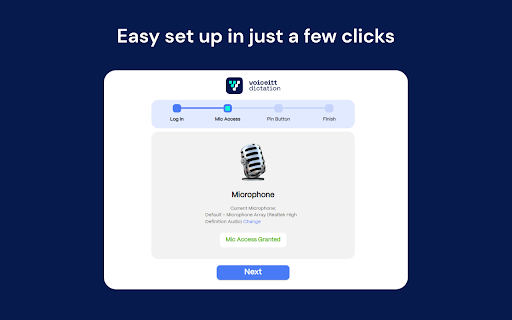
Click the blue "Add to Chrome" button and follow the set-up instructions to:
a. Link your Voiceitt account
b. Give Voiceitt access to your microphone
c. Pin Voiceitt for Chrome to your toolbar
2. Starting and Stopping Dictation:
You can start/stop dictation in 3 ways:
a. Click on the Voiceitt button pinned to the toolbar.
b. Use the keyboard shortcut: Alt + R
c. After 1 minute of silence, Voiceitt will stop listening
NOTE: Keyboard shortcuts and listening time can be changed in Options.
| 分类 | ♿无障碍访问 |
| 插件标识 | aalfhpnibomagmpkoljjlblbbkmedcli |
| 平台 | Chrome |
| 评分 |
★★★★★
5
|
| 评分人数 | 2 |
| 插件主页 | https://chromewebstore.google.com/detail/voiceitt-speech-to-text-f/aalfhpnibomagmpkoljjlblbbkmedcli |
| 版本号 | 116 |
| 大小 | 644KiB |
| 官网下载次数 | 580 |
| 下载地址 | |
| 更新时间 | 2025-02-20 00:00:00 |
CRX扩展文件安装方法
第1步: 打开Chrome浏览器的扩展程序
第2步:
在地址栏输入: chrome://extensions/
第3步: 开启右上角的【开发者模式】
第4步: 重启Chrome浏览器 (重要操作)
第5步: 重新打开扩展程序管理界面
第6步: 将下载的crx文件直接拖入页面完成安装
注意:请确保使用最新版本的Chrome浏览器
同类插件推荐
Voice Writer
Speak your thoughts, and let AI fix your grammarWr

Voice Typing Anywhere
Enable voice typing in any input or textarea field
Voiceitt: Speech-To-Text for Non-Standard Speakers
Accessible Speech-to-Text for people with non-stan

SpeakMagic - Speech to Text
Transcribe, edit, and format speech easily in the

Talk to Website: AI Voice-to-Text
Talk to websites to write or chat. Click where you
Scribe-a-saurus - Speech-To-Text Dictation
Transcribe your speech to text instantly. Speak, a

Echo - Speech-to-Text Dictation
Voice typing. Dictate into any website. Real-time
Voice/Speech To Text - DictationDaddy
Use your voice or speech to reply to emails, Slack
Speak! - Speech-To-Text Smart Dictation
Dictate with ease anywhere on the web using auto-e
Speech To Text Engine
For your browser, there's an easy-to-use speec

Text N Speech
Convert speech and audio to text. Use the Refine f
Two Way Voice for Bing AI
This extension for Bing AI Chat allows you to ask

Claude Speech-to-Text
Add speech-to-text functionality to Claude.ai chat