
单点登录 (SSO) 助手 Chrome 插件, crx 扩展下载
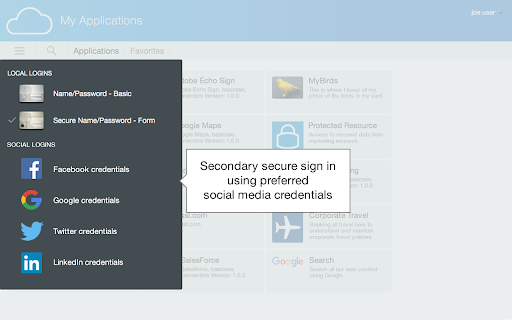
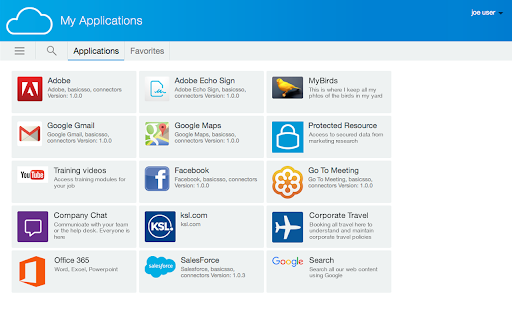
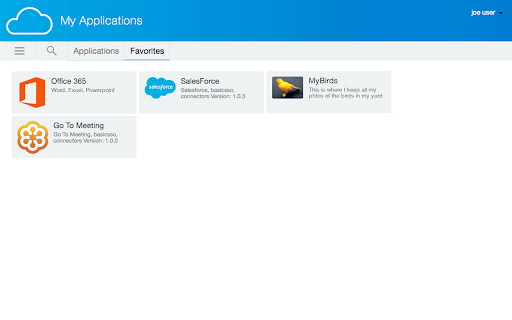
Access Manager、CloudAccess 和 SecureLogin 用户自动进行 Web 和 App 登录、获得单点登录体验的安全方式。
您的 Access Manager、CloudAccess 或 SecureLogin 管理员可以配置针对网站和应用程序的单点登录连接器。此扩展允许您将这些站点的登录凭证安全地保存在安全的服务器上,并可以在后续访问时,代表您自动登录那些站点。
您可以通过访问 catalog.netiq.com 浏览 Access Manager、CloudAccess 或 SecureLogin 管理员能够配置的一些单点登录连接器的列表。
New features:
To be more compatible with more login forms, the extension no longer automatically submits the form after filling it in. Rather, if you have previously saved credentials for a site, the extension will fill them in and let you press Enter or click the Login button to complete the login.
On configured login sites, the extension previously would wait for you to login yourself, and then show a prompt asking if you want to save the credentials to the secure server. To be more compatible with more login forms, the new behavior is that on configured sites, if you have not previously saved credentials, the extension will show you its own dialog prompting you to enter and save credentials for that site. If you choose to save credentials with that dialog, it will save them to the secure server and then fill them in automatically into that site's login form.
Previously, we released versions of this extension for both Chrome and Firefox that share the same code base, so that functionality and user experience will be very similar between those two browsers. With this version we have added Microsoft Edge to that list. Please note that this version (3.1.0) is the first time the extension will be made available on all three browsers, so if you look for the extension for Microsoft Edge, it may not be available for a time after it is available for Chrome and Firefox, depending on Microsoft's extension review procedures.
General bug fixes and improvements:
* Improved page load times and extension compatibility by moving some code execution from the page script context to the content script context.
* Console output has been cleaned up and improved.
* Work more consistently with login pages that have iframes.
* All necessary API calls (to save and retrieve credentials from the secure server) are now made asynchronously.
Bug fixes and improvements specific to SecureLogin customers:
* Improved handling of mutation events.
* Single sign-on now works more consistently.
| 分类 | 📝工作流程与规划 |
| 插件标识 | abjopieldicnknjgiplcjgepeijbealm |
| 平台 | Chrome |
| 评分 |
★★★★★
5
|
| 评分人数 | 3 |
| 插件主页 | https://chromewebstore.google.com/detail/单点登录-sso-助手/abjopieldicnknjgiplcjgepeijbealm |
| 版本号 | 102 |
| 大小 | 356KiB |
| 官网下载次数 | 300000 |
| 下载地址 | |
| 更新时间 | 2025-02-26 00:00:00 |
CRX扩展文件安装方法
第1步: 打开Chrome浏览器的扩展程序
第2步:
在地址栏输入: chrome://extensions/
第3步: 开启右上角的【开发者模式】
第4步: 重启Chrome浏览器 (重要操作)
第5步: 重新打开扩展程序管理界面
第6步: 将下载的crx文件直接拖入页面完成安装
注意:请确保使用最新版本的Chrome浏览器
同类插件推荐

Avatier Single Sign On
Avatier's single sign on logs you in to your w
单点登录 (SSO) 助手
Access Manager、CloudAccess 和 SecureLogin 用户自动进行 We
My Azure Portal Extention
Configure background image on Azure Portal, highli

Azure Authorization Header Extractor
Extracts Azure authorization header from requests*
Auto Login
'Auto Login' is extension to login automat

Auto Login
Automatically login to your favourite websites wi

Free Password Manager & Authenticator & SSO
The free password manager extension comes with aut
SAML SSO for Chrome Apps
Helper extension for admins to configure SAML SSO

Shortcuts For Microsoft
Easy navigation to all of Microsofts's service

Cloud Marketplace
Search over 500 AppsEasily search and launch your

My Apps Secure Sign-in Extension
My Apps Secure Sign-in ExtensionThis extension is

Manager
Chrome extension/apps managerManager allows you to

Extensioner
Extension management is easier with Extensioner.v1