
New Status Colors PRO for JIRA Cloud Chrome 插件, crx 扩展下载
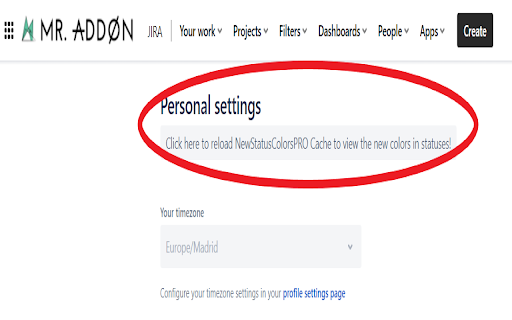

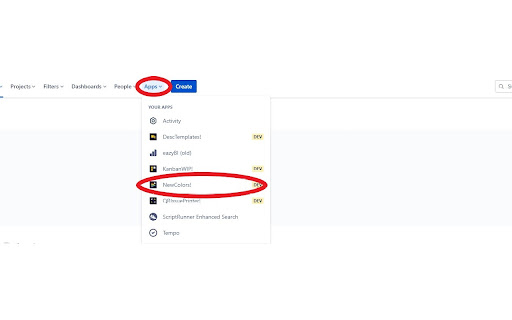
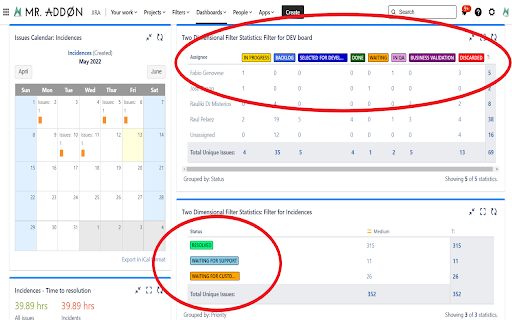
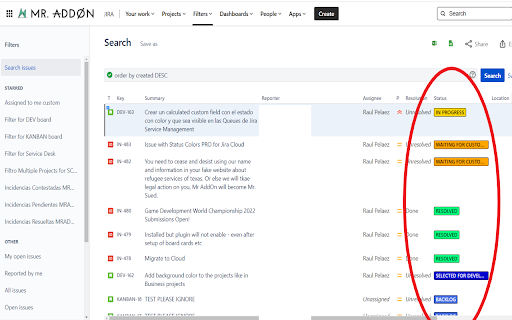
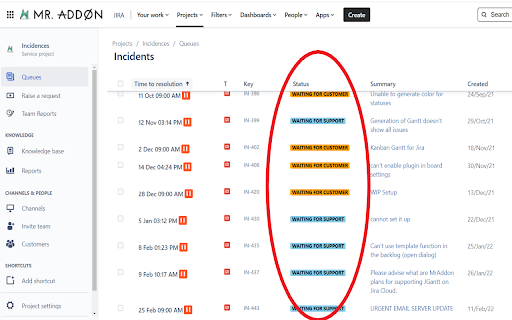
This extension allows you to customize the colors of your JIRA statuses.
What is New Status Colors PRO?
With this JIRA Cloud add-on, your JIRA users will live in a full-color world! ... more beautiful than the usual and bored "blue", "yellow", "green" in the statuses of the issues. The colorization is done in the Issue Search View screen, in the Issue Screen and in the JIRA Dashboard and in Jira Service Management Queues. With this plugin your JIRA will looks like a pretty amazing software!. The list of colors that this plugin allows are the entire HTML common color name values. Take a Look inside the entire list of color names
See more in: https://wiki.tecnofor.es/new-status-colors-pro/v1/Cloud/
| 分类 | 📝工作流程与规划 |
| 插件标识 | ambfnpmanbfkcfoocddoicfaodljjahb |
| 平台 | Chrome |
| 评分 |
★★★★☆
4.5
|
| 评分人数 | 18 |
| 插件主页 | https://chromewebstore.google.com/detail/new-status-colors-pro-for/ambfnpmanbfkcfoocddoicfaodljjahb |
| 版本号 | 7.5.0 |
| 大小 | 288KiB |
| 官网下载次数 | 1000 |
| 下载地址 | |
| 更新时间 | 2025-01-16 00:00:00 |
CRX扩展文件安装方法
第1步: 打开Chrome浏览器的扩展程序
第2步:
在地址栏输入: chrome://extensions/
第3步: 开启右上角的【开发者模式】
第4步: 重启Chrome浏览器 (重要操作)
第5步: 重新打开扩展程序管理界面
第6步: 将下载的crx文件直接拖入页面完成安装
注意:请确保使用最新版本的Chrome浏览器
同类插件推荐

JIRA Agile Instant
Useful extension to let you sort, filter, hover fo

Jira Interface Improvements
Some simple interface improvements for JiraJira is

JIRA Buddy
A helper for your most common or day-to-day OnDema

Jira Enricher
This extension fixes some of the flaws of Jira'

QR Issue Card Printer PRO for JIRA Cloud
QR Issue Card Printer PRO for JIRA CloudPrint your

JIRALyzer for JIRA
Atlassian JIRA on steroids!JIRALyzer for Atlassian

Time Tracker by Tempo
Track and visualize your progress on Jira issuesTr

Kanban Combined WIP for Jira Cloud
This extension allows you to set a combined WIP li

JIRA Issue Highlighting
Highlights background color of issuesTo use this e

JIRA Color Cards
Colors jira cards prominently when Card Colors are
New Status Colors PRO for JIRA Cloud
This extension allows you to customize the colors

Jira Status Colours
Customize the colours of your Jira statuses.Do you

Quick JIRA
Quickly opens the JIRA with the corresponding tick