
Proxy Switch by Proxy-Hub.com Chrome 插件, crx 扩展下载
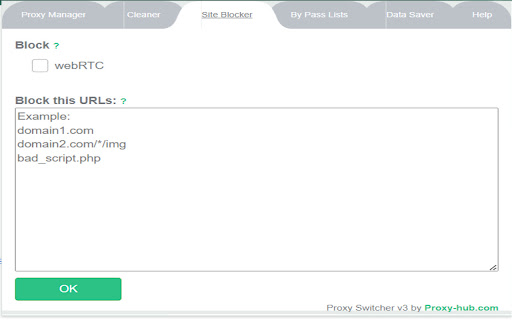
Proxy Swtich v3 is an ultimate proxy manager for proxy rotation with all needed features.
Upgrade to Proxy Switch v3, the ultimate proxy manager designed to effortlessly handle all your proxy needs. Packed with powerful features, this new version is optimized for the latest Chrome requirements.
It will support all proxy types, including semi-dedicated, dedicated private proxies, static residential proxies,mobile proxies and SOCKS.
Key Features:
1: Effortless Proxy Import:
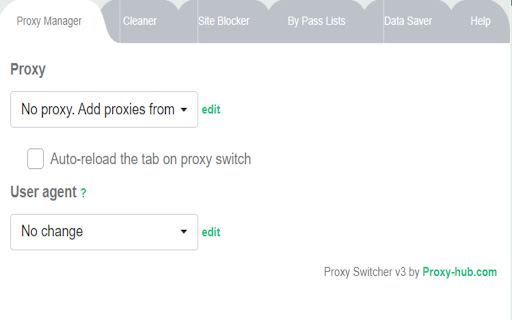
Easily import HTTP(s)/SOCKS proxy lists via API URL or clipboard.
2: Smart Proxy Rotation:
Rotate proxies every 60 seconds or use keyboard shortcuts (Ctrl+Shift+0 for Windows, Command+Shift+0 for Mac).
3: Custom User Agents:
Change and edit user agents to enhance your browsing experience.
4: Tab-Specific Proxy Auto-Change:
Automatically switch proxies with every new tab or customize as per your preference.
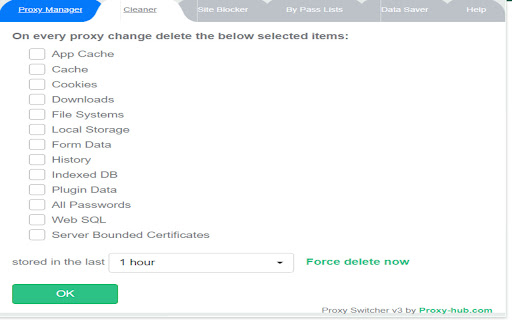
5: Comprehensive Cleaner:
Clear cache, cookies, history, forms data, passwords, and more manually or set to change with every proxy rotation.
6: Site Blocking:
Block specific sites for added control over your browsing experience.
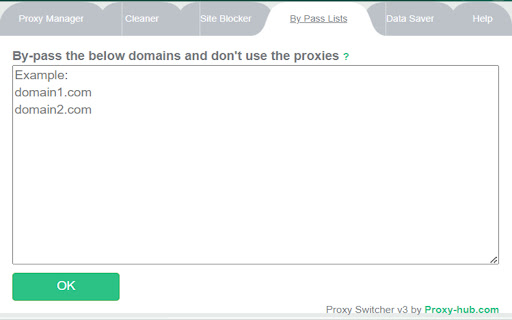
7: WebRTC/Flash Controls:
Enable or disable WebRTC and Flash to enhance privacy and security.
8: Domain Bypass:
Bypass proxy for specified domains when visiting, providing flexibility in your proxy usage.
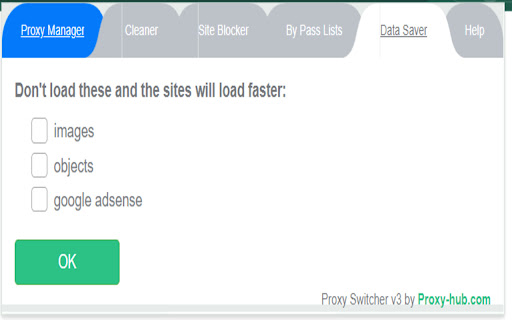
9: Bandwidth Control:
Safely control bandwidth by blocking images for a data-efficient browsing experience.
10: AdSense and Object Blocking:
Block AdSense and other objects when visiting sites, giving you control over your ad experience.
Upgrade to Proxy Switch v3 now and take your proxy management to the next level. Stay secure, private, and in control of your browsing environment
| 分类 | 💻开发者工具 |
| 插件标识 | bdjeogoajilmceaemepogjldihohcgph |
| 平台 | Chrome |
| 评分 |
★★★★★
5
|
| 评分人数 | 1 |
| 插件主页 | https://chromewebstore.google.com/detail/proxy-switch-by-proxy-hub/bdjeogoajilmceaemepogjldihohcgph |
| 版本号 | 3 |
| 大小 | 344KiB |
| 官网下载次数 | 1000 |
| 下载地址 | |
| 更新时间 | 2024-10-23 00:00:00 |
CRX扩展文件安装方法
第1步: 打开Chrome浏览器的扩展程序
第2步:
在地址栏输入: chrome://extensions/
第3步: 开启右上角的【开发者模式】
第4步: 重启Chrome浏览器 (重要操作)
第5步: 重新打开扩展程序管理界面
第6步: 将下载的crx文件直接拖入页面完成安装
注意:请确保使用最新版本的Chrome浏览器
同类插件推荐

MM3-ProxySwitch
Switch between a direct internet connection and se

Proxy management tool
Proxy management extension for anonymous-proxies.n

Proxy Switcher
A simple, minimal Chrome extension to switch betwe

代理和用户代理切换器
Proxy&User-Agent Switcher扩展程序有助于对任何网站进行地理位置测试和移动设备

Best Proxy Manager
The best anonymous proxy solution for youManage an

Proxy Switchy Auto
Automated proxy switching per domain using PAC scr

SmartProxy
SmartProxy 可以根据访问的网站自动开关代理,并且能设置自定义规则。<b> 什么

Proxy Switch by Proxy-Hub.com
Proxy Swtich v3 is an ultimate proxy manager for p

BP Proxy Switcher
Change your proxies with one clickWith our Chrome

Proxybonanza Proxy Manager
Proxy list manager with automatic login/password f

Proxy Switcher
Manage and switch between multiple proxies quickly

User Agent Spoof
Change your user agent quickly and easily通过该插件,您可以

DSLrentals Proxy & User-Agent Switcher
Using proxy, anonimizer, user-agent switcherThis e