
SA ID Generator - Apply Filters, Get Details Chrome 插件, crx 扩展下载
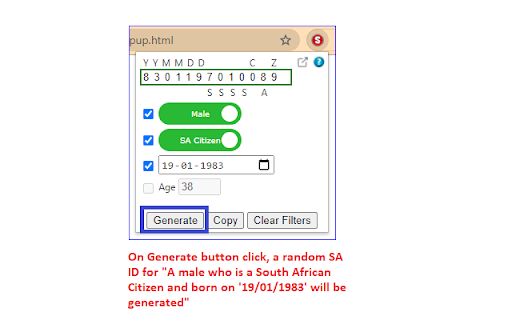
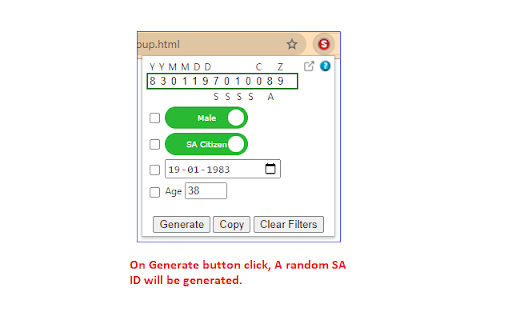
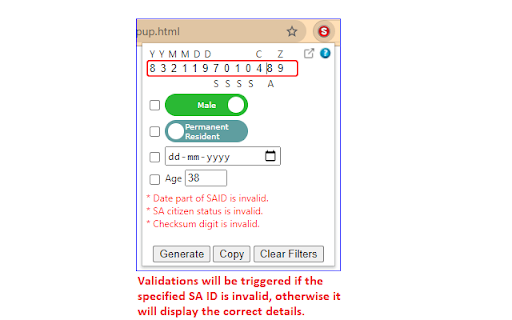
Generate a random South African ID with the capabilities of filtering, validating and retrieving details.
This tool can be used by developers to generate a random valid South African ID satisfying the filtering conditions, if applied.
Also, one can get the details like Date of Birth, Gender, Citizenship status and Age if a valid ID is provided. If the ID is invalid, it will show the validation errors.
Valid IDs passes the checksum test using the Luhn's algorithm.
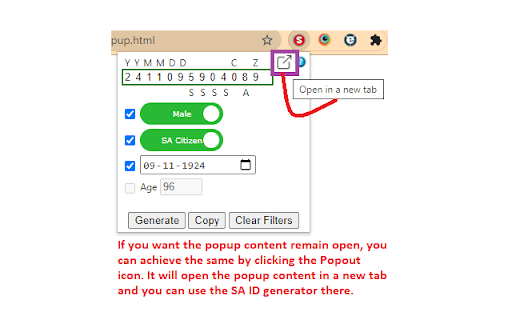
If you want the extension remain open all the time, as the popup automatically closes when focus changes, you can achieve the same by clicking the Popout icon. It will open the SA ID generator in a new tab.
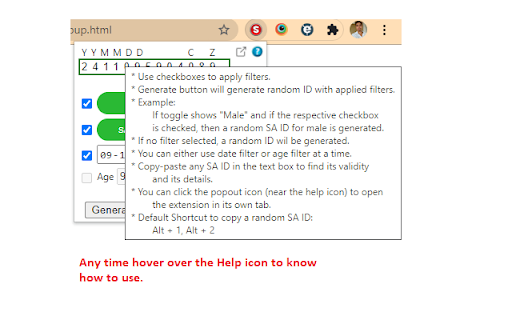
One can hover over the Help icon to know more about how to use the extension.
Keyboard Shortcut to copy a random SA ID to clipboard :
Alt + 1 (Opens the popup)
Alt + 2 (Copies the SA ID to clipboard)
| 分类 | 💻开发者工具 |
| 插件标识 | bipdcejiahkjcnebheaijpfifgjinmoe |
| 平台 | Chrome |
| 评分 |
☆☆☆☆☆
0
|
| 评分人数 | 183 |
| 插件主页 | https://chromewebstore.google.com/detail/sa-id-generator-apply-fil/bipdcejiahkjcnebheaijpfifgjinmoe |
| 版本号 | 1.2.0.0 |
| 大小 | 210KiB |
| 官网下载次数 | 408 |
| 下载地址 | |
| 更新时间 | 2022-05-02 00:00:00 |
CRX扩展文件安装方法
第1步: 打开Chrome浏览器的扩展程序
第2步:
在地址栏输入: chrome://extensions/
第3步: 开启右上角的【开发者模式】
第4步: 重启Chrome浏览器 (重要操作)
第5步: 重新打开扩展程序管理界面
第6步: 将下载的crx文件直接拖入页面完成安装
注意:请确保使用最新版本的Chrome浏览器
同类插件推荐

THAI ID
THAI ID extension offers true random The Thai iden

Tax ID generator
Tax ID Generator utilIntroducing Tax ID Generator,

Thai Citizen ID Generator
Generate valid Thai Citizen ID numbers.Thai Citize
SA ID Generator - Apply Filters, Get Details
Generate a random South African ID with the capabi

Random String Generator
Random String GeneratorThis is a simple Random Str

What Is My Age
This is a free age calculator from birthday which

Name Generator
Easy way to generate random names and save them fo

TruePath
TruePath generates the relative XPath, script and

SA ID Number Tools
Generates a South African ID number that validates

IRIS
IRIS Invigilation (IRIS) helps provide educators a

Inboxes: Create Disposable Temp Mail Addresses
Inboxes lets you quickly create & delete temp

TestCase Studio
TestCase Studio record the user actions performed

Testing Daily | The Tester's Home Page
Get the feed of the latest testing news.Testing Da