
Gitd Download Manager Chrome 插件, crx 扩展下载
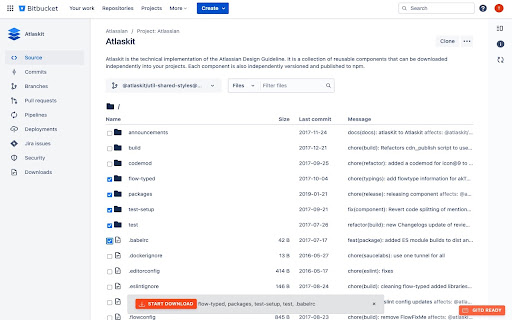
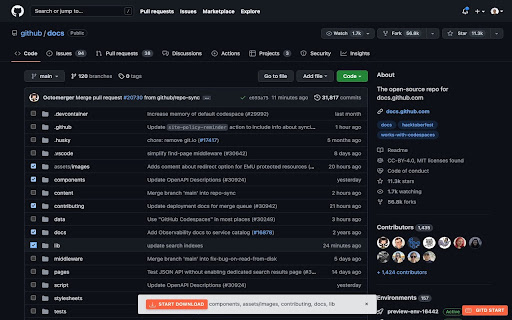
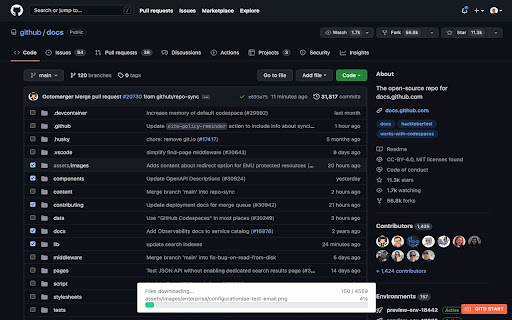
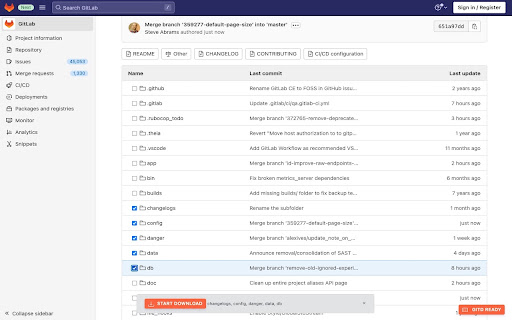
Download at Github,Bitbucket,Gitlab,Gitea,Gitee repo selected files,folders as a zip file with a single click, without api token.
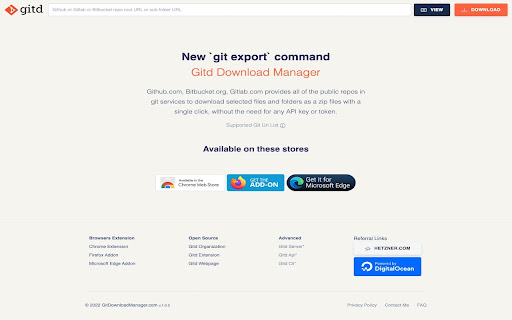
Gitd Download Manager, allows you to download only the files/folders you want without having to download all of the public repository. Github.com, Bitbucket.org, Gitlab.com, Gitea.com, Gitlee.com provides all of the public repos in git services to download selected files and folders as a zip files with a single click, without the need for any API key or token.
If you see "Gitd Start" button, It is ready for use on every screen you see. You have to to click (checkboxes appears) and can starting to select files.
## Features
- Support only Github.com, Bitbucket.org, Gitlab.com, Gitea.com, Gitlee.com public repositories page
- Not neeeded ApiKey/ApiToken
- Support single or multiple files download
- Download selected contents as a zip file with one click
- Support all branches
- Maximum Selection Limit: 10
- Maximum Download Files: 10000
## Next Features
- Support Gitea.com service (near future)
- No limitations for selection and downloading files count
- Support branch names with includes slash
- Support Bitbucket.org commitId url (Maybe)
## Support
Website: https://gitdownloadmanager.com
Github Organization: https://github.com/git-download-manager
### History
v1.0.8
- fixed Github new css selector for file name
v1.0.7
- adds Gitee.com service (archive download not supported)
- fixed file list strange loop index issue
> Note: Gitd Download Manager browser extension creates download lists using Gitdownloadmanager.com api service.
| 分类 | 💻开发者工具 |
| 插件标识 | cbnplpkljokdodpligcaolkmodfondhl |
| 平台 | Chrome |
| 评分 |
★★★★★
5
|
| 评分人数 | 1 |
| 插件主页 | https://chromewebstore.google.com/detail/gitd-download-manager/cbnplpkljokdodpligcaolkmodfondhl |
| 版本号 | 1.0.8 |
| 大小 | 69.96KiB |
| 官网下载次数 | 609 |
| 下载地址 | |
| 更新时间 | 2024-06-18 00:00:00 |
CRX扩展文件安装方法
第1步: 打开Chrome浏览器的扩展程序
第2步:
在地址栏输入: chrome://extensions/
第3步: 开启右上角的【开发者模式】
第4步: 重启Chrome浏览器 (重要操作)
第5步: 重新打开扩展程序管理界面
第6步: 将下载的crx文件直接拖入页面完成安装
注意:请确保使用最新版本的Chrome浏览器
同类插件推荐

GitHub folder download&zip
It works on a github subfolder page - zips all the

GitHub Directory Download
Download directories, files from Github with one c

Developer's Download Helper
Download files and folders from GitHub or GitLab v

GitHub Downloader
Download single files from GitHubChrome extension

Gitd Download Manager
Download at Github,Bitbucket,Gitlab,Gitea,Gitee re

Github Sidebar
Make shortcuts to repositories you frequently use

GitHub Repository Explorer
Access the github repositories you've visited

Clone in VS Code
Clone any GitHub, GitLab or Bitbucket repository i

GitHub similar repository suggestions
It shows the similar repositories to the one which

GitRec
A recommender system for GitHub repositories based

Useful Forks
To list GitHub forks ordered by stars, with additi

GL Git Clone
Adds 'git clone' to the ssh/https clone ur

GitHub Recommender
Get similar repositories on GitHub pageGet recomme