
Zeus - Degiro Portfolio Manager Chrome 插件, crx 扩展下载
Track your portfolio growth with Zeus Portfolio Manager!
Zeus - Degiro Portfolio Manager
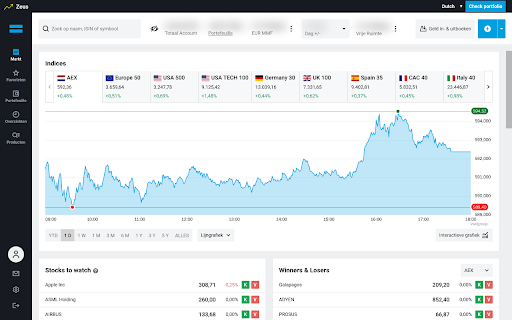
This is a Chrome Extension that improves your experience with Degiro.nl.
By using the Zeus Chrome Extension, you agree to Zeus terms and conditions. (https://zeusclub.notion.site/Terms-of-Use-02876c137ab546db8a56ca0b486c36f9)
Features:
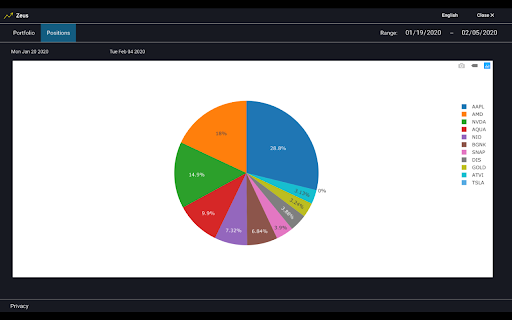
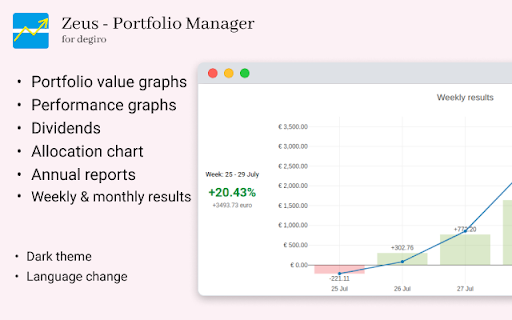
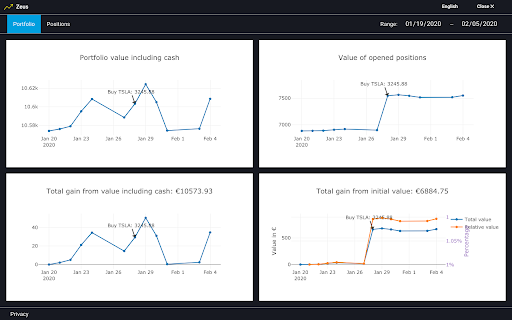
* Checking your portfolio performance and results, day-to-day change and portfolio distribution.
* Checking annual reports and received dividends.
* Changing website language from Dutch to English, German, French, Italian, Spanish, Polish or Czech.
* Dark theme
For a feature request, please write us!
"Zeus" respects the privacy of its clients, in particular their rights regarding the automatic processing of personal data.
All the data which is used to provide "Zeus" functionality is taken from your Degiro account.
* "Zeus" does not share any of your information with third parties
* Your account data is stored locally in your browser and is not collected by any means of tracking, therefore it’s not stored on any remote servers or shared with third parties
* The service does not perform any operations on your account
* All the data from User’s DeGiro account is used only to be represented to User and expand the capabilities of the site for more convenient and productive use of it
Zeus is Degiro Portfolio Tracker and Degiro Portfolio Visualizer!
| 分类 | 📝工作流程与规划 |
| 插件标识 | ckgeffpapoiemciaenjgbelealaekgic |
| 平台 | Chrome |
| 评分 |
★★★★★
5
|
| 评分人数 | 1 |
| 插件主页 | https://chromewebstore.google.com/detail/zeus-degiro-portfolio-man/ckgeffpapoiemciaenjgbelealaekgic |
| 版本号 | 0.99.39 |
| 大小 | 1.1MiB |
| 官网下载次数 | 3000 |
| 下载地址 | |
| 更新时间 | 2025-01-09 00:00:00 |
CRX扩展文件安装方法
第1步: 打开Chrome浏览器的扩展程序
第2步:
在地址栏输入: chrome://extensions/
第3步: 开启右上角的【开发者模式】
第4步: 重启Chrome浏览器 (重要操作)
第5步: 重新打开扩展程序管理界面
第6步: 将下载的crx文件直接拖入页面完成安装
注意:请确保使用最新版本的Chrome浏览器
同类插件推荐

Mercury: Degiro Portfolio Tracking, Visualizations & AI Metrics
Track & Visualize your Degiro portfolio perfor

Extended Degiro summary
Displays some missing account data on Degiro dashb

Degiro Statistics
Shows interesting portfolio statistics at the webs
Zeus - Degiro Portfolio Manager
Track your portfolio growth with Zeus Portfolio Ma

Highlight AI
Chat on highlighted cell number on Whatsapp. Searc

PromptSync
Ask ChatGPT, Bard AI, and Bing Chat with one singl

HUB Network Connector
Find the right connections, at the right time, and

Anti FeR toolkit
Adds features and extensions for the bushtarion we

Suspend tabs
Free up your device's memory and speed up your

The Big Gift List
Easily add items to your 'The Big Gift List

brocrobes
Browser plugin for https://transcrob.esBrocrobes i

Tanuki Utilities
Provide useful utilities for GitLab users.Title ch