
NetSuite Quality of Life Enhancements Chrome 插件, crx 扩展下载
User Configurable Quality of Life Enhancements for the NetSuite platform
For full features and demos, please visit the official page: https://www.jamespak.com/netsuite-qol-suite/
This extension contains a growing collection of general Quality of Life improvements for the NetSuite Platform. Each option may be enabled or disabled at the user's discretion.
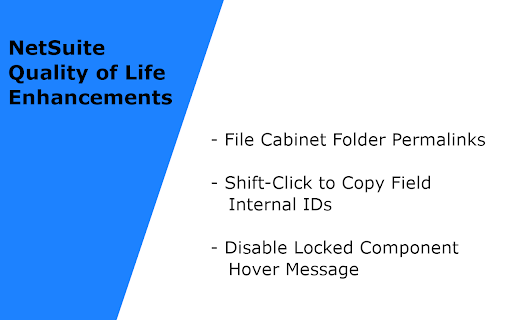
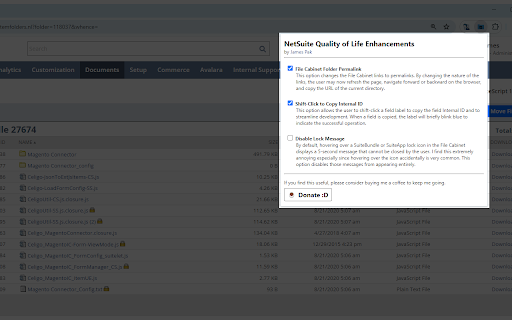
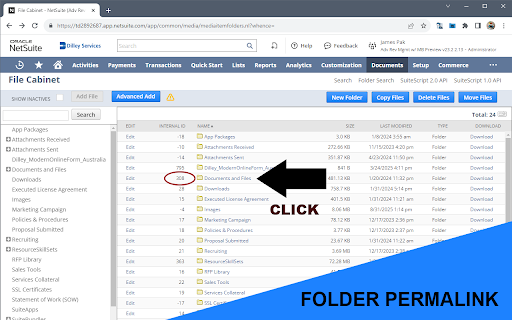
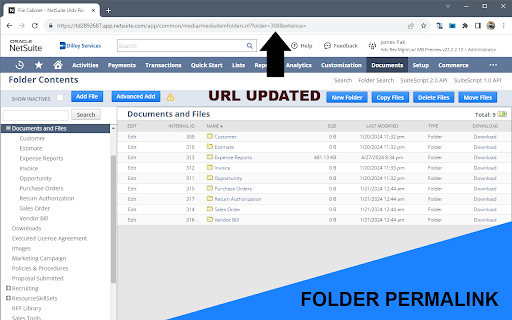
- File Cabinet Folder Permalink - This option updates all File Cabinet Folder Links to Permalinks, allowing the user to refresh the page, navigate forward/backward in the browser, copy the current directory URL, and open directory links in new tabs/windows.
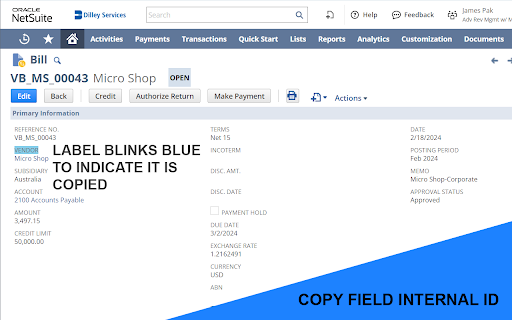
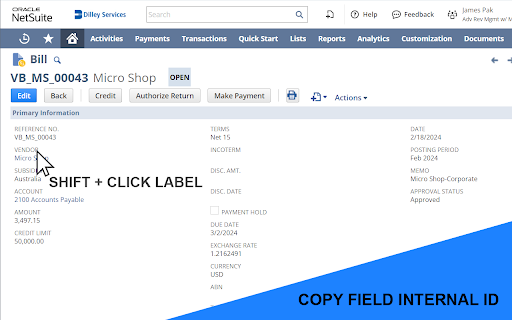
- Shift-Click to Copy Field Internal ID - This option provides administrators/developers a much faster method to copy Field Internal ID strings compared to clicking the label, highlighting the ID, copying, and then closing the help panel.
- Disable Locked Customization Message - Hovering over a locked customization opens the following message "The bundle author has locked this object to prevent editing." This message cannot be closed by the user and is especially annoying when looking at SuiteBundles or SuiteApps with many customizations. This option disables the message from appearing.
- Press Escape to Close Panels - The native NetSuite interface requires the Help Modal to be focused to close it by pressing Escape. This setting generalizes closing the panel even if it is not in focus. Also works on the Personalize Dashboard panel.
- Account Record Links - On almost all pages, when the GL Account is presented as a link, clicking it takes you to the Account Register and never to the Account Record. This setting adds a link to the right of the Account name which will navigate you to the Account Record.
Author's Note:
Please reach out to me on the NetSuite Professionals Slack to submit bugs or request new features.
| 分类 | 💻开发者工具 |
| 插件标识 | ddadcjminjgnbhfhcbafbbomnledfobj |
| 平台 | Chrome |
| 评分 |
★★★★☆
4.9
|
| 评分人数 | 61 |
| 插件主页 | https://chromewebstore.google.com/detail/netsuite-quality-of-life/ddadcjminjgnbhfhcbafbbomnledfobj |
| 版本号 | 5.7.0 |
| 大小 | 23.16KiB |
| 官网下载次数 | 194 |
| 下载地址 | |
| 更新时间 | 2025-02-12 00:00:00 |
CRX扩展文件安装方法
第1步: 打开Chrome浏览器的扩展程序
第2步:
在地址栏输入: chrome://extensions/
第3步: 开启右上角的【开发者模式】
第4步: 重启Chrome浏览器 (重要操作)
第5步: 重新打开扩展程序管理界面
第6步: 将下载的crx文件直接拖入页面完成安装
注意:请确保使用最新版本的Chrome浏览器
同类插件推荐

NetSuite Record JSON Viewer
This extension will stringify the current NetSuite
NetSuite SplitView
An extension which enables split pane functionalit

SuiteAdvanced™ for NetSuite
Bring your NetSuite experience to a whole new leve
NetSuite Quality of Life Enhancements
User Configurable Quality of Life Enhancements for

NetSuite Transaction Tree
Netsuite Transaction Tree Browser By Waleed Bin Kh

NetSuite Command Palette Search
Allows you to press CMD + K and open an enhanced s

NetSuite: Show Field IDs
Hover over NetSuite fields to show their IDs. Find

NetSuite Better Export
Allows user to export Saved Search results in vari

NetSuite Scripted Records
See the customizations deployed to your recordsWou

NetSuite: Saved Search and Dataset Export
Export your saved searches, datasets and workbooks

NetSuite Field Explorer
Examine the fields in a Netsuite recordNetSuite Fi

NetSuite Field Finder
Allows user to quickly find fields in Saved Search

NetSuite Advanced Field Help
Extends the NetSuite Field Help and adds relevant