
SuiteAdvanced™ for NetSuite Chrome 插件, crx 扩展下载
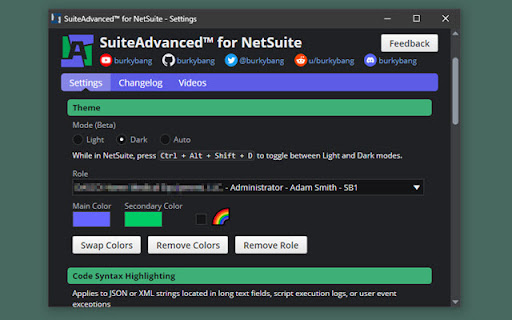

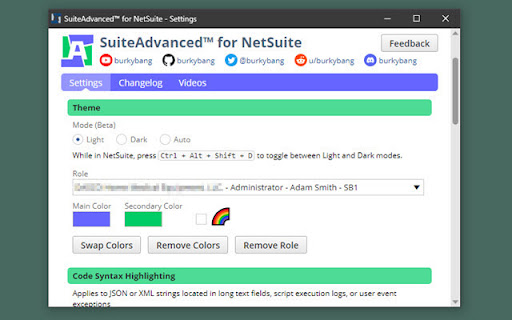
Bring your NetSuite experience to a whole new level with added functionality, shortcuts, settings, and theming
Everything you didn’t know you needed in NetSuite!
Start your 7-day no obligation free trial today.
Highlighted Features
- Dark mode!
- Ability to customize NetSuite your own way with SuiteAdvanced Scripts
- File Cabinet drag and drop uploading
- Saved Search split view - See edit mode and results at the same time
- Custom themes with the ability to set any color you want
- JSON & XML Syntax Highlighting in many places with themes
- Show field IDs next to fields all at the same time with the flip of a switch
- Save & Edit button on all records
- Global Search shortcuts
- Up to 1000 records in the recent records menu ?
And many many more! Literally 100+ features, and I'm adding more all the time.
Videos of Some Features: https://youtube.com/playlist?list=PLVt4_r5YY_mc5n4UOu2yFwNxGuiaUHAoo
View changelog in settings.
SuiteAdvanced™ is not affiliated, associated, authorized, endorsed by, or in any way officially connected with NetSuite Inc., Oracle Corporation, or any of their subsidiaries or affiliates.
| 分类 | 🛠️工具 |
| 插件标识 | eambkjlkacecjilgcdmicbpnhkfhdiee |
| 平台 | Chrome |
| 评分 |
★★★★★
5
|
| 评分人数 | 3 |
| 插件主页 | https://chromewebstore.google.com/detail/suiteadvanced-for-netsuit/eambkjlkacecjilgcdmicbpnhkfhdiee |
| 版本号 | 31.0.0 |
| 大小 | 325KiB |
| 官网下载次数 | 2000 |
| 下载地址 | |
| 更新时间 | 2025-02-27 00:00:00 |
CRX扩展文件安装方法
第1步: 打开Chrome浏览器的扩展程序
第2步:
在地址栏输入: chrome://extensions/
第3步: 开启右上角的【开发者模式】
第4步: 重启Chrome浏览器 (重要操作)
第5步: 重新打开扩展程序管理界面
第6步: 将下载的crx文件直接拖入页面完成安装
注意:请确保使用最新版本的Chrome浏览器
同类插件推荐

NetScore-NetSuite Assist
NetScore-NetSuite Assist.NetScore-NetSuite Assist

Suitelook: NetSuite Record Viewer
This extension allows you to visualize all the fie

SuiteAdvanced™ for NetSuite
Bring your NetSuite experience to a whole new leve
NetSuite QuickSearch Pro
Supercharge NetSuite's search capabilities wit

Suitefield: NetSuite Field Enhanced Help
This extension allows you to see all fields settin

NetSuite Utils
NetSuite Utility ExtensionThis started as group of

NetSuite Quality of Life Enhancements
User Configurable Quality of Life Enhancements for

NetSuite Transaction Tree
Netsuite Transaction Tree Browser By Waleed Bin Kh

NetSuite Command Palette Search
Allows you to press CMD + K and open an enhanced s

NetSuite Better Export
Allows user to export Saved Search results in vari

Netsuite Sphynx
Help you use NetSuite in the efficient way.When us

better netsuite
Improvements for netsuite UIProvides fixes for the

NetSuite Field Explorer
Examine the fields in a Netsuite recordNetSuite Fi