
Beesy: Record Google Meets Chrome 插件, crx 扩展下载

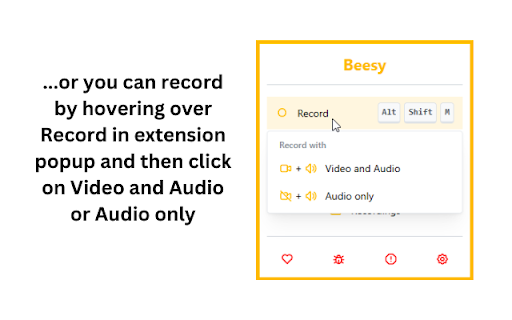
Record & Transcribe Google Meets locally to your computer
----------------------------------------------------------------------------------------------------
⚠️ Disclaimer: A Beesy user should inform and get consent of other Google Meet members when recording is enabled on their system according to their local laws. Be a sound user and respect others' privacy :)
----------------------------------------------------------------------------------------------------
Beesy is FREE for local use, no signup and no cloud dependency at all!
Just install the extension and start recording. Features:
? Record without signing up
✍️ Meetings are transcribed automatically using Google captions
? You won't lose your recordings, even if your computer crashes!
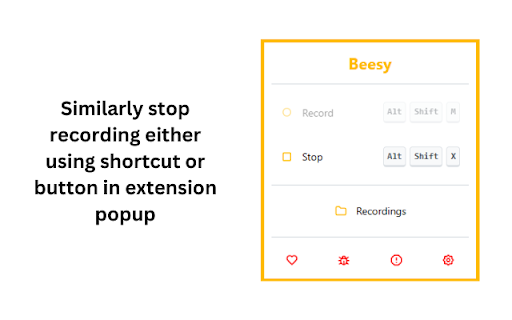
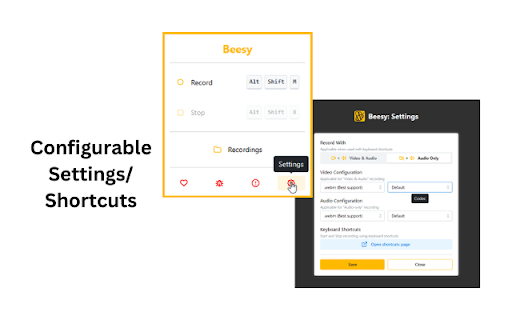
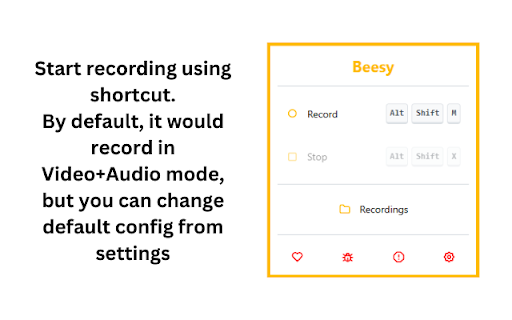
⚡ Use shortcuts to start/stop recording. Configure them as per your need
? Option to start video+audio or audio only recordings
? Supports muting audio in recording by muting Google Meet, which is not possible with screen recorders
? Automatically detect active mic when (dis)connecting headphones
⌛ Show time since recording started in extension icon
? Recording is downloaded automatically when you leave a meeting
? Show recording in progress and an easy way to switch to the active Meet tab
? Auto-disable Google Meet media controls before joining a session
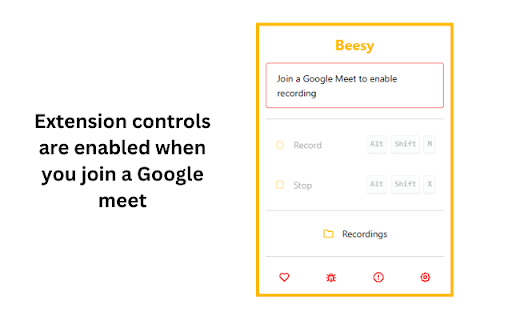
? Notify you to start recording when joining a meet
----------------------------------------------------------------------------------------------------
This extension does NOT track or share user data.
However, we use error collection service to improve Beesy and its user's experience.
| 分类 | 🛠️工具 |
| 插件标识 | eabicnldgjknbifdgmnieblkbnggfnde |
| 平台 | Chrome |
| 评分 |
★★★★☆
4.6
|
| 评分人数 | 12 |
| 插件主页 | https://chromewebstore.google.com/detail/beesy-record-google-meets/eabicnldgjknbifdgmnieblkbnggfnde |
| 版本号 | 0.0.16 |
| 大小 | 1.03MiB |
| 官网下载次数 | 10000 |
| 下载地址 | |
| 更新时间 | 2025-01-21 00:00:00 |
CRX扩展文件安装方法
第1步: 打开Chrome浏览器的扩展程序
第2步:
在地址栏输入: chrome://extensions/
第3步: 开启右上角的【开发者模式】
第4步: 重启Chrome浏览器 (重要操作)
第5步: 重新打开扩展程序管理界面
第6步: 将下载的crx文件直接拖入页面完成安装
注意:请确保使用最新版本的Chrome浏览器
同类插件推荐

Meetingtor: Record online meetings
Automatically record, transcribe and summarize onl

Meeting Recorder
Prompts user to start recording in the Google Meet

记录 Google Meet - Record Google Meet
无缝记录 Google Meet。视频通话捕捉就是这么简单!即使 Google Meet 不可用,也

Beezy
A Chrome Extension that allows users to extract ac
记录 Zoom 会议
毫不费力地记录 Zoom 会议。轻松进行屏幕截图!访问并下载 Zoom 会议录制,与任何人分享。?

Google Meet - Don't forget to record ribbon
Adds a ribbon on the top-left side of Meet to remi

Beesy: Record Google Meets
Record & Transcribe Google Meets locally to yo

Record & Summarize your Meetings - Inkdrop
Maximize Meeting Efficiency with Inkdrop - Record,

Meet Assistant
Only way for you to record your precious meetings

Screen & Webcam recorder - Flonnect
Allows Screen Recording from your Webcam and Deskt

Fireflies: AI meeting notes
Record & Transcribe meetings & calls direc

Scribbl: AI Meeting Notes for Google Meet
Scribbl can record, transcribe, and generate incre

Record, Transcribe & ChatGPT for Google Meet
Automatically record & transcribe Google Meet