
LEO Dictionaries Chrome 插件, crx 扩展下载
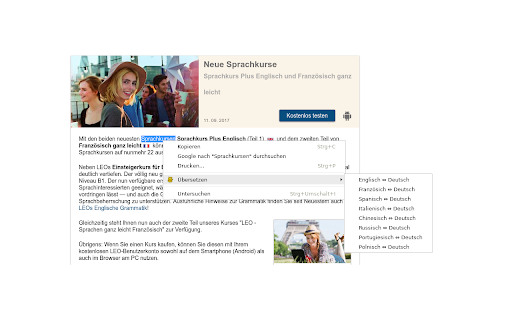
Adds LEOs dictionaries to the context menu. Select text in any webpage and open the context menu to look up words quickly.
This is the official add-on for easier access to LEOs Online Dictionaries. Select any word or phrase, right-click on the selection and translate it with one click.
Changelog:
5.0.0: Added new dictionaries: English-Spanish, English-French, English-Russian, Spanish-Portuguese. Migrated to Manifest v3
4.0.0: Skipped, internal use only
3.4.1: Fixed incorrect link when trying to access the Polish-German dictionary with Polish language
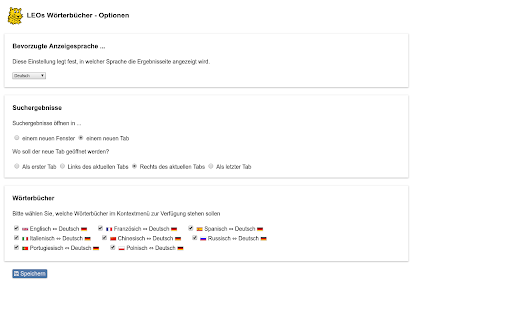
3.4: Added new option to re-use the same tab for search results
3.2.2: Fixed a bug with older Firefox versions.
3.2.1: Respect the setting of the tab-opening position
3.2: When opening search results in a new tab, return to original tab after closing tab with search results.
3.1: New option to open the new tab with results as first tab, left of current tab, right of current tab or as last tab.
| 分类 | 🛠️工具 |
| 插件标识 | ebpejciglobemiaddccbkiepphkofeoc |
| 平台 | Chrome |
| 评分 |
★★★★☆
4.6
|
| 评分人数 | 5 |
| 插件主页 | https://chromewebstore.google.com/detail/leo-dictionaries/ebpejciglobemiaddccbkiepphkofeoc |
| 版本号 | 5.0.0 |
| 大小 | 35.12KiB |
| 官网下载次数 | 4000 |
| 下载地址 | |
| 更新时间 | 2021-12-28 00:00:00 |
CRX扩展文件安装方法
第1步: 打开Chrome浏览器的扩展程序
第2步:
在地址栏输入: chrome://extensions/
第3步: 开启右上角的【开发者模式】
第4步: 重启Chrome浏览器 (重要操作)
第5步: 重新打开扩展程序管理界面
第6步: 将下载的crx文件直接拖入页面完成安装
注意:请确保使用最新版本的Chrome浏览器
同类插件推荐
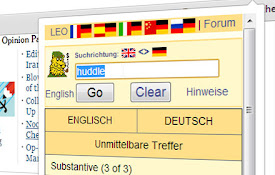
LEO.org simple translator
Easily translate words from any website within you

LEO Translator
This extension allows you to show the LEO translat

dict.cc context menu
add a context-menu for dict.ccThis extension adds

LEO Wörterbuchsuche
Übersetzungen auf dict.leo.org: Deutsch, Englisch,
LEO Dictionaries
Adds LEOs dictionaries to the context menu. Select

Der Die Das
Look up the grammatical gender of any noun quickly
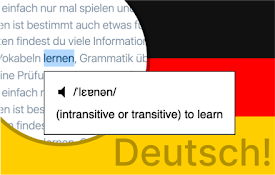
German Popup Dictionary
Press shift to scan a word, or click the extension

Leo Dictionary Widget
Select a word on a website and immediately look up

German Dictionary in Tooltip
Shows german gender words (der, die, das) and word

dict-cc
Übersetzt im Handumdrehen ein unbekanntes Wort ein

Duden-Mentor-Textprüfung
Mit dem Mentor können Sie Ihre Texte überall im Ne

Reverso – Translation, dictionary
Translate and learn languages while browsing and w

Readlang Web Reader
Read websites in the language you're learning,