
WProofreader: AI grammar check & rewrite tool Chrome 插件, crx 扩展下载

Correct texts and rephrase content with WProofreader secure writing assistant.
WProofreader is a reliable multi-language grammar and spell checker extension. You can choose to host it on-site, in a private cloud under Business plan or in the shared cloud under Free plan.
What do you get in a bundle with WProofreader?
SENTENCE CHECKER AND REWORDING TOOL ?
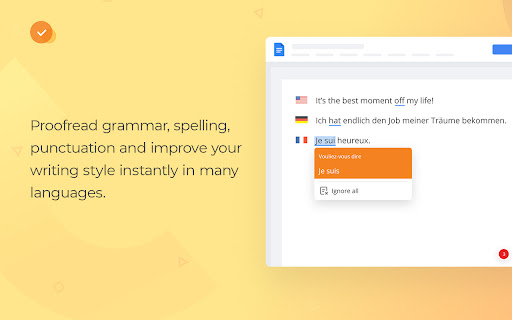
WProofreader detects and corrects spelling, grammar and style issues in 20+ languages. AI support for English, German and Spanish that perform with better accuracy. Language autodetect for checking multilingual content.
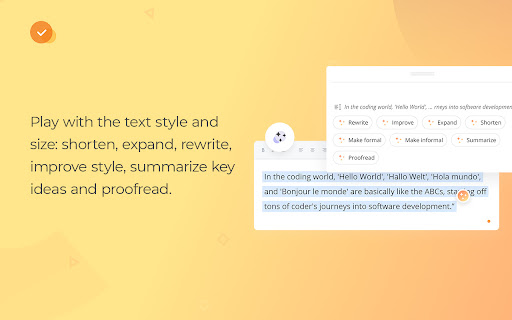
Being stuck with writer’s block or tired of tedious text paraphrasing? Try WProofreader AI writing assistant, a text rewording and content generator tool for English, German, French and Spanish. Transform your texts to find a perfect match: shorten, expand, rewrite, improve style, make them sound more formal or informal, summarize key ideas and proofread. WProofreader AI assistant comes with a daily word count limit.
All features:
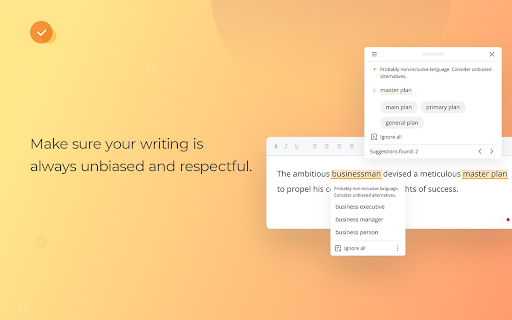
STYLE GUIDE. Create a organizational style guide to standardize communication across your team. Try embedded custom rules to make your writing more respectful and omit profane language in English.
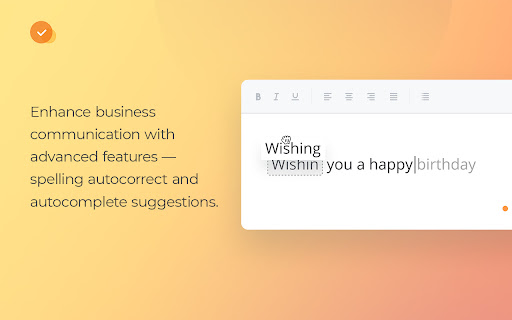
SPELLING AUTOCORRECT & AUTOCOMPLETE SUGGESTIONS. Autocorrect instantly suggests corrections for common misspellings while users are typing. Autocomplete aka text prediction speeds up writing and enhances business communication. Autocomplete is available for English dialects for now.
SECURE SOLUTION. Client security is critical for us. We adjust to all industry security standards and best practices. We offer businesses on-premise deployment. You can host and run the text checker on company servers in house or in a private cloud. It eliminates any chance of data leakage and provides the top-notch security for your personal and corporate info. WProofreader can be also installed in a shared cloud on Amazon EC2 servers within the Free plan.
COMPATIBILITY WITH SOFTWARE. Supports Google Workspace (Gmail, Docs, Sheets, Meet, Calendar, Keep), project management apps, document management software, CRM and CMS systems, social media, email service agents, service desks systems, publishing platforms, AI assistants, etc.
CUSTOMIZATION OPTIONS. Select the main language, tweak proofreading settings, extend user spelling dictionaries, block or allow websites.
CUSTOM DICTIONARIES AND SPECIALIZED LEXICONS. Create a unified dictionary for all your users or give them a chance to build their own vocabularies. For legal and medical industries, we have an extra option — prebuilt dictionaries with a professional lexicon.
WProofreader security hub: https://wproofreader.com/security.html
| 分类 | 💬沟通 |
| 插件标识 | ehlmgkidbfjedfdanfechlikaolobpgh |
| 平台 | Chrome |
| 评分 |
★★★★☆
4.5
|
| 评分人数 | 109 |
| 插件主页 | https://chromewebstore.google.com/detail/wproofreader-ai-grammar-c/ehlmgkidbfjedfdanfechlikaolobpgh |
| 版本号 | 2.4.6 |
| 大小 | 4.47MiB |
| 官网下载次数 | 2000 |
| 下载地址 | |
| 更新时间 | 2025-01-18 00:00:00 |
CRX扩展文件安装方法
第1步: 打开Chrome浏览器的扩展程序
第2步:
在地址栏输入: chrome://extensions/
第3步: 开启右上角的【开发者模式】
第4步: 重启Chrome浏览器 (重要操作)
第5步: 重新打开扩展程序管理界面
第6步: 将下载的crx文件直接拖入页面完成安装
注意:请确保使用最新版本的Chrome浏览器
同类插件推荐
Autocorrect Units
Helps format SI (metric), US customary, and imperi

Smoothie: Type Faster on Any Website
Type faster with AI sentence predictions and custo

Wonder AI - Your GPT writing assistant
Wonder AI: The AI Writing Assistant That Makes You
Revi.AI — check grammar and improve text using AI
A Chrome extension that improves the quality of yo

UpWrite AI: Proofreads all Texts in Browser
An AI-powered writing assistant that identifies an

Spellex Write-Assist for Chrome
Spellex for Chrome is a complete assistive technol

FluentTyper: Autocomplete and Spell Checker
FluentTyper aims to improve the ease and speed of

Wordeep Proofreading
Wordeep ProofreadingAutomatic real-time English te

Linguix 语法和拼写检查器
Linguix为你在网络上的任何英语文本寻找和排除拼写问题的最佳方案。提升您的写作水平并使用Ling

Outwrite — Grammar checker & rewrite tool
Write perfect content with Outwrite. Check spellin
WProofreader: AI grammar check & rewrite tool
Correct texts and rephrase content with WProofread

ChatGPT Webpage Summarizer
Summarize web pages using OpenAI's GPT-4 model

FutureWrite AI for Writing & More w/ ChatGPT
Free-Boost writing w/ AI! FutureWrite w/ ChatGPT f