
Inbox Preview by TrustedSite Chrome 插件, crx 扩展下载
See which sites you can trust.
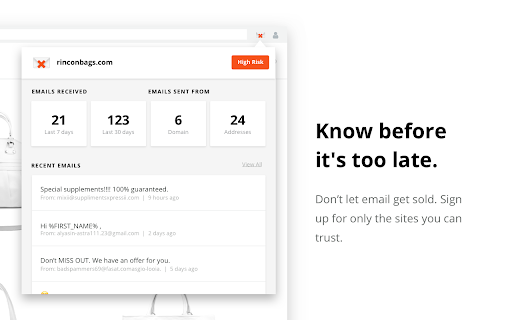
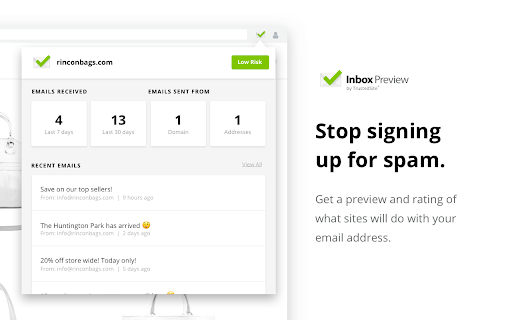
Inbox Preview by TrustedSite gives you a sneak peek into what you'll get if you sign up for the mailing list on a variety of websites.
- Get a spam risk rating for 1,000s of sites
- Easily see if you'll receive spam before you sign up
- Find out how many emails you're really signing up for
- Avoid having your personal information sold
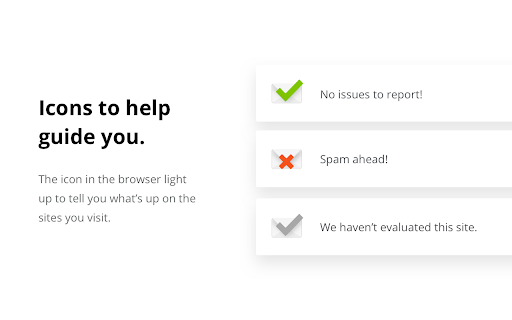
We sign up for thousands of websites with unique email addresses to monitor the results, so you don't have to guess. This lightweight Chrome extension lets you easily see our results before you enter your email address so you can avoid spam. If we don't have results for a particular site, you can easily vote for us to rate it in the future.
| 分类 | 📝工作流程与规划 |
| 插件标识 | emolkkmlcfknlnjcmpmbhifdajgkgeed |
| 平台 | Chrome |
| 评分 |
★★★★☆
4.4
|
| 评分人数 | 83 |
| 插件主页 | https://chromewebstore.google.com/detail/inbox-preview-by-trusteds/emolkkmlcfknlnjcmpmbhifdajgkgeed |
| 版本号 | 2024.05.17 |
| 大小 | 36.99KiB |
| 官网下载次数 | 241 |
| 下载地址 | |
| 更新时间 | 2024-05-19 00:00:00 |
CRX扩展文件安装方法
第1步: 打开Chrome浏览器的扩展程序
第2步:
在地址栏输入: chrome://extensions/
第3步: 开启右上角的【开发者模式】
第4步: 重启Chrome浏览器 (重要操作)
第5步: 重新打开扩展程序管理界面
第6步: 将下载的crx文件直接拖入页面完成安装
注意:请确保使用最新版本的Chrome浏览器
同类插件推荐

Inbox Preview by TrustedSite
See which sites you can trust.Inbox Preview by Tru

Scripter debugger extension
This extension debugs the scripter blocks and load

DDNS Client For NameCheap
Update your NameCheap dynamic DNS automatically.DD

Opener Detector
Checks for window.opener vulnerabilities as you br

Force HTTPS for all traffic
This extension will force HTTPS for all outgoing c

Google Services Launcher
An extension that will allow the quick and easy la

HiddenTools for Google Chrome™
The easiest way to access all the productivity set

Trellix Endpoint Security For Mac Web 控制
Trellix Endpoint Security For Mac Web 控制Web Contro

Trellix Endpoint Security Web Control
Web ControlMcAfee Endpoint Security Web Control

Online Security Pro
针对恶意软件,网络钓鱼和恶意网站的在线安全性。通过Comodo的实时保护,保护您自己,您的家人和您的

Tweaks Web Protection
Surf the web without fearing malwareThe quickest a

Extensioner
Extension management is easier with Extensioner.v1

Investigate with Lacework
Faster, more accurate insight into the entire cybe